

Some themes available on KloudBucket require a manual activation process to unlock demo import, bundled plugins, or update features.
This page explains why activation is required, why your purchase code won’t work, and how to activate your theme correctly.
Why Does This Theme Require Activation?
Certain themes are built by authors who require an Envato Elements–style activation inside the theme panel.
Since KloudBucket provides GPL-licensed products, we do not supply original Envato purchase codes. Instead, activation is handled manually by our support team.
⚠️ KloudBucket purchase codes will NOT work on the theme activation screen.
Important Before You Start
- Activation is required only for specific themes
- Activation is provided per website (per domain)
- You must submit a support ticket to complete activation
- Activation keys are delivered within 24–48 hours
Step-by-Step Activation Process
Step 1: Go to Theme Activation Page
Log in to your WordPress dashboard
Navigate to: Theme Panel → General → Activate Theme
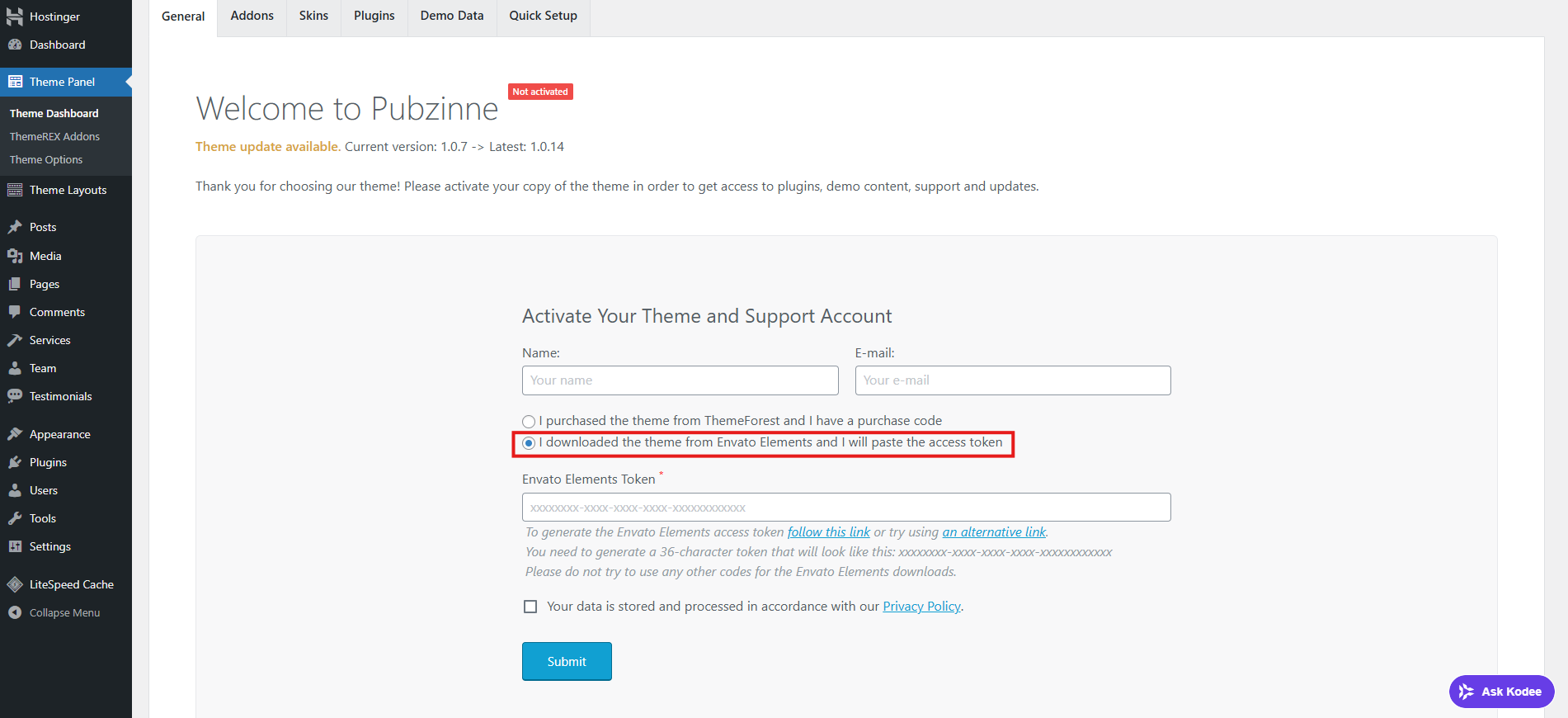
You will see the activation screen like the example shown in our screenshots.
Step 2: Select Envato Elements Option
On the activation page, select:
- “I downloaded the theme from Envato Elements and I will paste the access token”
- ❌ Do NOT select the ThemeForest purchase code option.
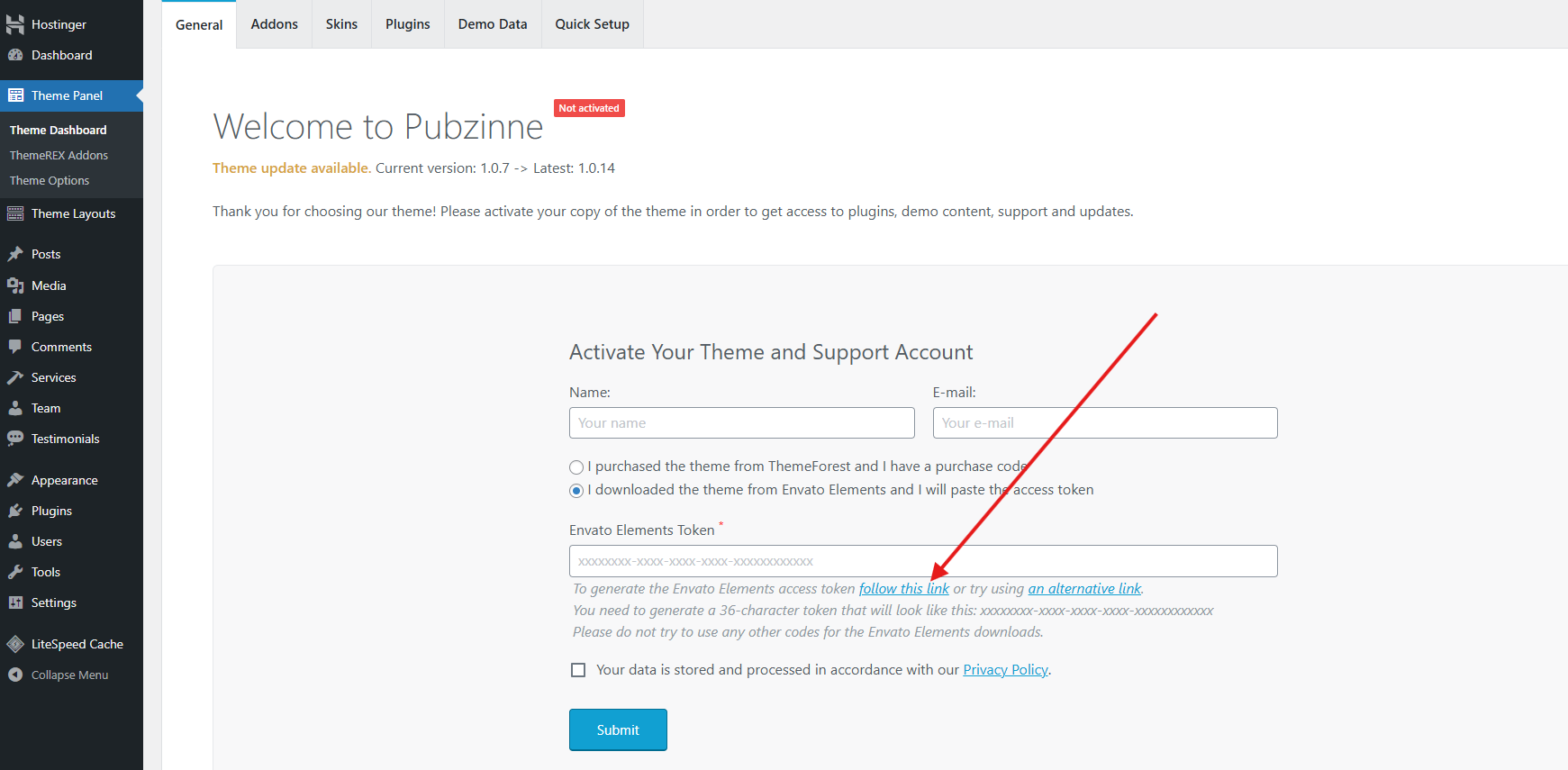
Step 3: Copy the Required URL
Find the text link labeled “Follow this link”
Hover your mouse over the link
Right-click and choose “Copy Link Address”
🔑 This URL is required to generate your activation key.
Step 4: Submit a Support Ticket
Create a support ticket at KloudBucket and include:
- The copied URL
- Your order number or email
- The theme name
📩 Our support team will review your request and generate a valid activation key.
⏱️ Activation keys are usually provided within 24–48 hours.
Video Tutorial (Highly Recommended)
Please watch our step-by-step video guide before submitting your ticket:
The video shows:
- Which option to select
- Where to find the correct link
- What URL must be sent to support
Common Mistakes to Avoid
❌ Using KloudBucket purchase code for activation
❌ Selecting the ThemeForest option
❌ Sending screenshots instead of the URL
❌ Sending the wrong or incomplete link
After Activation
Once activated:
- You can import demo data
- Required plugins will unlock
- Theme updates will be available (when provided)
Need Help?
If you face any issues:
- Make sure you followed all steps correctly
- Watch the video tutorial
- Contact KloudBucket support with the required URL
- 📌 Support Portal: https://kloudbucket.com/support
Summary
- Some KloudBucket themes require Envato Elements–style activation
- Purchase codes are not activation keys
- Activation is completed manually by our support team
- Correct URL submission is required
- Activation is completed within 24–48 hours
Was this article helpful?
0 out of 0 found this helpful