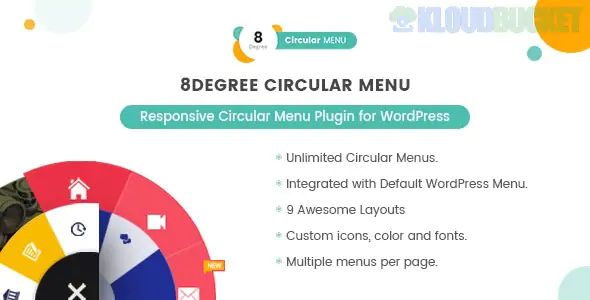
8Degree Circular Menu is a niche WordPress plugin designed to add stylish, radial navigation to your website. It is particularly effective for sites looking for a modern "app-like" interface or for mobile-heavy audiences where traditional top-bar menus can feel cluttered.
The plugin converts standard WordPress menus into interactive circles or semi-circles that expand and retract with a click or hover.
9 Unique Layouts: It offers various radial shapes, including full circles, semi-circles (arc), and even quarter-circles (corner menus).
Responsive Styling: The menu is built to be "mobile-first," meaning it scales and positions itself automatically for smartphones and tablets.
Icon Integration: Supports FontAwesome and other icon libraries, allowing you to use recognizable symbols for your menu items instead of just text.
Animation Effects: Features smooth CSS3 transitions for the expanding and folding actions, with multiple entrance/exit animations.
Notification Labels: You can add small notification "bubbles" or labels to menu items—useful for highlighting a "Sale" or "New" page.
Draggable & Fixed Positions: You can set the menu to stay fixed in one corner of the screen or allow users to drag it around to avoid blocking content.
Dashboard Integration: Unlike some complex ERP plugins, this lives entirely within the native WordPress Menu system. You create a menu as you normally would (Appearance > Menus) and then assign it to the 8Degree Circular location.
Typography & Colors: Includes a full color picker for backgrounds, icons, and borders, plus Google Fonts integration for any labels used.
Tooltip Support: If icons aren't enough, you can enable tooltips that reveal the menu item's title when a user hovers over the circle.
Visibility Rules: You can choose to show or hide the circular menu on specific pages, posts, or for specific user roles.
Feature
Standard Nav Menu
8Degree Circular
Screen Real Estate
Takes up top/side space
Floating icon (minimal space)
User Interaction
Click to navigate
Click to expand + Click to navigate
Visual Style
List/Grid based
Radial/Architectural
Mobile Ease
Requires "Hamburger" menu
Natural "Thumb-friendly" arc
Portfolio Sites: Gives a creative, high-end feel that stands out from corporate templates.
Quick Action Menus: Use it as a secondary menu for "Contact Us," "Back to Top," and "Social Media" links.
Mobile Web Apps: Perfect for sites that want to mimic the bottom-center "plus" buttons common in modern mobile apps (like Instagram or Pinterest).
Gaming/Interactive Sites: Complements a gamified or interactive user interface perfectly.
Because circular menus hide their links until clicked, they are best used for secondary navigation or "Quick Actions." For your main site structure (Home, Shop, About), a traditional menu is still usually better for SEO and accessibility.
Would you like me to help you find a CSS snippet to change the "Expand" icon to something custom, like your brand's logo?
Subscribe to access unlimited downloads of themes, videos, graphics, plugins, and more premium assets for your creative needs.
.jpg) Help Us to Buy More New Theme/Plugin
Help Us to Buy More New Theme/Plugin
Published:
Jan 16, 2026 15:07 PM
Version:
v1.0.5
Category:
Author:
OtherLicense:
GPL v2 or Later