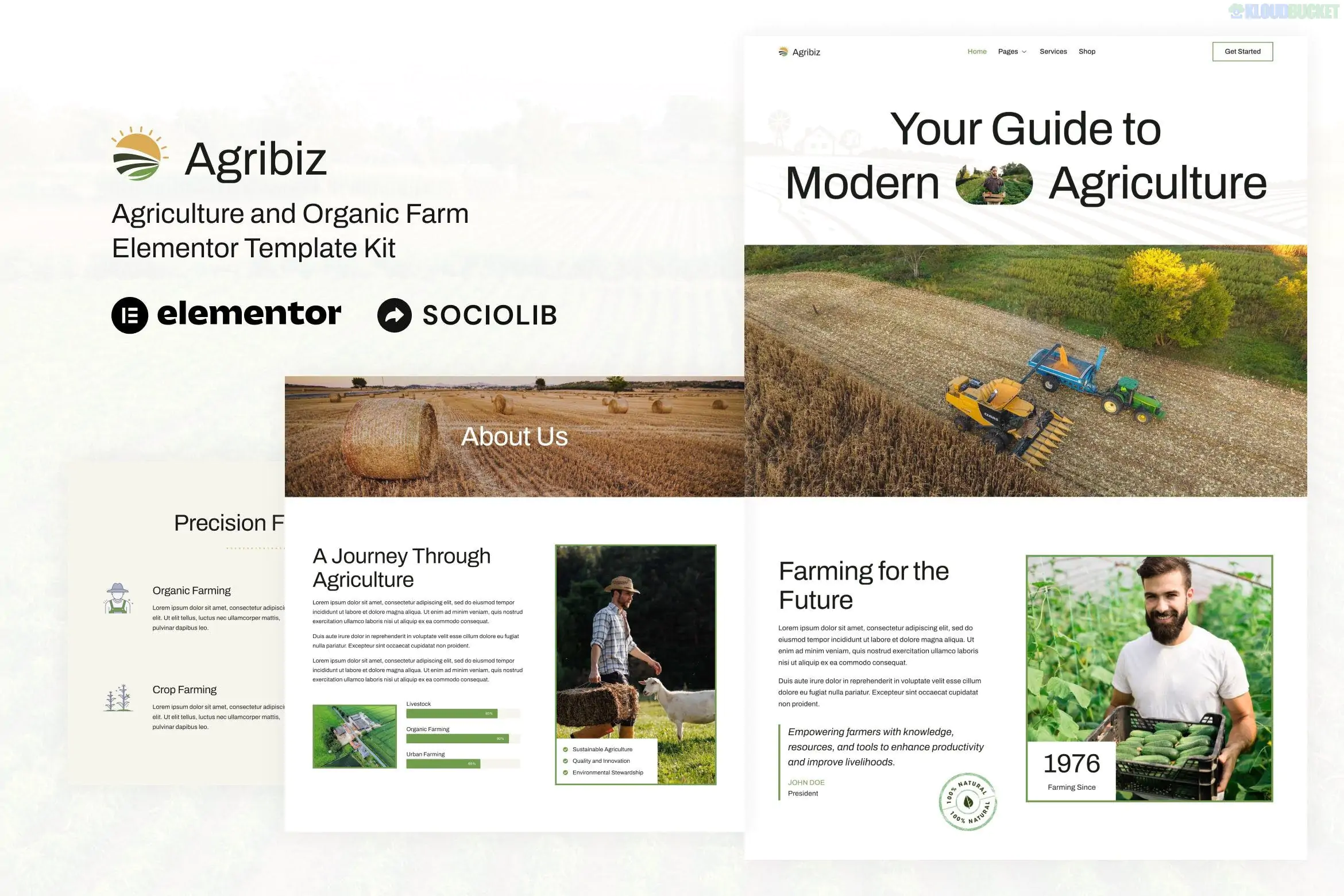
**Agribiz** is a professional **Elementor Template Kit** designed for agriculture, organic farming, livestock businesses, and eco-farming services. Created by **sociolib**, it offers a modern and clean design that focuses on building trust with clients in the agricultural industry.
A key advantage of Agribiz is that it is powered by the **free version of Elementor**, making it an affordable solution for small farm owners and local agricultural companies.
---
### Key Features
* **10+ Pre-designed Templates:** Includes layouts for Home, About Us, Services, Service Detail, FAQ, Team, Blog, and Contact.
* **Modern & Earthy Aesthetic:** Uses a professional palette (typically greens and browns) with high-quality layouts for showcasing harvests and farming techniques.
* **True No-Code Customization:** Fully editable using the Elementor drag-and-drop visual builder.
* **Fully Responsive:** Optimized to work perfectly on tablets and mobile devices, which is vital for users accessing the site on the go.
* **Optimized for Speed:** Lightweight design intended for use with the **Hello Elementor** theme to ensure fast loading times.
---
### Technical Requirements
To get the exact look of the Agribiz demo, you will need the following free plugins installed:
1. **Elementor (Free):** The core page builder.
2. **ElementsKit Lite:** Used for advanced widgets, as well as the header and footer building functionality.
3. **Skyboot Custom Icons:** Provides the specific iconography seen in the agriculture-themed sections.
4. **MetForm:** Powering the "Request a Quote" or contact forms.
---
### How to Install Agribiz
1. **Preparation:** Install and activate the **Hello Elementor** theme.
2. **Plugin Setup:** Install the **Envato Elements** plugin (or the "Template Kit Import" plugin) from the WordPress repository.
3. **Upload the Kit:** Go to **Elements > Installed Kits** (or Tools > Template Kit) and upload the `agribiz.zip` file.
4. **Install Requirements:** Click the orange **"Install Requirements"** banner to automatically activate the necessary helper plugins (ElementsKit, etc.).
5. **Import Order:**
* **Global Kit Styles:** Import this **first** to establish your site-wide typography, colors, and button styles.
* **Header & Footer:** Import these next to set up your global navigation.
* **Pages:** Import your Home page and other inner pages one by one.
### Pro-Tip: Setting Up the Forms
After importing the contact or service pages, you will notice the form sections might look empty. Since the kit uses **MetForm**, you must:
* Go to the **MetForm** menu in WordPress.
* Click **Add New**, and use the "Import" function to bring in the specific form template included in your Agribiz kit.
* Once saved, go to your page in Elementor and select that form in the MetForm widget settings.
**Would you like me to help you configure the MetForm settings for your farm inquiries, or do you need help setting up the Header and Footer correctly?**
Subscribe to access unlimited downloads of themes, videos, graphics, plugins, and more premium assets for your creative needs.
.jpg) Help Us to Buy More New Theme/Plugin
Help Us to Buy More New Theme/Plugin
Published:
Dec 29, 2025 16:44 PM
Category:
Author:
OtherLicense:
GPL v2 or Later