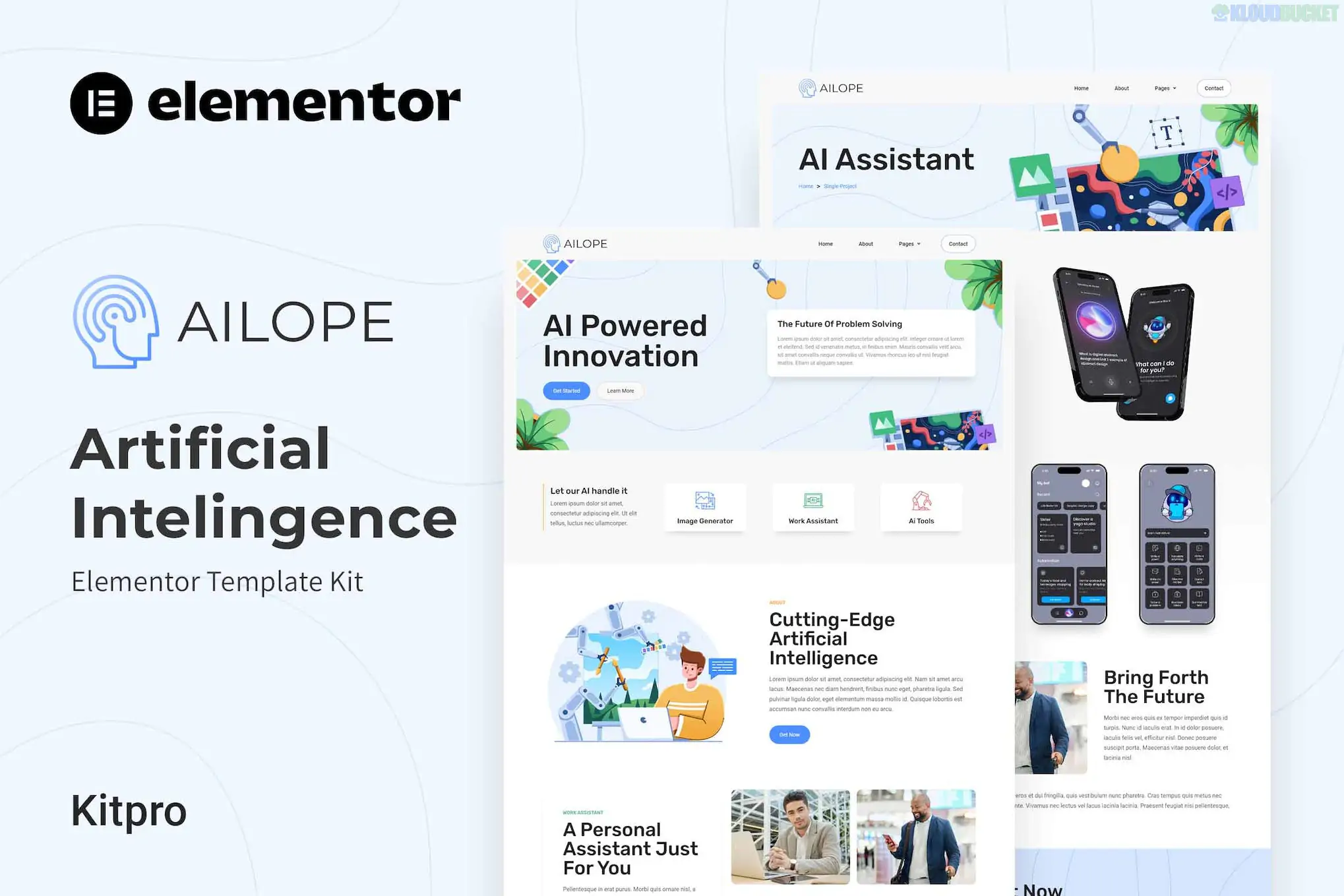
Ailope is a futuristic and professional Elementor Template Kit designed specifically for artificial intelligence startups, machine learning services, and data science agencies. Developed by Kitpro, it focuses on a "tech-forward" aesthetic with clean lines and high-contrast visuals.
As of late 2025, Ailope is highly valued for being built entirely with the free version of Elementor, making it an accessible choice for startups looking to minimize overhead costs while maintaining a premium appearance.
10+ Pre-built Templates: A complete set of layouts covering every essential page for a tech service business.
Elementor Free Compatible: Unlike many niche kits, Ailope does not require a Pro license. It uses free addons (like ElementsKit) to handle headers and footers.
Modern Futurist Design: Features sleek layouts, tech-themed icons, and professional whitespace that suit AI and robotics branding.
Responsive & Retina Ready: Fully optimized to ensure high-resolution graphics and complex layouts look perfect on mobile devices and 4K screens.
No-Code Customization: Designed for rapid deployment; you can customize every font, color, and image using a drag-and-drop interface.
The kit provides a comprehensive structure for an AI-focused brand:
Home: A high-impact landing page featuring a hero section for value propositions.
About Us: Sections for explaining your AI mission, team expertise, and history.
Services: Detailed layouts to list your AI solutions, deep learning models, or data analytics.
Projects & Detail: Specialized templates to showcase case studies or specific software implementations.
Blog: Clean and modern archive/single post layouts for industry updates and technical articles.
Core Pages: Team, Pricing, FAQ, 404, and a professional Contact page with integrated forms.
To use the Ailope kit, your WordPress site needs the following free components:
Component
Requirement
Page Builder
Elementor (Free version).
Required Addons
ElementsKit Lite, Jeg Elementor Kit, and MetForm.
Base Theme
Highly optimized for Hello Elementor.
Server Memory
Recommended 512 MB for smooth template importing.
Installation
Best imported via the Envato Elements plugin.
Prepare Your Site: Install the Hello Elementor theme and the Envato Elements plugin.
Upload the ZIP: Upload the Ailope kit via Elements > Installed Kits.
Install Requirements: Click the orange "Install Requirements" banner to automatically activate the necessary plugins (MetForm, etc.).
Global Styles First: Always import the Global Kit Styles template first. This ensures your site inherits the correct "AI-tech" color palette and typography.
Build Pages: Create a new page, set the layout to Elementor Full Width, and insert your desired Ailope template.
Installation: Would you like a step-by-step guide on how to import the MetForm templates so your contact forms appear correctly?
Design: Do you need help with CSS snippets to change the secondary accent color to match your specific startup branding?
Performance: Are you looking for the best way to optimize the SVG graphics often used in AI kits for faster loading?
Would you like me to find the link to the live demo so you can see the "Project Detail" page animations in action?
Subscribe to access unlimited downloads of themes, videos, graphics, plugins, and more premium assets for your creative needs.
.jpg) Help Us to Buy More New Theme/Plugin
Help Us to Buy More New Theme/Plugin
Published:
Dec 22, 2025 18:00 PM
Category:
Author:
ACF PluginsLicense:
GPL v2 or Later