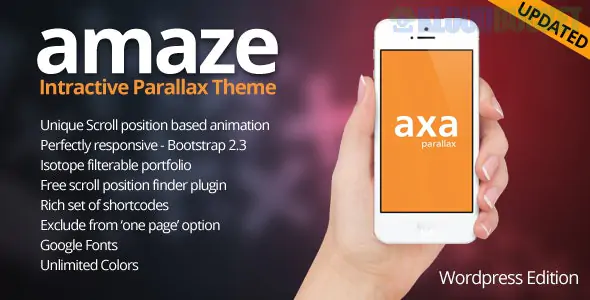
AMAZE is a high-impact, visually immersive WordPress theme designed for those who want to break away from static, traditional layouts. Developed by Pexeto, it is built around the concept of "scrollytelling"—using multi-layered parallax effects and interactive elements to create a sense of depth and movement as the user explores the site.
It is a "creative-first" theme, making it a favorite for photographers, digital agencies, and personal brands that want to leave a lasting impression.
Advanced Parallax Engine: Allows for multiple layers of images and text to move at different speeds, creating a sophisticated 3D effect.
Full-Screen Sections: Optimized for high-resolution, full-screen background images and videos that adapt perfectly to any screen size.
Interactive Elements: Features animated skill bars, interactive counters, and hover-sensitive portfolio grids that respond to user input.
Pexeto Custom Admin Panel: A highly intuitive backend that makes it easy to manage complex parallax settings without needing to write code or CSS.
AJAX Content Loading: Optionally loads portfolio items and pages without a full refresh, ensuring the visual flow of the parallax background isn't interrupted.
To handle the "heavy lifting" of the parallax scripts and high-res imagery, your server should be configured as follows:
PHP Version: 7.4 or higher.
Memory Limit: 256MB (minimum), but 512MB is recommended for smooth editing of high-res parallax layers.
Modern Browser Support: Since the theme uses advanced CSS3 and JavaScript, it is optimized for the latest versions of Chrome, Safari, and Firefox.
Included Plugins: Pexeto Core (bundled) and support for Contact Form 7.
Category
Style Options
Parallax Hero
Image Parallax, Video Background, Pattern Overlays, Content Sliders
Portfolio
Masonry Grid, Classic Grid, Single Project with Full-Width Media
Business Blocks
Services with Icons, Team Member Profiles, Client Testimonials
Blog
Clean, centered layout designed for long-form reading and big imagery
Layered Storytelling: When setting up parallax sections, use a "Background" (landscape/texture), a "Mid-ground" (subject/product), and a "Foreground" (text/heading). This creates the most realistic sense of depth.
Mobile Sensitivity: Parallax effects can sometimes be taxing on mobile processors. AMAZE allows you to set "Static Backgrounds" for mobile devices to ensure a fast, battery-friendly experience for users on the go.
Color Overlays: Use the theme settings to add a subtle color overlay (e.g., a 20% black tint) to your background images. This ensures your white or light-colored text remains readable regardless of how busy the background image is.
Minimalist Navigation: Because the background is so active, keep your menu and logo clean and simple. AMAZE offers a "Transparent Header" that allows the parallax visuals to shine through until the user starts scrolling.
Visual Tip: Choose images with a clear "focal point." Since parallax moves the image slightly as the user scrolls, photos with central subjects or wide horizons work best to prevent the layout from feeling "shaky."
Would you like me to show you how to set up your first "Parallax Section" with multiple layers, or do you need help optimizing your background videos for faster loading?
Subscribe to access unlimited downloads of themes, videos, graphics, plugins, and more premium assets for your creative needs.
.jpg) Help Us to Buy More New Theme/Plugin
Help Us to Buy More New Theme/Plugin
Published:
Feb 01, 2026 12:38 PM
Version:
v1.9
Category:
Developer:
ThemeforestLicense:
GPL v2 or Later