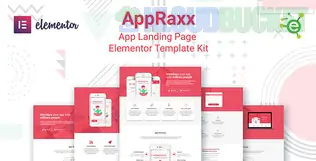
**AppRaxx** is a vibrant, modern Elementor Template Kit designed specifically for mobile app landing pages, software showcases, and digital product launches. It stands out because it focuses on high-conversion layouts—using "sticky" app screenshots, feature highlights, and clear download buttons to drive user action.
Here is the essential breakdown for deploying the AppRaxx kit.
---
## 📱 What’s Inside the AppRaxx Kit?
AppRaxx is built for variety, offering a larger selection of templates than many other landing page kits:
* **5 Unique Homepage Styles:** Ranging from clean/minimalist to bold/gradient-heavy designs.
* **35+ Total Templates:** Includes various inner pages and over **17 specialized sections** (Pricing, FAQ, App Screenshots, etc.).
* **4 Portfolio Layouts:** Perfect if you are a developer or agency wanting to showcase multiple apps.
* **App-Specific Widgets:** Pre-designed areas for "How it Works" steps, app store badges, and "Features with Icons."
---
## 🛠️ Technical Requirements
One of the best things about AppRaxx is that it is **"Free Plugin Friendly."** You do not need Elementor Pro to get the layout looking like the demo. It relies on several free power-ups:
* **Elementor (Free Version):** The core builder.
* **ElementsKit Lite:** Used for the header/footer and advanced app-showcase widgets.
* **JetWidgets for Elementor:** Adds specialized content blocks.
* **Contact Form 7:** The default engine for the inquiry and "Join the Beta" forms.
* **Stax (Elementor Addons):** Often used for specific layout enhancements.
---
## 🚀 The AppRaxx Import Strategy
To ensure the unique gradients and "sticky" effects load correctly, follow this sequence:
1. **Preparation:** Install the **Hello Elementor** theme and the **Envato Elements** plugin.
2. **Upload:** Go to `Elements > Installed Kits` and upload your `appraxx-kit.zip`.
3. **Automatic Plugin Install:** Click the **orange "Install Requirements"** banner at the top. This will automatically pull in ElementsKit, JetWidgets, and Contact Form 7.
4. **Global Styles:** **Critically important**—Import the **Global Kit Styles** first. AppRaxx relies on a very specific typography and color palette to look modern; without this, it will look like a basic 2010-era site.
5. **Build Your Page:** Create a new page, set the layout to **Elementor Full Width**, and import your preferred Homepage style.
---
## 💡 Pro Tips for App Landing Pages
* **Mockup Quality:** AppRaxx uses many phone mockups. If you have your own app, ensure your screenshots are high-resolution (PNGs with transparency work best) so they "sit" perfectly inside the kit's phone frames.
* **Call to Action (CTA):** Most AppRaxx templates put the "Download Now" buttons in the hero section. Make sure these link directly to your App Store/Play Store URLs or an anchor tag that leads to a signup form.
* **Animations:** AppRaxx includes many "Entrance Animations." Use these sparingly. If too many elements fly in at once, it can slow down the mobile experience.
* **Sticky Navigation:** Use ElementsKit Lite to make your "Download" button stay visible in the header as users scroll—this is a classic SaaS/App marketing tactic.
---
**Would you like me to help you write the "App Features" copy to go with those icon boxes, or are you having trouble getting the phone mockups to align correctly in the header?**
Subscribe to access unlimited downloads of themes, videos, graphics, plugins, and more premium assets for your creative needs.
.jpg) Help Us to Buy More New Theme/Plugin
Help Us to Buy More New Theme/Plugin
Published:
Feb 02, 2026 09:56 AM
Category:
Author:
OtherLicense:
GPL v2 or LaterTags: