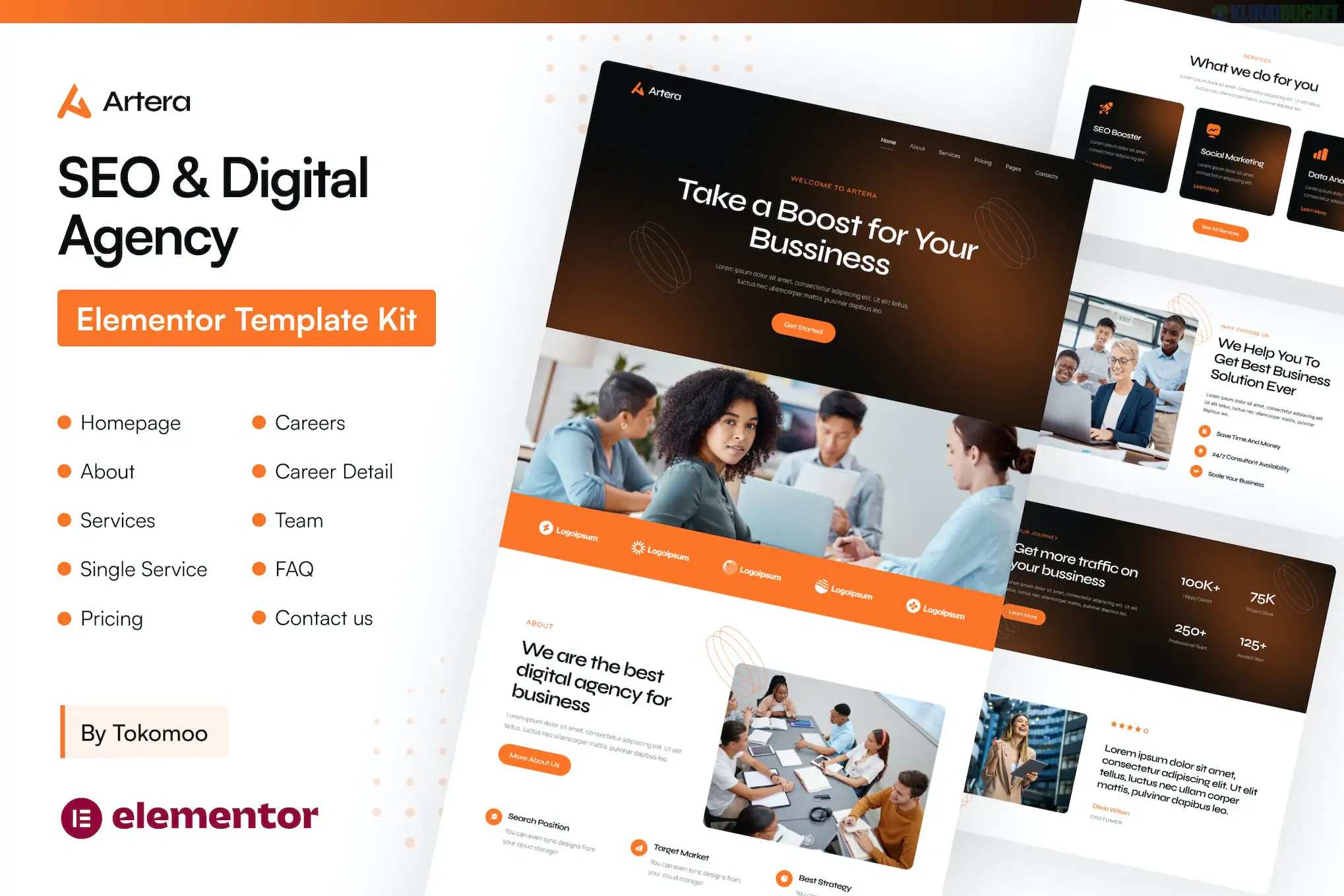
Artera – SEO & Digital Agency Elementor Pro Template Kit is a professional and high-conversion design package tailored for digital marketing firms, SEO specialists, and creative agencies. Created by tokomoo, it features a trend-forward design with a heavy focus on "data-driven" aesthetics, using clean layouts and technical infographics to showcase marketing results.
Modern & Data-Focused: Includes specific sections for displaying SEO results, growth metrics, and technical service breakdowns.
Elementor Pro Required: To utilize the advanced Theme Builder (Header, Footer, Single Post layouts), Elementor Pro must be installed and active.
10+ High-End Templates: Carefully crafted page layouts that are fully responsive and retina-ready for high-end displays.
True No-Code Customization: Change your entire site's color palette and typography through Elementor’s Global Site Settings.
Artera provides a streamlined, results-oriented site structure:
Core Pages: Homepage, About Us, Services, Service Detail, and Pricing.
Proof & Trust: Case Studies (Portfolio), Case Study Detail, and FAQ.
Dynamic Blog: Blog Archive and Single Post (optimized for SEO content marketing).
Utility: 404 Error page and Contact Us.
Theme Builder: Pre-designed Global Header and Footer templates.
To make the site function and look like the official demo, you will need the following:
Elementor: The core free builder.
Elementor Pro: Required for the Theme Builder and advanced widgets.
ElementsKit Lite: Used for building complex navigation menus and specialized agency widgets.
Base Theme: Use the Hello Elementor theme (it is the official "blank canvas" for these kits).
Import Tool: Install the "Envato Elements" plugin. Go to Elements > Installed Kits and upload your Artera zip file.
Requirements: Click the orange "Install Requirements" button to auto-activate the necessary plugins.
Order of Import:
Step 1: Click Import on the Global Kit Styles (do not skip this, as it sets the fonts/colors).
Step 2: Import individual pages one at a time.
Setting the Layout: When creating your pages, ensure the Page Layout in the bottom-left gear settings is set to "Elementor Full Width."
Note: The professional agency images in the Artera demo are for preview only. You should replace them with your own team photos or specific client success charts to build authentic trust with your visitors.
Would you like me to help you find a specific SEO-friendly "Schema Markup" plugin that would work well with this Artera template kit?
Subscribe to access unlimited downloads of themes, videos, graphics, plugins, and more premium assets for your creative needs.
.jpg) Help Us to Buy More New Theme/Plugin
Help Us to Buy More New Theme/Plugin
Published:
Jan 19, 2026 17:29 PM
Category:
Author:
OtherLicense:
GPL v2 or Later