That sounds like a great plugin for anyone needing advanced audio functionality on their Elementor website!
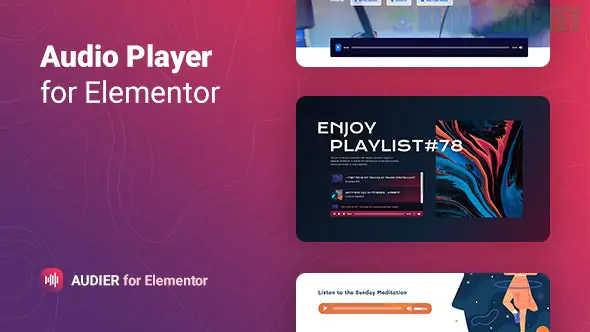
Audier - Audio Player with Controls Builder for Elementor is a premium WordPress plugin designed to give you complete control over the design and functionality of your website's audio player.
It goes well beyond the basic audio widget typically included in Elementor.
The main strength of Audier is its Control Builder feature, allowing you to tailor the player exactly to your needs.
Customizable Controls: You can literally build the player interface. You decide which controls to include, such as:
Play/Pause button
Progress bar
Current time and Duration display
Volume control
Next/Previous track buttons
Skip back/Jump forward
Loop and Shuffle toggles
Playlist Support: The plugin can handle a single audio track or a full playlist. For playlists, you can include:
Title and description for each track.
An individual cover image/thumbnail for each track.
Source Flexibility: It supports both:
Self-hosted files (MP3, OGG, WAV) from your WordPress Media Library.
External links to audio files hosted elsewhere.
Style Customization: Every element of the player—from the buttons to the progress bar and typography—can be styled directly within the Elementor interface to perfectly match your site's design.
Performance Features:
Pause Others: It includes an option to automatically pause other players on the page when the current one starts playing, preventing chaotic sound.
Keyboard Support: Allows users to control playback using keyboard shortcuts.
Responsiveness: The player is fully responsive and mobile-friendly.
Install & Activate: Install and activate the Audier plugin in your WordPress dashboard.
Drag & Drop: Open any page with Elementor and drag the "Audier Audio Player" widget onto your canvas.
Content Settings: In the Elementor settings panel, you set the audio source (single file or playlist) and general options like looping and initial volume.
Build Controls: In the Controls section, you add and arrange the various elements (Play button, Progress bar, etc.) in the order you want them to appear.
Style: Use the Style tab to customize the colors, typography, sizing, and margins of each individual control element.
What would you like to do next? Are you looking for a demo of the player, or do you need help with installation or configuration?
Subscribe to access unlimited downloads of themes, videos, graphics, plugins, and more premium assets for your creative needs.
.jpg) Help Us to Buy More New Theme/Plugin
Help Us to Buy More New Theme/Plugin
Published:
Dec 07, 2025 12:09 PM
Version:
v1.0.6
Category:
Author:
OtherLicense:
GPL v2 or Later