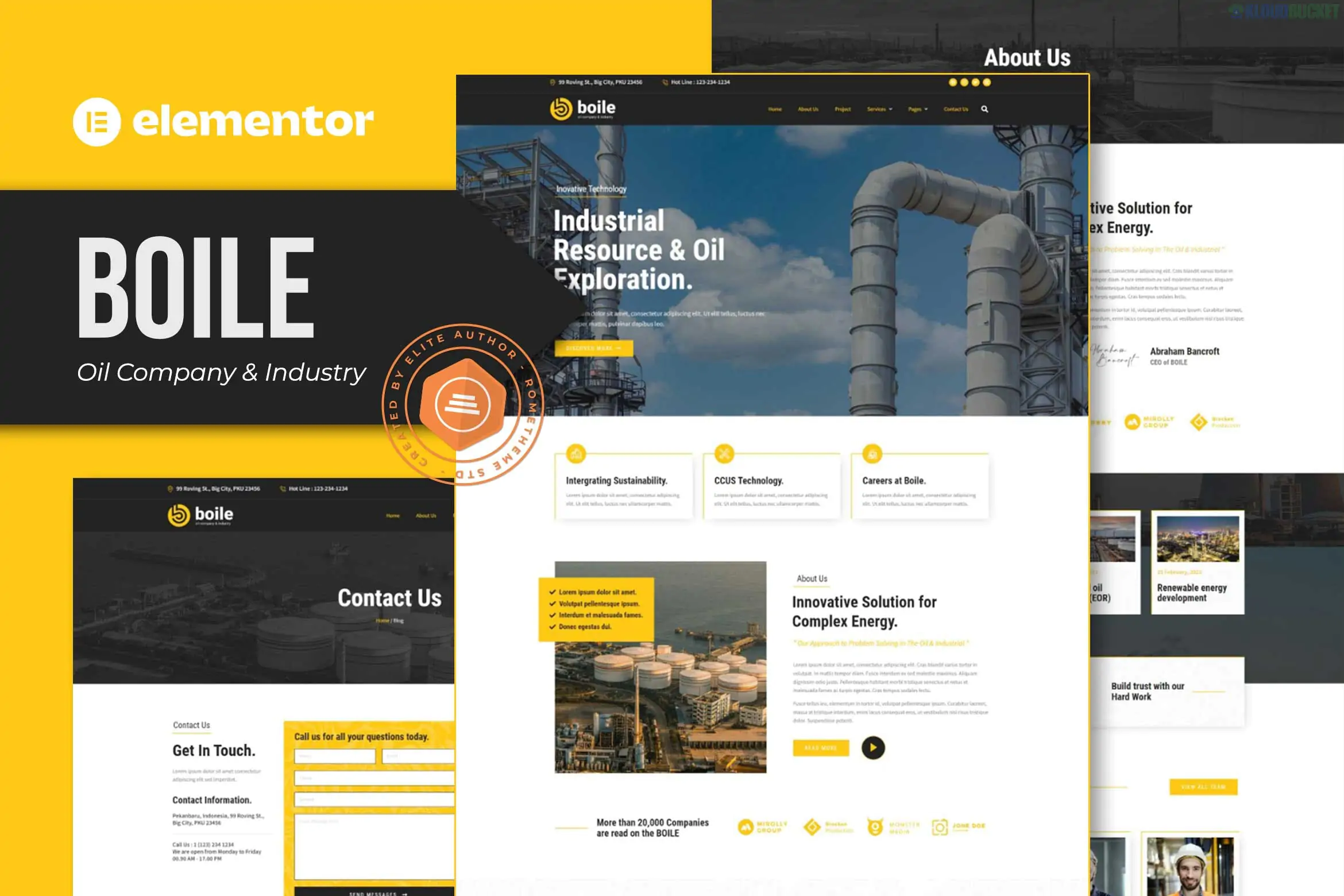
Boile – Oil Company & Industry Elementor Template Kit is a professional, high-performance design package created specifically for industrial businesses, fuel companies, and petroleum engineering firms. Developed by Rometheme, it features a bold, industrial aesthetic with a focus on trust, scale, and technical expertise.
One of its standout advantages is that it is built to function entirely with free plugins, meaning you do not need an Elementor Pro subscription to achieve the look of the demo.1
No Elementor Pro Needed: Save on costs by using free, high-quality alternatives for headers, footers, and forms.
13+ Pre-built Templates: A comprehensive collection of pages that cover every aspect of an industrial corporate site.2
Responsive & Retina Ready: Optimized for ultra-high-resolution displays and mobile devices.3
Global Design System: Customize your brand's colors and typography in one central location to update the entire site instantly.4
Cross-Browser Compatible: Tested for seamless performance on Firefox, Safari, Chrome, and Edge.
The kit provides 13+ professional layouts, including:
Core Pages: Homepage, About Us, Our Services, and Service Details.
Projects: Project Archive (to showcase past works) and Project Details.
Team & Trust: Our Team, FAQ, and Testimonials.
Functional: Contact Us, 404 Error Page, Global Header, and Global Footer.
Blog: Blog Archive and Single Post layouts for industry news.5
To ensure the kit imports and functions correctly, you will need to install these free plugins:
Elementor: The core page builder.
ElementsKit Lite: Used for the advanced Header/Footer builder and mega menus.
RomethemeKit: Provides specialized industrial widgets and theme-building capabilities.
RomethemeForm: A custom form builder for inquiry and contact forms.
Preparation: Install and activate the Hello Elementor theme for the best performance.
Import Tool: Install the "Envato Elements" plugin.6 Go to Elements > Installed Kits and upload your Boile zip file.7
Requirements: Click the orange "Install Requirements" banner to auto-activate the plugins listed above.
Import Order:
Step 1: Click Import on the Global Kit Styles first.
Step 2: Import individual pages one by one.
Final Setup: Use the ElementsKit Header Footer module to assign your imported header and footer templates to the "Entire Site."8
Design Tip: Industrial sites often benefit from "high-scale" imagery. For Boile, try using high-quality photos of refineries, machinery, or engineering teams with a slightly desaturated or "cool" color grade to maintain the professional, heavy-industry vibe.
Would you like me to help you find a specific CSS code to add a "Live Fuel Price" ticker to the Boile header?
Subscribe to access unlimited downloads of themes, videos, graphics, plugins, and more premium assets for your creative needs.
.jpg) Help Us to Buy More New Theme/Plugin
Help Us to Buy More New Theme/Plugin
Published:
Jan 19, 2026 17:30 PM
Category:
Author:
OtherLicense:
GPL v2 or LaterTags: