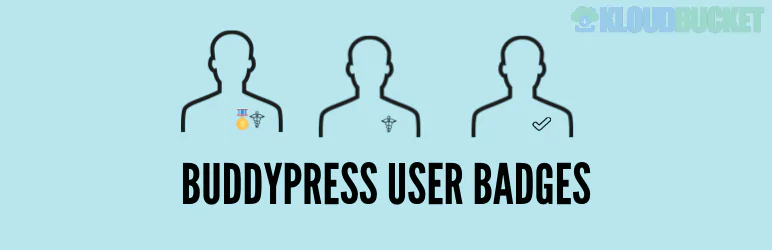
Adding user badges to a BuddyPress community is a fantastic way to boost engagement and gamify your site. There are generally two approaches you can take: a simple, manual badge solution, or a full gamification platform integration.
Here are the top options:
The BuddyPress User Badges plugin is a direct, dedicated solution for adding custom badges to your community.1
Focus: Manual and static badge assignment.2
Key Features:
Custom Badges: Create and design any number of custom badges using PNG, JPG, or SVG icons.3
Assignment: Badges can be assigned manually by an administrator or automatically based on a user's WordPress Role or BuddyPress Member Type.4
Display Location: Badges appear on the BuddyPress member list and the user's profile page.5
Sorting: You can control the exact order in which badges are displayed using a drag-and-drop interface.6
Compatibility Note: This plugin is often developed to work seamlessly with both the traditional BuddyPress plugin and the BuddyBoss Platform (a fork of BuddyPress).
If you want badges to be automatically earned based on user activity (e.g., "Posted 10 messages," "Created 5 friendships," "Joined 3 groups"), you should look at a full gamification platform that integrates with BuddyPress. The most popular options are GamiPress and BadgeOS.
Focus: Complete gamification, including points, achievements, and ranks.7
Badge System: Badges are awarded as "Achievements" when a user completes a set of requirements.
BuddyPress Integration: The free GamiPress plugin includes a dedicated, free integration add-on for BuddyPress that adds new "events" for earning rewards, such as:8
Activity Events: Posting a new activity stream message, favoriting a post, or replying to a message.9
Group Events: Creating a group, joining a specific group, or getting promoted to a moderator.10
Friendship Events: Sending or accepting a friend request.11
Display: You can display the user's earned points, achievements, and ranks on their BuddyPress profile pages.12
Focus: Achievement-based rewards, specializing in Open Badges (OBI compatible).
Badge System: Users earn digital badges for completing specific tasks and requirements defined in the plugin.
Community Add-on: The separate BadgeOS Community Add-on is what links BadgeOS to BuddyPress, allowing badges to be awarded for social actions like:
Profile Updates: Changing a profile avatar.13
Group Actions: Creating a group or joining a specific group.14
Social Actions: Sending a private message or accepting a friendship request.15
For a non-achievement, Twitter-style verification badge, you can use plugins like Verified Member for BuddyPress.16
Focus: Trust and authenticity.
Key Features: Allows site admins to manually verify members or automatically verify them based on their WordPress Role.17 A distinctive "verified" badge is then displayed across the site, including profiles, activity streams, and member lists.
Do you know if you need to award badges based on manual administrative choice or automatic user activity (gamification)?
Subscribe to access unlimited downloads of themes, videos, graphics, plugins, and more premium assets for your creative needs.
.jpg) Help Us to Buy More New Theme/Plugin
Help Us to Buy More New Theme/Plugin
Published:
Dec 14, 2025 13:42 PM
Version:
v1.2.9
Category:
Author:
OtherLicense:
GPL v2 or LaterTags: