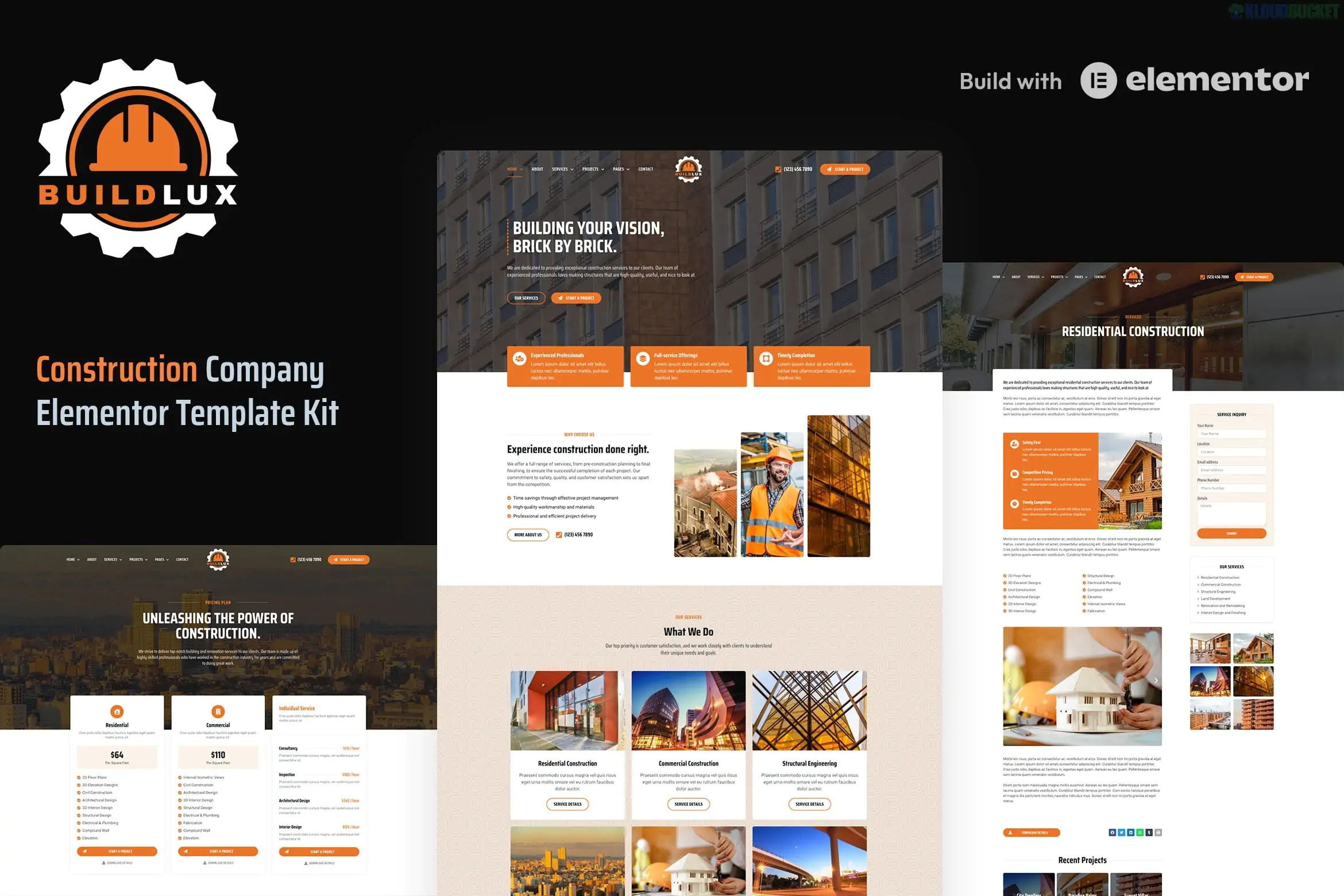
Buildlux is a high-end Elementor Pro Template Kit specifically designed for the construction, architecture, and engineering industries. Created by oxaart, this kit is built using the modern Elementor Flexbox Container, ensuring your site is lightweight, fast, and highly flexible for modern web standards.
Unlike standard kits, Buildlux relies heavily on Elementor Pro features, reducing the need for multiple third-party plugins.
Elementor Pro Native: Designed to work with Elementor Pro’s Theme Builder (Header, Footer, Single Post, etc.), meaning fewer external plugins.
Flexbox Container: Built with the latest Elementor structure for better performance and easier layout management.
3 Homepages: Includes three distinct homepage designs to choose from (Construction, General Contractor, and Architecture styles).
Global Theme Styles: Control your site’s typography, buttons, and color palette from one central dashboard.
No Coding Required: Fully drag-and-drop, making it accessible for business owners without technical backgrounds.
Buildlux offers a massive library of pre-designed templates to cover every corner of a construction website:
Core Pages: Home (3 versions), About, Our Team, and Our Clients.
Business Services: Services list, Single Service details, and a dedicated Service Inquiry form template.
Showcase: Projects (Portfolio) and Single Project detail pages.
Resources: FAQ, Pricing, Testimonials, Blog Archive, and Single Blog Post.
Utilities: 404 Error page, Header, Footer, Sidebar, and a specific CTA (Call-to-Action) Banner block.
Because this is a Pro kit, the technical requirements are slightly different from free kits:
Elementor Pro (Paid): You must have an active Elementor Pro license to use the Theme Builder parts (Header, Footer, and single post templates).
Envato Elements Plugin: Used to import the kit ZIP file.
Hello Elementor Theme: The recommended lightweight theme for this kit.
When setting up Buildlux, remember that the Theme Builder templates (Header and Footer) don't automatically "appear" on your site after import. You must:
Go to Templates > Theme Builder.
Select your imported Header/Footer.
Set the Display Conditions to "Entire Site" for them to go live.
Would you like me to help you write a "Service Inquiry" form for your construction projects or draft a professional "About Us" story based on your company's history?
Subscribe to access unlimited downloads of themes, videos, graphics, plugins, and more premium assets for your creative needs.
.jpg) Help Us to Buy More New Theme/Plugin
Help Us to Buy More New Theme/Plugin
Published:
Jan 20, 2026 11:00 AM
Category:
Author:
OtherLicense:
GPL v2 or Later