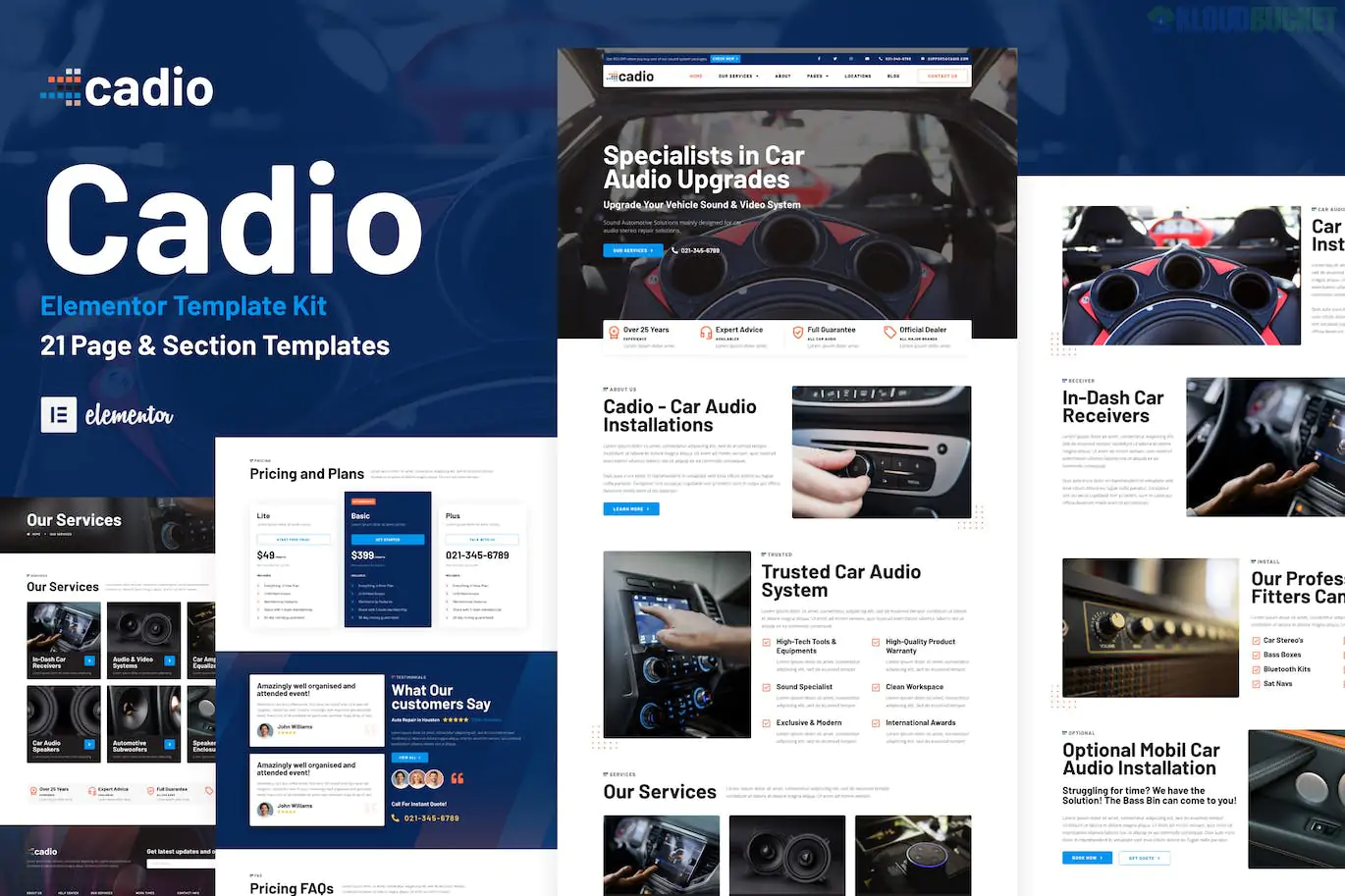
Cadio is a high-impact Elementor Pro Template Kit specifically designed for car audio workshops, auto entertainment specialists, and sound system installers.1 It features a bold, dark-themed aesthetic that reflects the high-tech and premium nature of the car audio industry.
With a massive library of 21 templates, Cadio provides one of the most comprehensive sets of layouts for this specific niche.2
21 Stunning Templates: Includes everything from project galleries to service detail pages.3
Sleek & Modern UI: Designed with a "dark mode" professional look that appeals to car enthusiasts.
Fully Responsive: Specifically tested for seamless viewing on smartphones, which is where many car owners search for local services.
Optimized for Hello Elementor: Built to be ultra-fast when paired with the lightweight Hello theme.4
Pro-Level Functionality: Utilizes Elementor Pro for advanced headers, footers, and dynamic content layouts.5
Category
Included Layouts
Main Pages
Homepage, About Us, Locations, Contact, FAQ
Services
Our Services, Service Detail, Pricing, Request a Quote
Portfolio
Our Works (Gallery), Single Project Details
The Team
Our Team, Testimonials
Content
Blog, Single Post, Archive Blog
System
Header, Footer, Coming Soon, 404 Page, Popup Banner
To use Cadio, you will need the following installed on your WordPress site:
Elementor (Free)
Elementor Pro (Required for the Theme Builder parts like Header, Footer, and Single Post).6
Envato Elements Plugin: Used to import the kit zip file.7
Flexbox Containers: Ensure this feature is active in Elementor > Settings > Features.8
Install the Importer: Search for and install the "Envato Elements" plugin from your WordPress dashboard.9
Upload the Kit: Go to Elements > Installed Kits, click "Upload Template Kit ZIP File," and select your Cadio file.10
Install Requirements: Click the orange "Install Requirements" button at the top of the screen to activate necessary dependencies.11
Import Global Styles: Click "Import" on the Global Kit Styles first.12 Do not skip this step, or your typography and colors will be incorrect.
Import Templates: Import the remaining pages one by one.13
Setup Theme Builder: Go to Templates > Theme Builder to activate your Header and Footer and set their display conditions to "Entire Site."14
Pro Tip: If you want to showcase the "sound" of your work, use the Elementor Video Widget on the "Service Detail" page to embed high-quality clips of audio systems in action—the Cadio layout is specifically designed to handle these media blocks elegantly.
Would you like me to show you how to customize the "Request a Quote" form to include specific car model fields, or are you looking for a live demo link?
Subscribe to access unlimited downloads of themes, videos, graphics, plugins, and more premium assets for your creative needs.
.jpg) Help Us to Buy More New Theme/Plugin
Help Us to Buy More New Theme/Plugin
Published:
Jan 17, 2026 12:35 PM
Category:
Author:
OtherLicense:
GPL v2 or Later