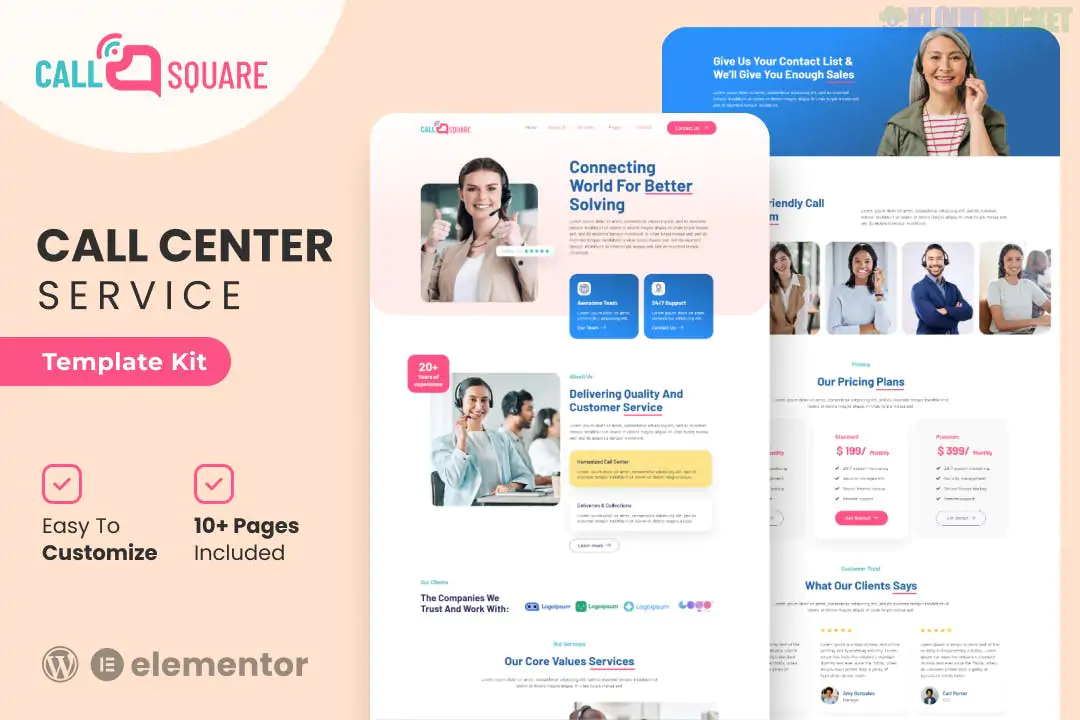
Call Square is a specialized Elementor Template Kit designed for call centers, customer support agencies, telemarketing firms, and telecommunication companies. Developed by Evonicmedia, it features a clean, corporate, and highly professional aesthetic aimed at building trust and showcasing service efficiency.
Because it is a template kit rather than a full WordPress theme, it consists of pre-designed page layouts that you import into your site.
The kit provides over 15+ pre-built templates, covering all necessary sections for a support-based business:
Core Pages:
Homepage: A professional landing page featuring service highlights, key stats (counters), and clear call-to-action (CTA) buttons.
About Us: Layouts for company history, mission, and core values.
Services: Detailed grid and list views to explain offerings like inbound/outbound calls, tech support, or virtual assistant services.
Pricing: Clean tables for service tiers or hourly consulting rates.
Support & Trust Pages:
Team & Careers: Dedicated sections for introducing staff and recruiting new agents.
FAQ: Accordion-style sections to address common client questions.
Contact & Consult: Integrated layouts for booking consultations and general inquiries.
Essential Theme Builder Items:
Global Header and Footer.
Single Post and Blog Archive for content marketing.
404 Error Page.
Call Square is built to be accessible and does not strictly require the paid version of Elementor for the page layouts, though some global features are best managed with Pro:
Elementor (Free): The primary builder.
ElementsKit Lite: Required. This is used for advanced features like the header/footer builder, mega menus, and specialized widgets (like the "Counter" or "Team" widgets).
MetForm: Used for the contact and consultation forms.
Jeg Elementor Kit: Often used in this specific kit for additional UI components and styling.
Hello Elementor Theme: The recommended lightweight base theme.
Modern Branding: It uses a professional blue and white color scheme (easily customizable) that evokes reliability and "24/7" availability.
No-Code Customization: Every element can be edited via the drag-and-drop Elementor interface.
Performance Focused: The kit is designed to be lightweight and fast-loading, ensuring a smooth experience for potential clients browsing on mobile or desktop.
When setting up Call Square, the forms are handled via MetForm.
After importing the page with the form, you must go to MetForm > Forms and import the specific form template provided in the kit.
Then, edit the page in Elementor, select the MetForm widget, and choose your newly imported form from the dropdown to make it functional.
Would you like me to help you find a "Live Chat" plugin that integrates well with this call center layout, or do you need help customizing the global colors?
Subscribe to access unlimited downloads of themes, videos, graphics, plugins, and more premium assets for your creative needs.
.jpg) Help Us to Buy More New Theme/Plugin
Help Us to Buy More New Theme/Plugin
Published:
Jan 02, 2026 15:39 PM
Category:
Author:
All In One PluginLicense:
GPL v2 or Later