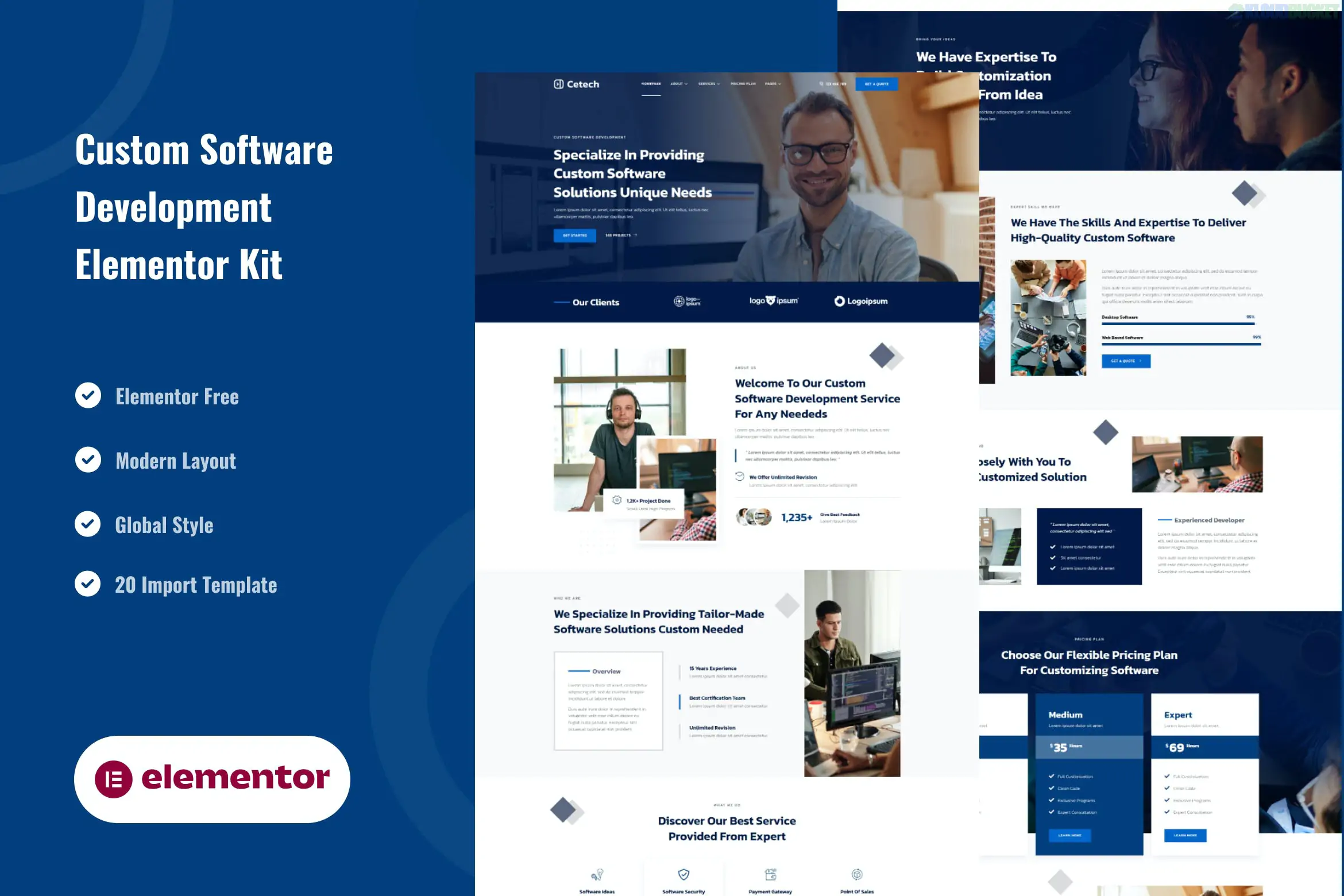
Cetech is a professional Elementor Template Kit designed for custom software development agencies, IT solution providers, and tech startups. It features a clean, high-tech aesthetic that emphasizes innovation and technical expertise through sleek typography and modern layouts.
A significant advantage of Cetech is that it is built for the Free version of Elementor, allowing you to create a high-end corporate site without the recurring cost of an Elementor Pro license.
20+ Ready-to-Use Templates: Includes a comprehensive set of layouts for services, case studies, and corporate profiles.
No Elementor Pro Required: Optimized for free plugins, though it is recommended for use with the Hello Elementor theme.
Modern Tech UI: High-quality design featuring clean lines, subtle animations, and a focus on high-performance optimization.
Fully Responsive: Meticulously crafted to look sharp on mobile, tablet, and high-resolution retina displays.
Global Style Kit: Manage your primary brand colors and typography site-wide from one central panel.
To ensure the kit looks and functions exactly like the demo, you will need to install these free plugins:
Elementor (Free): The core page builder.
ElementsKit Lite: Used for building the header, footer, and complex widgets like progress bars and nav menus.
MetForm: Powering the "Request a Quote" and "Contact" forms.
Jeg Elementor Kit: Often used for additional styling elements and functional sections.
Category
Page Templates
Main Pages
Home, About Us, Our History, Team Showcase
Services
Service List, Custom Software, App Development, Cloud Solutions
Portfolio
Case Studies Archive, Single Project Details
Resources
Blog, Single Post, FAQ, Pricing Plans
Essential
Contact Us, Header, Footer, 404 Error Page
Header & Footer Setup: Since this kit uses ElementsKit Lite, go to ElementsKit > Header Footer to create your global header/footer. You will then import the specific header/footer templates from the kit.
Form Configuration: Use the MetForm widget on your pages. You'll need to import the MetForm block templates provided in the kit to get the specific "Software Quote" layout.
Global Styles First: Always import the Global Kit Styles before any other page to ensure the site's foundation (colors and fonts) is correctly applied.
Portfolio Layouts: For a software agency, the Case Studies template is your most important tool. Replace the placeholder content with detailed "Problem/Solution" breakdowns of your past projects.
Would you like me to help you draft the service descriptions for a "Custom Software Development" page based on this kit's structure?
This WordPress guide is relevant because it provides a visual walkthrough on how to import and customize Elementor template kits to ensure your site looks professional and functions correctly.
Subscribe to access unlimited downloads of themes, videos, graphics, plugins, and more premium assets for your creative needs.
.jpg) Help Us to Buy More New Theme/Plugin
Help Us to Buy More New Theme/Plugin
Published:
Jan 14, 2026 11:31 AM
Category:
Author:
OtherLicense:
GPL v2 or Later