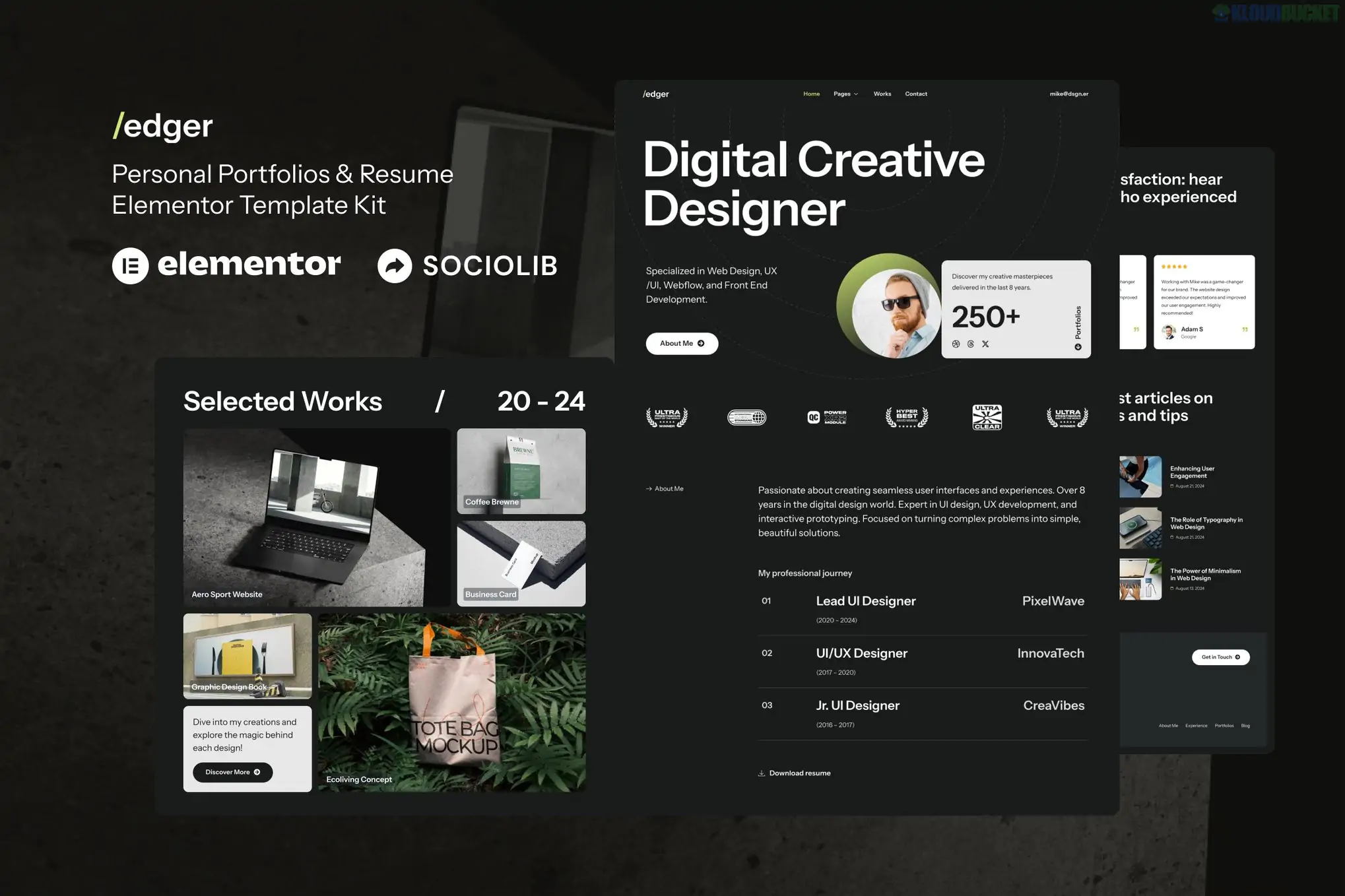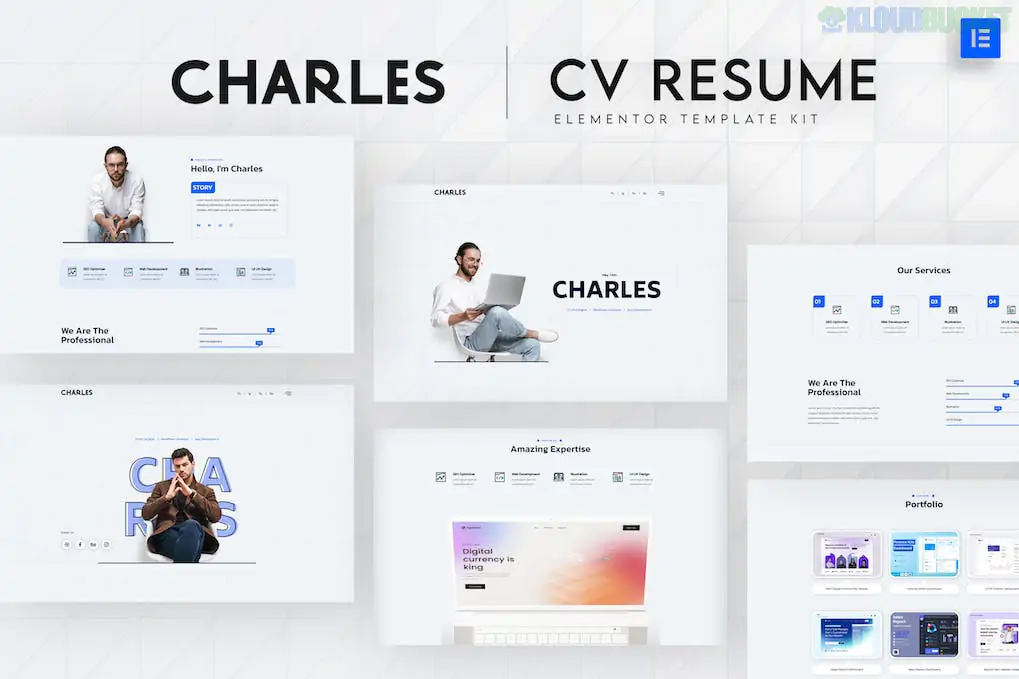
Rounding out our deep dive is Charles, a specialized Elementor Template Kit designed for CVs, resumes, and personal "vCard" sites.
Like Bloggmu, Charles is not a standalone theme. It is a collection of 20+ pre-designed layouts that you import into WordPress to create a professional digital resume. It’s perfect for job seekers, freelancers, or academics who want a "link in bio" that actually looks like a premium website.
Modern & Corporate-Clean: It avoids the "experimental" clutter of some creative portfolios, opting for a structured, high-legibility layout that HR managers and recruiters love.
Interactive Resume Flow: Instead of a static PDF, Charles uses smooth scroll effects and progress bars to display skills, experience timelines, and educational history.
3 Homepage Variations: Choose between different "Hero" styles (e.g., one with a large portrait, one with a cleaner text focus).
Experience & Skill Blocks: Dedicated sections for your work history, certifications, and technical proficiencies (often using animated percentage bars).
Portfolio Grid: A sleek area to showcase specific projects, complete with "Detail" pages for deeper explanations.
vCard Essentials: Templates for "Services," "Testimonials," "FAQ," and a high-conversion "Contact" page.
Feature
The Upside
The Downside
Recruiter-Friendly
The layout prioritizes information hierarchy; your contact info and "Hire Me" button are always easy to find.
It is very focused on "Personal Branding." It’s hard to repurpose this for a multi-person business.
Lightweight
Requires only ElementsKit Lite (free) and Elementor to function.
Some advanced features (like custom headers/footers) typically require Elementor Pro.
Responsiveness
Excellent mobile view—essential since many recruiters will open your site from their phones.
The demo uses Envato Elements stock photos; you’ll need your own professional headshots to make it work.
Base Theme: Just like Bloggmu, use the Hello Elementor theme as your foundation for the best performance.
Plugin Requirements: Ensure you install the Envato Elements plugin and ElementsKit Lite before importing, or the layouts might look "broken."
The "Hide Title" Trick: When creating your pages (like Home or About), set the Page Layout to Elementor Full Width and toggle "Hide Title" in the page settings to get that seamless, professional look shown in the demo.
Pro-Tip for Job Seekers: Use the "Portfolio Detail" page to do more than just show a picture. Explain the problem you solved and the result you achieved. This "case study" approach is what gets people hired in 2026.
We’ve covered 10 different WordPress tools today! Would you like a "cheat sheet" ranking them by speed, or should we focus on one specifically to start your build?
Subscribe to access unlimited downloads of themes, videos, graphics, plugins, and more premium assets for your creative needs.
.jpg) Help Us to Buy More New Theme/Plugin
Help Us to Buy More New Theme/Plugin
Published:
Jan 27, 2026 11:21 AM
Category:
Author:
OtherLicense:
GPL v2 or Later