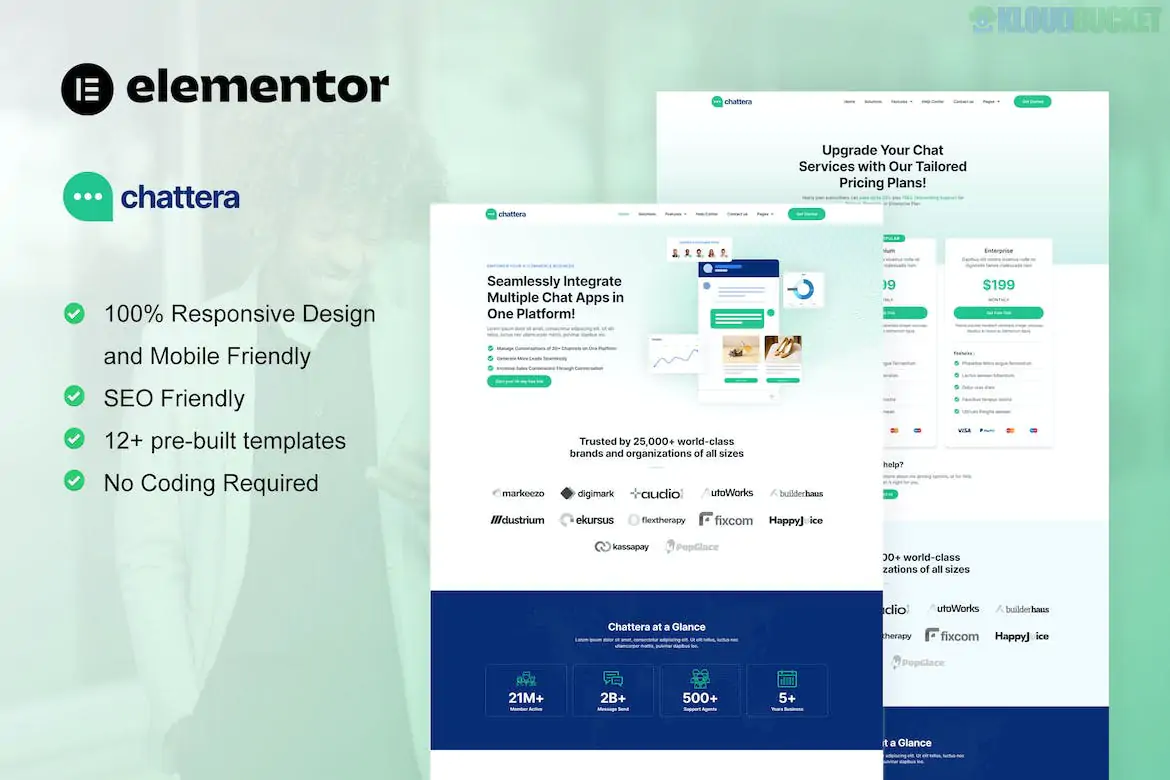
Chattera is a modern and professional Elementor Template Kit specifically designed for SaaS (Software as a Service) companies, chat service providers, and tech startups. Developed by moxcreative, it features a clean, high-tech aesthetic that focuses on conversion and clear communication of service features.
Unlike some "free-only" kits, Chattera is built with Elementor Pro in mind to handle advanced features like the Theme Builder and global templates.
The kit comes with 12+ pre-built templates, providing a full website solution for a digital product or service:
High-Conversion Pages:
Homepage: A sleek, feature-rich landing page with sections for hero statements, product demos, and client logos.
Solutions: Dedicated layouts to explain how your software solves specific user problems.
Features: A detailed breakdown of your platform's capabilities with modern iconography.
Pricing Plan: Clear, comparative tables for subscription tiers (essential for SaaS).
Company & Support Pages:
About Us: Sections for sharing your company mission and values.
Careers: A professional layout for recruiting new talent.
Help Center: A structured page to direct users to documentation or support.
Team & Blog: Templates for introducing your experts and sharing industry insights.
Contact Us: A functional inquiry page with integrated forms.
To achieve the professional look seen in the demo, the following setup is required:
Elementor (Free): The core page builder.
Elementor Pro: Required. This kit utilizes the Pro version for global headers, footers, and dynamic archive pages.
ElementsKit Lite: Used for advanced widgets and navigation features.
Skyboot Custom Icons: Provides the unique, tech-style icons used throughout the design.
Hello Elementor Theme: The recommended lightweight theme for the fastest performance.
Modern Aesthetic: Uses a "Pill-style" design language, soft gradients, and high-quality whitespace that mimics top-tier SaaS brands like Slack or Intercom.
Fully Responsive: Every section is 100% mobile-friendly, crucial for tech products often viewed on-the-go.
Ease of Customization: All templates use global fonts and colors. By changing the primary brand color in the Global Settings, the entire site updates instantly.
When importing this kit via the Envato Elements plugin:
Check Experiments: Go to Elementor > Settings > Features and ensure the Flexbox Container is set to Active, as this kit is built using modern container layouts.
Install Requirements First: Click the "Install Requirements" button in the orange banner to automatically load ElementsKit Lite and Skyboot Icons before importing individual templates.
Global Styles First: Always import the Global Kit Styles before the pages to ensure the padding, colors, and fonts are correctly applied.
Would you like me to help you find a specific "Chat Widget" plugin that matches the Chattera design to add live-chat functionality to your site?
Subscribe to access unlimited downloads of themes, videos, graphics, plugins, and more premium assets for your creative needs.
.jpg) Help Us to Buy More New Theme/Plugin
Help Us to Buy More New Theme/Plugin
Published:
Jan 02, 2026 14:40 PM
Category:
Author:
OtherLicense:
GPL v2 or LaterTags: