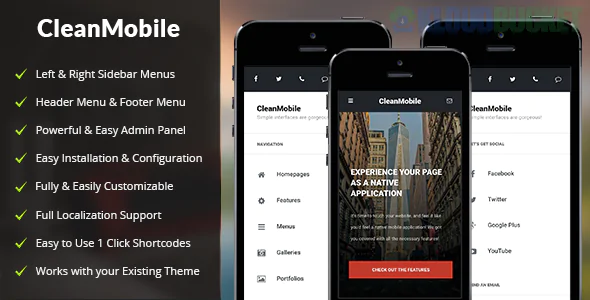
Clean Mobile is a specialized, "mobile-first" WordPress theme designed specifically for users who browse primarily on smartphones and tablets. Unlike responsive themes that "shrink" a desktop site, Clean Mobile is engineered to function like a native mobile app, making it a favorite for mobile bloggers, app developers, and businesses targeting on-the-go customers.
Clean Mobile strips away the "bulk" of traditional themes to prioritize speed and touch-navigation:
App-Like Navigation: Features a "fly-out" or "slide" menu (often called a hamburger menu) that mimics the interface of iOS or Android apps.
Touch-Friendly Sliders: Built with swipe-enabled gestures for banners and content carousels.
Ultra-Lightweight Code: Optimized to load instantly over 4G/5G or slower mobile data connections.
Customizable Branding: Despite its minimalist approach, it offers a robust options panel to match your brand's colors and logos.
Retina Ready: Ensures that icons and text look crisp on high-density mobile screens (like iPhone and Samsung Galaxy displays).
When using Envira Gallery within a mobile-focused theme like Clean Mobile, the goal is to maintain that "native app" feel. Here is how to configure Envira for the best mobile experience:
This is the most critical step. Envira’s Mobile Addon allows you to:
Display different images for mobile: Serve smaller file sizes to mobile users to save data and speed up loading.
Touch-Enabled Lightbox: Ensures users can swipe left and right to navigate through your gallery photos with their thumbs.
In a mobile-first theme, screen real estate is narrow.
The Setup: Configure your Envira Gallery to display 1 column on mobile devices. This makes the images large enough to be seen clearly without the user needing to zoom in.
Since Clean Mobile is designed for speed, you don't want to load 20 images at once.
The Benefit: Enabling Lazy Loading in Envira ensures that images only load as the user scrolls down the page, keeping the initial "App" launch feeling lightning fast.
Ensure "Hardware Acceleration" is toggled ON in your Envira Lightbox settings. This uses the phone's GPU to make transitions and swipes feel "buttery smooth," matching the high-end feel of the Clean Mobile theme.
Install Clean Mobile: Activate the theme and set up your mobile-friendly navigation menu.
Create an "App-Style" Gallery: In Envira, create a gallery and go to the Mobile Tab.
Adjust Settings: Set "Mobile Gallery Columns" to 1 and ensure "Enable Mobile Lightbox" is checked.
Insert: Use the shortcode inside your mobile posts or pages.
Would you like me to show you how to hide certain "heavy" gallery elements specifically for mobile users to keep your Clean Mobile site running at top speed?
Subscribe to access unlimited downloads of themes, videos, graphics, plugins, and more premium assets for your creative needs.
.jpg) Help Us to Buy More New Theme/Plugin
Help Us to Buy More New Theme/Plugin
Published:
Dec 29, 2025 11:24 AM
Version:
v1.5
Category:
Developer:
ThemeforestLicense:
GPL v2 or LaterTags: