Coco is a versatile, developer-focused Admin Dashboard and Frontend Template built on the Bootstrap framework. Unlike a standard WordPress theme, Coco is a "complete package" that provides the UI/UX for both the public-facing side of a website (Frontend) and the complex management area (Admin Backend).
It is designed for developers building web applications, SaaS platforms, CRM systems, or custom eCommerce backoffices that require a clean, "flat" design and high modularity.
Dual-Purpose Design: Includes a full Frontend Template (for your landing pages, features, and contact) and a comprehensive Admin Dashboard (for data management and user stats).
Built with Bootstrap: Highly customizable and familiar framework, ensuring the site is fully responsive across mobile, tablet, and desktop.
Modular Architecture: Uses a "Lego-style" building approach. You can pick and choose from hundreds of UI components without bloating your code.
Retina Ready & Sharp: Icons and UI elements are vector-based, ensuring they look crisp on high-resolution screens and MacBook Retina displays.
Clean & Valid Code: Written with best practices (HTML5/CSS3), making it easy to integrate with backend frameworks like Laravel, Ruby on Rails, or Node.js.
Data Visualization: Integrated with popular charting libraries (like Chart.js or Morris.js) to create beautiful, interactive graphs and analytics dashboards.
UI Elements Galore: Includes pre-styled buttons, alerts, progress bars, modals, tabs, and "portlets" for organizing data.
Form Wizards: Complex multi-step forms designed for user registrations or detailed data entry.
Interactive Tables: Features "Datatables" support, allowing users to sort, search, and filter through thousands of rows of data instantly.
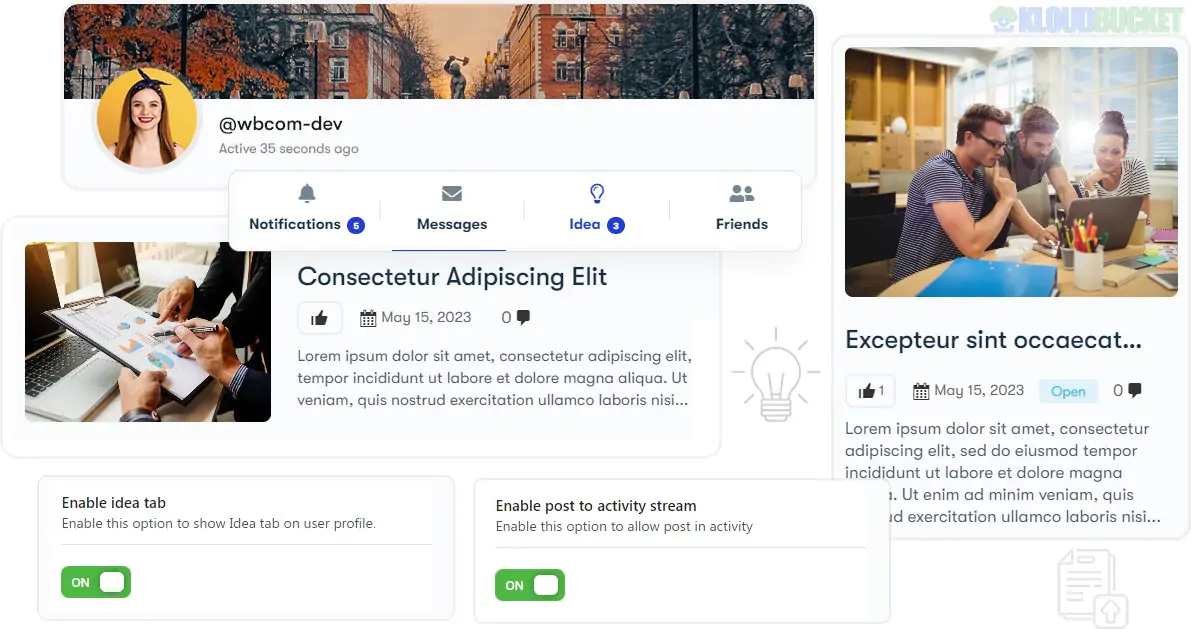
User Profile Pages: Pre-built layouts for user settings, activity feeds, and "Team" management.
SASS Supported: Includes SASS files for developers who want to manage variables (like brand colors) and compile CSS efficiently.
Icon Sets: Deep integration with Font Awesome and Ionicons for a modern, recognizable look.
Cross-Browser Compatible: Tested extensively to work perfectly on Chrome, Firefox, Safari, and Edge.
Lightweight JS: Uses optimized jQuery plugins to ensure the dashboard feels snappy and responsive even with heavy data.
Coco is the ideal starting point for a Web Application. It saves developers hundreds of hours by providing the "UI plumbing" needed for a professional system. It is perfect for:
SaaS Founders: Who need a landing page to sell their product and a dashboard for their users to use it.
Custom CRM/ERP Systems: For businesses needing an internal tool to manage clients, inventory, or employees.
eCommerce Backends: To build a custom interface for managing orders, products, and shipping logs.
Pro Tip: When using the Coco Admin area, take advantage of the "Sticky Sidebar" and "Fixed Header" options. For data-heavy applications, keeping the navigation and search bar visible at all times significantly improves the user experience for your admins.
Select Your Starting Point: Choose between the admin/ folder for the dashboard or the frontend/ folder for the public site.
Customize Style: Edit the SASS variables to update the primary theme colors to match your brand.
Component Integration: Copy-paste the specific UI components (tables, charts, forms) you need into your views.
Backend Connection: Link the HTML forms and data tables to your server-side logic (e.g., PHP, Python, or Javascript).
Would you like me to show you how to integrate a "Chart.js" graph into the Coco Dashboard, or do you need help connecting the Frontend contact form to an email service?
Subscribe to access unlimited downloads of themes, videos, graphics, plugins, and more premium assets for your creative needs.
.jpg) Help Us to Buy More New Theme/Plugin
Help Us to Buy More New Theme/Plugin
Published:
Jan 30, 2026 17:17 PM
Version:
v1.3.3
Category:
Developer:
ThemeforestLicense:
GPL v2 or Later