Customizing product category pages in **WPBakery Page Builder** is slightly different from standard page editing because category pages are "Archives" generated by WordPress/WooCommerce. By default, WPBakery does not allow you to edit these pages directly unless you use a specific addon or a theme that supports it.
Here is the breakdown of the three primary ways to achieve this:
---
### ## 1. Use a Dedicated WPBakery Addon (Recommended)
The most direct way to customize category pages without touching code is to use a plugin that extends WPBakery’s capabilities to WooCommerce archives.
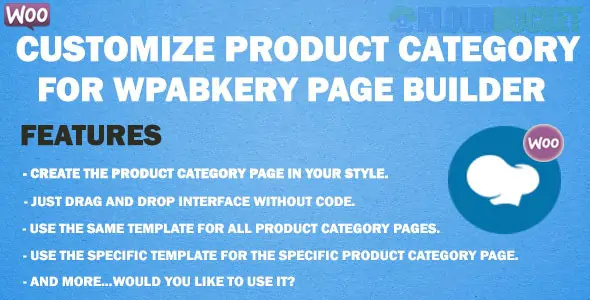
* **Customize Product Category (by Mysterious_Team):** This is a popular CodeCanyon addon specifically for this purpose. It allows you to create a design in WPBakery and assign it to specific product categories.
* **WC Builder:** A comprehensive WooCommerce builder for WPBakery. It lets you build unlimited custom designs for shop pages, single product pages, and archive (category) pages.
* **Woo Detail Product Page Builder:** While focused on product details, many versions of this plugin also include support for category archive layouts.
---
### ## 2. Enable WPBakery for Custom Post Types
Sometimes, the "Category Description" field in WooCommerce can support WPBakery if you enable the builder for that specific area.
1. Navigate to **WPBakery Page Builder > Role Manager**.
2. Find the **Post Types** dropdown.
3. Select **Custom** and ensure that `product` and any related taxonomies or post types are checked.
4. *Note:* This usually only allows you to use the builder inside the "Description" box of the category, which will then appear above or below the product grid, depending on your theme.
---
### ## 3. Theme-Based Customization
If you are using a premium theme like **Porto**, **TheGem**, or **Total**, they often come with a "Template Builder" or "Layout Builder" built into the theme options.
* **Step 1:** Go to your theme's **Template/Layout Builder** section.
* **Step 2:** Create a new "Archive" or "Product Category" template.
* **Step 3:** Use WPBakery to design the page using elements like **Product Grid**, **Category Title**, and **Breadcrumbs**.
* **Step 4:** Set the **Display Conditions** to "Product Categories."
---
### ### Key WPBakery Elements for Categories
When designing your custom category layout, use these specific elements to ensure the content remains dynamic:
* **Post Grid / Masonry Grid:** Set the data source to "Current Query" so it automatically pulls products from the specific category the user is viewing.
* **Widgetised Sidebar:** To allow users to filter products by price, color, or size.
* **Page Title:** Use a dynamic title element so it changes from "T-Shirts" to "Shoes" automatically.
---
> **Quick Tip:** If you only want to change the *order* of elements in the builder interface, you can use the `vc_add_element_categories` filter in your theme's `functions.php` file, though this is an advanced developer step.
[Customize WooCommerce Products Page](https://www.youtube.com/watch?v=V-53VkK1FZw)
This video provides a visual guide on applying WPBakery elements to WooCommerce layouts, which can be adapted for category archives.
**Would you like me to help you find the specific PHP code to enable WPBakery specifically for the WooCommerce category description field?**
Subscribe to access unlimited downloads of themes, videos, graphics, plugins, and more premium assets for your creative needs.
.jpg) Help Us to Buy More New Theme/Plugin
Help Us to Buy More New Theme/Plugin
Published:
Dec 28, 2025 17:06 PM
Version:
v5.2.0
Category:
Author:
OtherLicense:
GPL v2 or Later