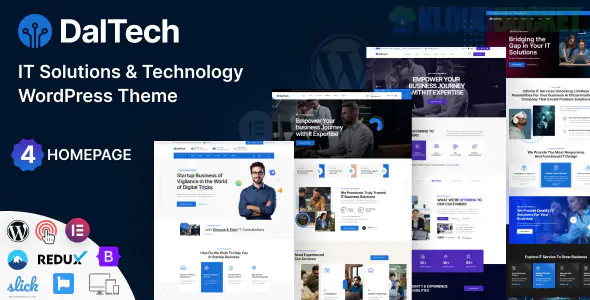
Daltech is a high-performance, corporate WordPress theme tailored specifically for IT services, cybersecurity firms, software engineering agencies, and data centers. It is designed to look robust and technically sophisticated, using a sharp, grid-based layout that conveys reliability.
Daltech focuses on the B2B technology sector, providing tools that help agencies explain complex services:
Service-Specific Layouts: Pre-built templates for Cloud Computing, Managed IT, Cyber Security, and Data Analytics.
Elementor & WPBakery Support: Deep integration with the most popular page builders, allowing for custom "Tech-stack" sections.
Case Study Manager: A dedicated system to showcase successful client projects, including metrics and results.
Advanced Header/Footer Builder: Allows for the professional, multi-layered navigation menus common in the IT industry.
WPML & RTL Ready: Perfect for global IT firms operating across different languages and regions.
In the IT sector, your "product" is often invisible (code, data, security). Envira Gallery allows you to make these concepts tangible and visually impressive within the Daltech framework.
IT clients want to see results. Instead of long PDFs, use Envira to create an Infographic Gallery.
The Setup: Use the Lightbox with Zoom feature. When a potential client clicks on a thumbnail of a server uptime chart or a security audit report, they can zoom in to see the specific data points in crisp detail.
If your agency manages server rooms or data centers, physical proof is your strongest asset.
The Benefit: Use Envira’s Masonry Layout to show off high-tech hardware, cable management, and security protocols. This "tangible" proof builds significantly more trust than using stock photos of people in headsets.
Daltech excels at showing "Case Studies," but Envira takes them to the next level.
Feature: Use the Video Addon to mix video testimonials from your CTO clients directly into your project image grid. This keeps the user on your "Solutions" page rather than sending them to YouTube.
IT solutions often involve heavy whitepapers. You can use Envira to create a "Technical Resource Library."
Pro Tip: Use the PDF Addon (available in Pro) to display technical documentation covers in a gallery. When clicked, the full PDF opens directly in the lightbox for the client to read without leaving your site.
Match the "Blue-Chip" Aesthetic: Daltech usually uses professional blues, dark greys, and whites. Go to Envira Gallery > Settings and select the "Sleek" gallery theme. Set the lightbox background to a dark, semi-transparent overlay to match the theme’s high-tech vibe.
Enable Deeplinking: IT sales cycles involve many stakeholders. Use Deeplinking so your sales team can send a URL that opens the exact technical diagram or infrastructure photo a client asked about.
Speed is Vital: Tech companies cannot have slow websites. Enable Lazy Loading in Envira to ensure your heavy high-res diagrams don't negatively impact your Core Web Vitals and SEO rankings.
Feature
Daltech Default
Envira Gallery
UX Feel
Static/Standard
Interactive & Polished
Media Mix
Photos only
Photos, Videos, and PDFs combined
Navigation
Basic Click
Keyboard & Touch-enabled navigation
SEO
Standard Alt-tags
Deep Image SEO & Metadata control
Would you like me to show you how to set up an Envira "Trust Center" gallery that showcases your security certifications and ISO badges with a high-res lightbox?
Subscribe to access unlimited downloads of themes, videos, graphics, plugins, and more premium assets for your creative needs.
.jpg) Help Us to Buy More New Theme/Plugin
Help Us to Buy More New Theme/Plugin
Published:
Dec 29, 2025 12:36 PM
Version:
v1.1.0
Category:
Developer:
ThemeforestLicense:
GPL v2 or Later