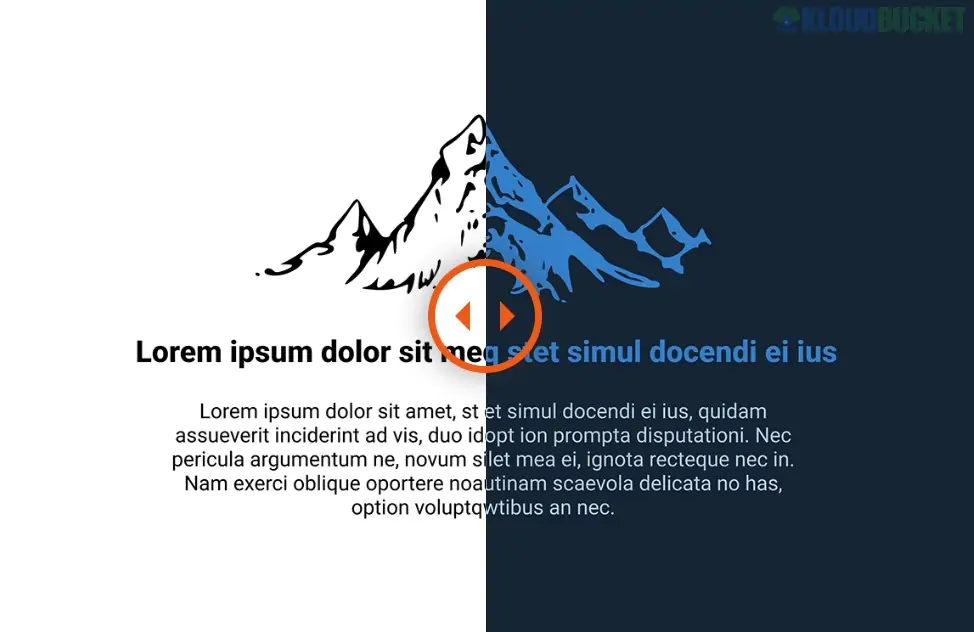
That's a very popular type of plugin right now! DarkMySite is a well-known WordPress plugin designed to allow website visitors (and administrators) to switch between a traditional light theme and a modern dark theme.
It's focused on improving user experience (UX) and accessibility by reducing eye strain, especially in low-light environments.
Here is a comprehensive breakdown of the plugin's features and how it works:
DarkMySite goes beyond a simple color invert and offers extensive control over how your site looks in dark mode:
Floating Switch: Adds a customizable floating toggle button (switch) to the front-end of your site, allowing visitors to instantly switch modes.
OS-Aware Dark Mode: Automatically detects the user's operating system (device) preference (if they have their system set to dark mode) and displays your site in dark mode to match.
Time-Based Dark Mode: Allows you to schedule the dark mode to turn on and off automatically based on the user's local time (e.g., automatically turns on at sunset).
Default Dark Mode: You can set the dark version as the default for all visitors, with an option for them to switch to the light version.
Keyboard Shortcut: Users can quickly toggle the mode with a keyboard shortcut (often Ctrl+Alt+D).
Color Presets: Choose from multiple predefined dark mode color schemes or create a custom preset by adjusting background, text, link, and button colors.
Image Control (Media Control): Images and videos can be difficult to view in dark mode. The plugin allows you to:
Adjust image brightness and grayscale specifically for dark mode.
Invert inline SVG icons.
Pro Feature: Replace specific images or videos entirely when dark mode is active.
Element Restrictions: Crucial for complex layouts, you can specifically exclude or enable dark mode for certain elements, pages, or posts by using their CSS class or ID.
Custom CSS: You have the option to write custom CSS rules that will only apply when the dark mode is active, giving you pixel-perfect control.
It includes a feature to apply the dark mode theme to your WordPress Admin Dashboard (back-end). This is especially useful for developers, bloggers, or site managers who spend long hours working in the dashboard.
The plugin is designed to work seamlessly with most popular themes and page builders, including Elementor, Divi, WP Bakery, and Gutenberg.
Are you looking to install and configure this plugin on your WordPress site, or do you have a specific customization question about how it handles images or colors?
Subscribe to access unlimited downloads of themes, videos, graphics, plugins, and more premium assets for your creative needs.
.jpg) Help Us to Buy More New Theme/Plugin
Help Us to Buy More New Theme/Plugin
Published:
Dec 06, 2025 14:47 PM
Version:
v1.2.7
Category:
Author:
OtherLicense:
GPL v2 or LaterTags: