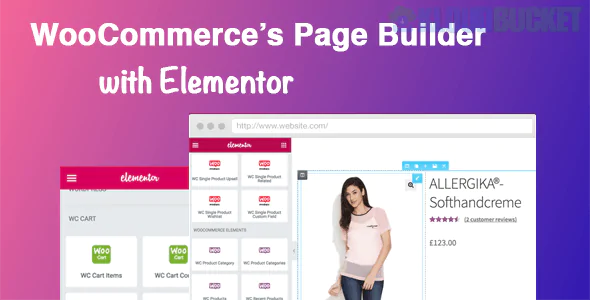
DHWC Elementor (often listed as DHWCPage) is a specialized WooCommerce builder extension for the Elementor page builder. Developed by the SiteSao Team, it bridges the gap between WooCommerce and Elementor, allowing you to design custom eCommerce pages—like Single Product, Shop, Cart, and Checkout—using a drag-and-drop interface.
It is particularly useful for users who want "Pro-level" WooCommerce customization features without necessarily subscribing to Elementor Pro, or for those who need more specialized eCommerce widgets than what the standard Pro version offers.
DHWC Elementor provides deep control over the individual "pieces" of a WooCommerce store:
Custom Page Templates: Build and assign unique templates for:
Single Product Pages: Override the default layout to reposition the price, gallery, and "Add to Cart" button.
Shop & Archive Pages: Create custom grids for categories and tags with specialized sorting and filters.
Cart & Checkout: Design high-converting, streamlined checkout flows to reduce cart abandonment.
My Account: Customize the user dashboard where customers view orders and downloads.
Dynamic WooCommerce Widgets: It adds a library of widgets that pull data directly from your products:
Product Title, Price, Rating, and SKU.
Product Images & Thumbnails (with zoom/slider support).
Product Data Tabs, Upsells, and Related Products.
Stock Status and Attribute displays.
Per-Product Overrides: You can create a global template for all products but also design a specific "one-off" layout for a flagship product or a special promotion.
Shortcode Support: Includes dedicated shortcodes to display WooCommerce data inside other Elementor sections or third-party tabs.
Elementor Versions: Compatible with both Elementor Free and Elementor Pro. (It is a popular choice for Free users who need WooCommerce building capabilities).
WooCommerce Versions: Regularly updated to support the latest versions of WooCommerce (currently 8.x and above).
Theme Support: Works best with lightweight themes like Hello Elementor, but it is designed to override default templates in most standard WordPress themes.
PHP Support: Fully optimized for modern server environments, including PHP 8.1 and 8.2.
No-Code Design: You don't need to edit single-product.php or archive-product.php files in your theme's code.
Category-Specific Layouts: You can set a "Green" theme for your "Plants" category and a "Blue" theme for your "Tools" category automatically.
Advanced Tab Control: It allows you to break out product description, additional info, and reviews into separate Elementor sections rather than being forced into a tabbed layout.
Install: Upload the plugin ZIP via Plugins > Add New.
Create a Template: Go to the DHWCPage or Templates menu and add a new "Single Product" or "Shop" template.
Design: Use the Elementor editor to drag the specific "DHWC" widgets into your layout.
Set Conditions: In the plugin settings, tell WordPress which products or categories should use your new design.
Would you like me to help you set up a custom "Single Product" template using this plugin, or are you looking for a specific layout for your Checkout page?
Subscribe to access unlimited downloads of themes, videos, graphics, plugins, and more premium assets for your creative needs.
.jpg) Help Us to Buy More New Theme/Plugin
Help Us to Buy More New Theme/Plugin
Published:
Jan 02, 2026 15:37 PM
Version:
v1.2.12
Category:
Author:
OtherLicense:
GPL v2 or Later