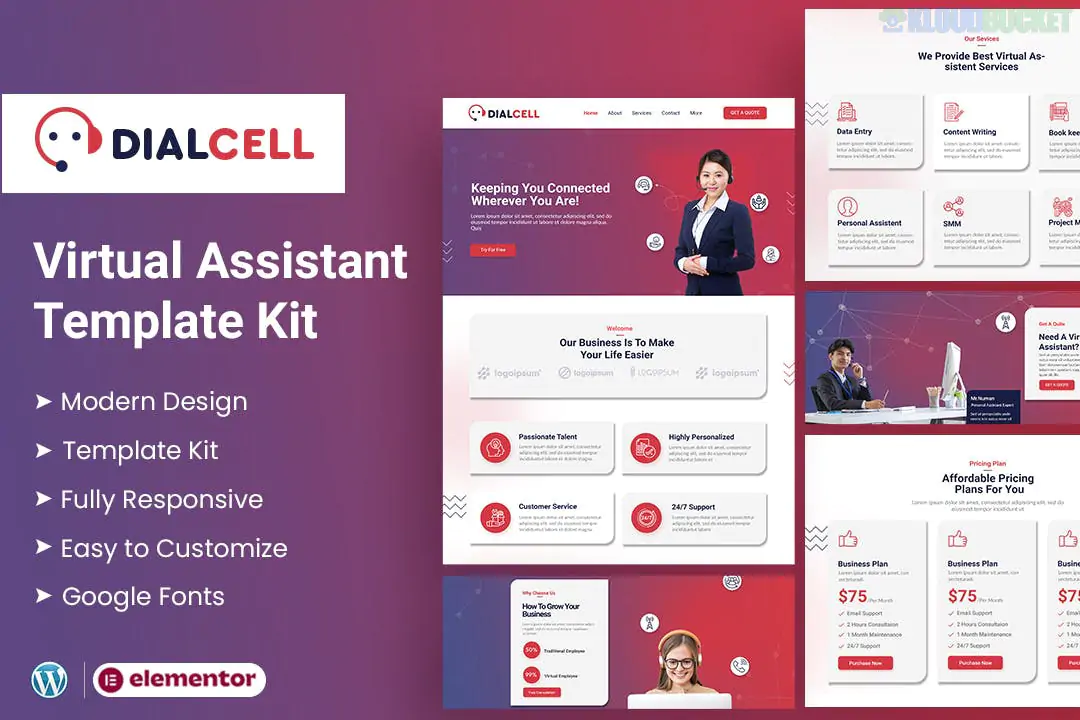
DialCell is a specialized Elementor Template Kit designed for call centers, telemarketing agencies, BPO (Business Process Outsourcing) services, and customer support companies. Created by Evonicmedia, it focuses on a professional, corporate look with high-trust design elements.
Niche-Specific Design: Built specifically for service-based communication businesses with sections for lead generation and service breakdown.
No Code Customization: True drag-and-drop experience; every element from the color palette to the typography can be adjusted globally.
Responsive & Retina Ready: Designed to look sharp on high-resolution displays and adapt perfectly to mobile screens.
Optimized for Speed: Lightweight structure ensures fast loading times, which is critical for conversion-focused service sites.
This kit offers a comprehensive set of 15+ templates, providing all the necessary pages for a professional telemarketing site:
Home Page: Features service highlights, hero sections for lead capture, and client testimonials.
Services: Individual layouts for Telemarketing, Inbound/Outbound support, and Technical Helpdesk.
Pricing Plans: Clear comparison tables for different service levels or hourly rates.
About Us: Sections to showcase company history, mission, and professional team.
Contact Us: Integrated with MetForm for professional inquiry forms and location maps.
Header & Footer: Global templates that can be applied across the entire site.
To use DialCell, you will need to install these free plugins from the WordPress repository:
Elementor (Free): The primary builder used for all layouts.
ElementsKit Lite: Necessary for the advanced header/footer builder and specialized widgets.
MetForm: Powering the custom-styled contact and lead generation forms.
Themesflat Addons for Elementor: Provides the specific decorative and functional blocks used in the DialCell design.
When importing this kit via the Envato Elements plugin, pay close attention to the MetForm blocks. After importing the page templates, you must separately import the "Form Templates" and then select them within the MetForm widget on your Contact or Home pages to make the forms appear correctly.
Would you like me to guide you through the process of connecting the MetForm templates, or would you like to see a comparison with other call center kits like "Call Square"?
Subscribe to access unlimited downloads of themes, videos, graphics, plugins, and more premium assets for your creative needs.
.jpg) Help Us to Buy More New Theme/Plugin
Help Us to Buy More New Theme/Plugin
Published:
Jan 09, 2026 14:19 PM
Category:
Author:
OtherLicense:
GPL v2 or Later