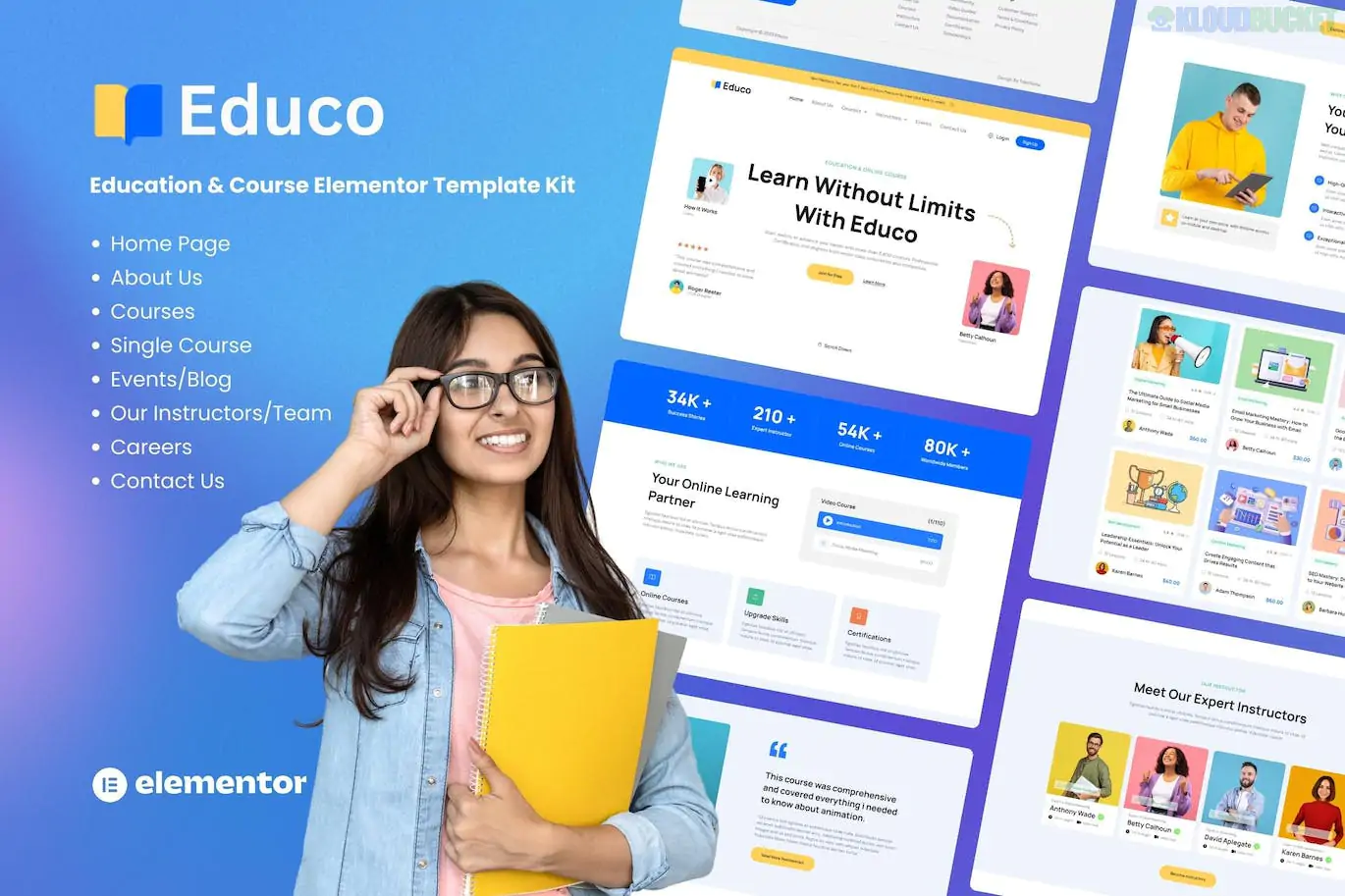
Educo is a modern and comprehensive Elementor Template Kit designed for educational institutions, online course creators, and e-learning platforms. It is built to provide a professional, organized structure for managing educational content without the need for complex coding.
Unlike a WordPress theme, Educo is a collection of pre-designed layouts that you import into your site via the Elementor page builder.
LMS Ready Design: While the kit provides the visual layouts, it is designed to pair perfectly with Learning Management Systems (LMS) like Tutor LMS or LearnDash.
Free Elementor Compatible: Most versions of this kit are built to work with the Free version of Elementor, though some advanced headers/footers may utilize ElementsKit or Elementor Pro features.
Fully Responsive: Specifically optimized for students who often access course materials on tablets or mobile devices.
SEO Optimized: Clean structure and fast-loading layouts to help your courses rank better in search results.
The kit typically includes all the essential pages needed to run an online academy:
Home Pages: Multiple variations (Main, University, or Course Focus).
Course Pages: Course Archive (Listing), Course Details (Curriculum & Enrollment), and Categories.
Instructor Pages: Meet the Teachers (Team) and Individual Instructor Profiles.
Institutional Pages: About Us, Careers, FAQ, and Events.
Functional Pages: Contact Us, Blog Archive, Single Post, and 404 Error.
Global Blocks: Custom Header and Footer templates.
To ensure the kit looks and functions like the demo, you will typically need these free plugins:
Elementor (Free): The core builder.
ElementsKit Lite: For advanced headers, footers, and mega menus.
MetForm: For custom enrollment or contact forms.
Hello Elementor Theme: The recommended lightweight base theme.
Tutor LMS (Optional): Highly recommended if you want actual "Course Management" functionality (quizzes, progress tracking, etc.).
Install the Envato Elements plugin in WordPress.
Go to Elements > Installed Kits and upload your Educo .zip file.
Click the orange "Install Requirements" banner to set up all necessary plugins.
Import Global Kit Styles first (to set your fonts/colors).
Import the Home Page and other desired templates one by one.
If you plan to actually sell courses, remember that the template kit only handles the design. You will need a plugin like Tutor LMS to handle the functionality (like user logins and course progress). Once Tutor LMS is installed, you can simply "Insert" the Educo Course Detail template onto your LMS course pages to make them look professional.
Would you like me to explain how to connect the Educo "Course Details" layout to a real course in Tutor LMS?
Subscribe to access unlimited downloads of themes, videos, graphics, plugins, and more premium assets for your creative needs.
.jpg) Help Us to Buy More New Theme/Plugin
Help Us to Buy More New Theme/Plugin
Published:
Jan 12, 2026 14:26 PM
Category:
Author:
OtherLicense:
GPL v2 or Later