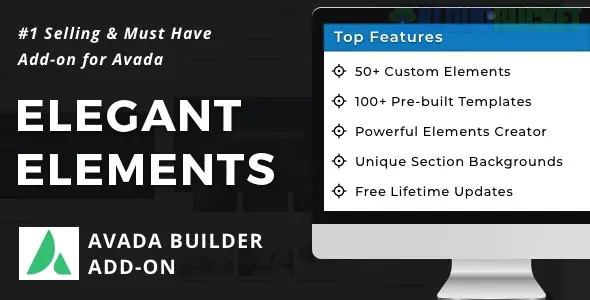
Elegant Elements is a premium powerhouse addon specifically designed to extend the capabilities of the Avada Theme and its native Fusion Builder (now known as Avada Builder). While Avada is already the best-selling theme on Themeforest, this addon fills the "creative gaps" by adding unique, high-end elements that aren't available in the core theme.
Avada’s built-in elements are great for corporate sites, but they can sometimes feel "standard." Elegant Elements adds 50+ custom modules that focus on modern UI/UX trends, allowing you to create more interactive and visually stunning layouts without writing a single line of CSS.
Dual Buttons: Create two side-by-side call-to-action buttons with different styles (perfect for "Login/Register" or "Buy/Learn More").
Content Toggles: Let users switch between two different sets of content (e.g., Monthly vs. Yearly pricing).
Advanced Google Maps: Add custom pins, unique map skins (Snazzy Maps), and interactive info boxes.
Image Comparison: A "Before & After" slider—essential for plastic surgeons, landscapers, or photo editors.
Floating Elements: Add animated floating objects (particles or icons) to your background to create depth.
Particles Background: Integrated support for particles.js to create interactive, moving backgrounds.
Deep Integration: It doesn't feel like a separate plugin. Once installed, the new elements appear directly inside the Avada Builder interface alongside the native ones.
Performance Minded: You can enable/disable specific elements. If you only need the "Dual Button" and "Image Comparison," you can turn off the other 48 modules to keep your site lean.
Responsive Controls: Like Avada itself, every element comes with granular controls for mobile, tablet, and desktop views.
Ready-to-Use Templates: It includes pre-designed sections that you can import to speed up your workflow.
Feature
Avada (Native)
Elegant Elements Addon
Buttons
Single Button only
Dual Buttons with "OR" text
Pricing
Standard Tables
Interactive Toggle Tables
Social
Social Icons
Instagram Feed & Floating Social
Images
Basic Frames/Filters
Before/After & Image Hotspots
Banner
Standard Image/Video
Interactive Promo Banners
Compatibility: Always ensure your version of the Avada Theme is up to date before installing Elegant Elements to avoid conflicts.
The "General Settings" Tab: Go to the Elegant Elements settings in your WordPress dashboard to enter your purchase code and, more importantly, deactivate elements you aren't using.
Global Styles: The plugin usually inherits your Avada "Global Options" (fonts and colors), but you can override them for each element individually.
Pro Tip: The "Image Hotspot" element is a game-changer for e-commerce or technical sites. You can upload one photo of a product and place interactive "dots" on it that show descriptions or prices when hovered over.
Would you like me to show you how to set up the "Content Toggle" for a pricing table, or are you interested in how to use the "Image Hotspots" for a product showcase?
Subscribe to access unlimited downloads of themes, videos, graphics, plugins, and more premium assets for your creative needs.
.jpg) Help Us to Buy More New Theme/Plugin
Help Us to Buy More New Theme/Plugin
Published:
Jan 07, 2026 20:08 PM
Version:
v3.6.7
Category:
Author:
OtherLicense:
GPL v2 or LaterTags: