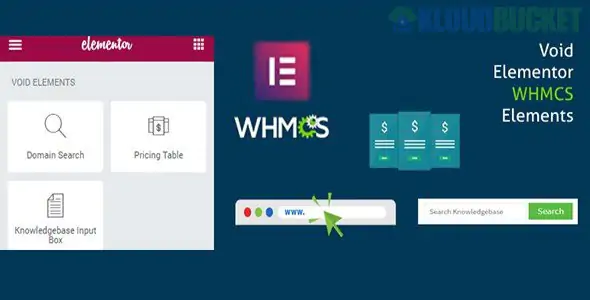
Elementor WHMCS Elements Pro is a specialized integration plugin developed by voidCoders. It is designed for web hosting companies and domain registrars who want to combine the design power of Elementor with the automation and billing power of WHMCS.
Instead of your site looking like a generic hosting portal, this plugin allows you to build a high-end, custom-branded website where the pricing and domain search data are pulled live from your WHMCS backend.
This plugin acts as a bridge, bringing WHMCS data into Elementor widgets:
Live Ajax Domain Search: Adds a search bar to your WordPress site that checks domain availability in real-time without reloading the page.
Live Pricing Tables: Automatically fetches product names and prices from WHMCS. If you change a price in WHMCS, it updates on your WordPress site instantly—no manual editing required.
WHMCS Login Form: Allows you to place a login widget anywhere on your site. Users can enter their credentials on your WordPress page and be securely redirected/logged into the WHMCS client area.
TLD Pricing Table: Display a full list of your domain extensions (like .com, .net, .org) and their respective registration/renewal prices directly from WHMCS.
Knowledge Base Search: Integrates your WHMCS support articles into your WordPress layout so customers can find answers before opening a ticket.
The "Pro" version focuses heavily on styling and "White Labeling":
5+ Styles for Pricing Tables: Includes multiple pre-designed layouts (Grid, List, and Modern styles).
Elementor Pro Compatibility: It is specifically built to work with Elementor Pro’s pricing table widget, allowing you to use Elementor's styling controls while the data (price/title) comes from WHMCS.
Dynamic Tags: You can pull specific product prices and insert them into any text block or button across your site using dynamic tags.
To use this system effectively, you typically need a specific stack:
WordPress: Your front-end marketing site.
Elementor (Free or Pro): The page builder used to design the layout.
WHMCS: Installed on a subdirectory (e.g., yoursite.com/clients) or a subdomain.
WHMCS Bridge (Optional but Recommended): Many users use this plugin alongside "WHMCS Bridge" to ensure a seamless "look and feel" between the WordPress site and the actual billing pages.
The Free version (available on WordPress.org as "Elementor WHMCS Elements") is quite limited. Upgrading to Pro is necessary if you want:
More than one basic style for your tables.
Ajax (no-refresh) domain searching.
The ability to show domain TLD pricing lists.
Automatic currency conversion based on your WHMCS settings.
Would you like me to help you find the correct API settings to connect your WHMCS installation to the plugin, or are you looking for a comparison with other hosting themes like "Bakery" or "CloudHost"?
Subscribe to access unlimited downloads of themes, videos, graphics, plugins, and more premium assets for your creative needs.
.jpg) Help Us to Buy More New Theme/Plugin
Help Us to Buy More New Theme/Plugin
Published:
Jan 17, 2026 12:26 PM
Category:
Author:
OtherLicense:
GPL v2 or Later