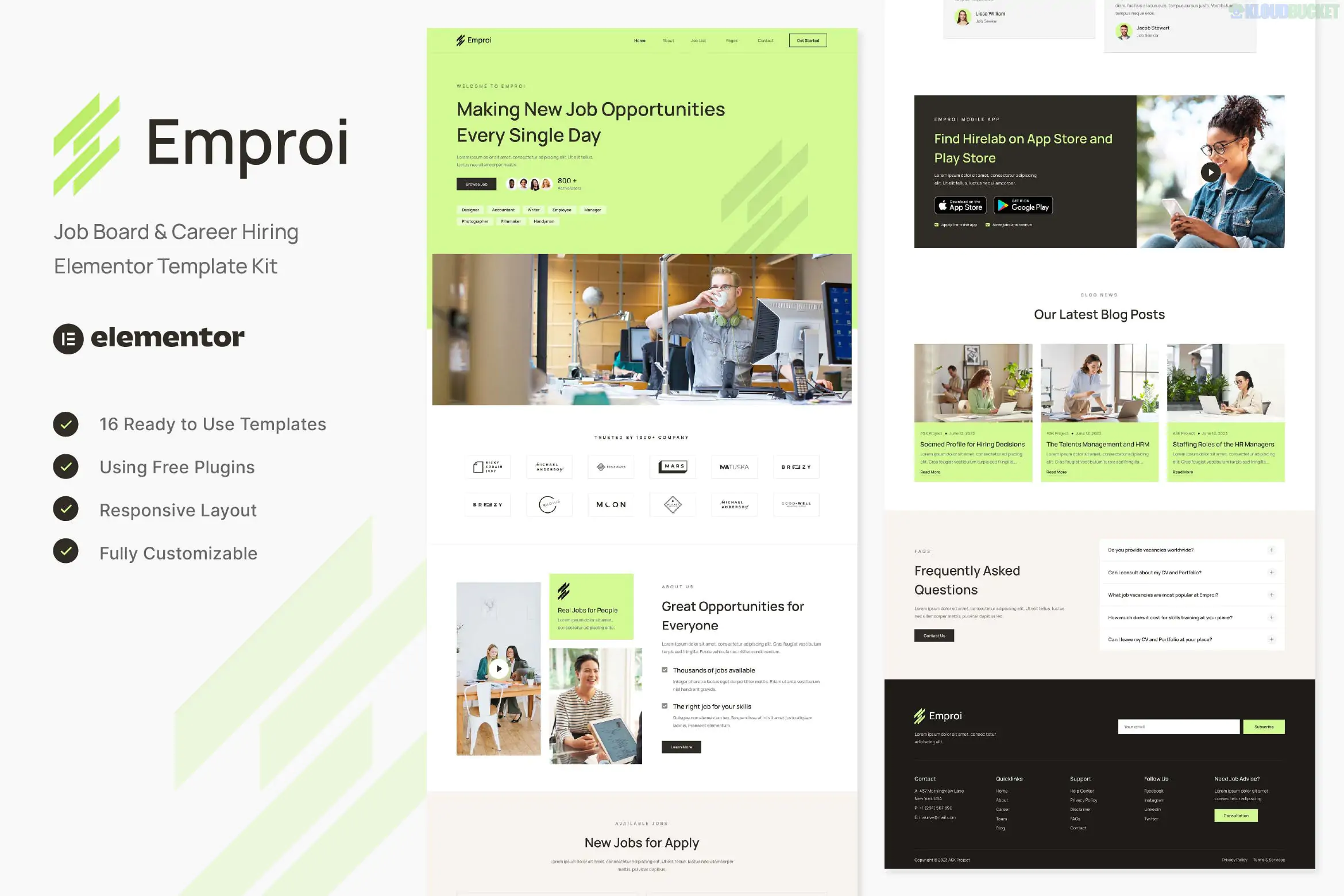
Emproi is a clean, modern Elementor Template Kit specifically designed for job boards, recruitment agencies, and human resources firms. Developed by askproject, it focuses on a professional user experience for both recruiters and job seekers.
Unlike a full WordPress theme, this kit is a collection of pre-designed page layouts that you "import" into your existing WordPress site using the Elementor page builder.
Job-Specific Layouts: Includes dedicated designs for Job Lists, Job Details, and Company Profiles.
No Coding Required: Fully visual drag-and-drop customization.
Responsive & Retina Ready: Optimized for high-resolution screens and mobile devices.
Free Plugin Base: Designed to work without the need for Elementor Pro (using free alternatives for headers and footers).
The kit provides a comprehensive set of pages to launch a recruitment site:
Core Pages: Home, About, Services, Pricing, FAQ, and Team.
Job Board Features: Job List (Archive) and Job Detail (Single).
Blog & Contact: Blog Archive, Single Post, and Contact Us.
Essential Elements: Header, Footer, 404 Page, and specialized forms (Contact & Newsletter).
Before importing, you must install these free plugins from the WordPress repository:
Elementor: The primary page builder.
ElementsKit Lite: Used for building the Header, Footer, and advanced widgets.
MetForm: Handles the job application and contact forms.
Gum Elementor Addon: Provides specific design elements used in the demo.
Base Theme: It is highly recommended to use the Hello Elementor theme. It is lightweight and provides a blank canvas that won't conflict with the kit's styles.
Import Order: Always import the Global Kit Styles first. This sets your site's default colors and typography so the other pages look correct immediately upon import.
Job Functionality: Note that this is a design kit. To manage actual job listings (database, applications, searching), you may need a functional plugin like WP Job Manager to handle the "backend" of the job board.
Pro Tip: If you see "missing" sections after importing, check the orange banner at the top of the Envato Elements > Installed Kits page and click "Install Requirements" to ensure all necessary widgets are active.
Would you like a step-by-step guide on how to link your "Apply Now" buttons to a functional job application form?
Subscribe to access unlimited downloads of themes, videos, graphics, plugins, and more premium assets for your creative needs.
.jpg) Help Us to Buy More New Theme/Plugin
Help Us to Buy More New Theme/Plugin
Published:
Jan 07, 2026 19:31 PM
Category:
Author:
OtherLicense:
GPL v2 or Later