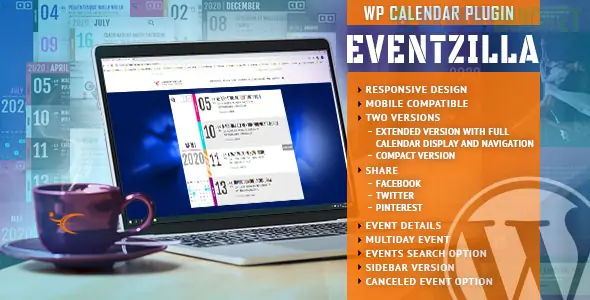
EventZilla for WordPress is a powerful integration that bridges the gap between a simple website calendar and a professional, full-scale event management platform.
In 2025, there are two primary ways "EventZilla" is used within WordPress: as an embedded widget for the global SaaS platform (Eventzilla.net) or as a dedicated lightweight plugin (often found on marketplaces like CodeCanyon).
Most professional users use the Eventzilla WordPress plugin to sync their site with the Eventzilla.net cloud platform.
Embeddable Widgets: Easily drop a "Ticket Widget" or "Event List" into any WordPress page using shortcodes.
Virtual Event Hub: Dedicated support for webinars and hybrid events with integrated streaming links (Zoom, GoToWebinar, etc.).
Mobile Check-In: Use the Eventzilla app to scan QR codes on tickets generated via your WordPress site.
White-Labeling: The Pro version allows you to remove Eventzilla branding so the ticket purchase experience feels native to your site.
List & Grid Views: Display events in a traditional monthly calendar or a modern masonry grid.
Multi-Day Events: Perfect for conferences or festivals that span several days.
Venue & Organizer Management: Store and reuse location data (with Google Maps integration) and speaker/organizer profiles.
Cancellation Management: Mark events as "Cancelled" or "Postponed" without deleting them, preserving your SEO.
Custom Forms: Build unique registration forms to collect attendee data (T-shirt sizes, meal preferences, etc.).
Payment Gateways: Supports Stripe, PayPal, and Authorize.net directly.
Automatic Invoicing: Generates and emails PDF tickets and tax invoices immediately after purchase.
Eventzilla typically operates on a "Pay-as-you-go" or subscription model rather than a one-time plugin fee.
Plan
Price (Approx.)
Best For
Free
$0 / event
Free events only (Unlimited registrations).
Basic
$1.50 per registration
Small paid events (One-off classes or workshops).
Pro
1.9% + $1.50 / reg
Professional organizers needing discount codes and surveys.
Plus
2.9% + $1.50 / reg
Large conferences needing white-labeling and API access.
Many WordPress users compare EventZilla with the industry-standard "The Events Calendar."
EventZilla: Better for logistics and ticketing. It is a full management suite that handles the "business" of events (payouts, tax, attendee tracking) more robustly.
The Events Calendar: Better for design and site integration. It feels more like a part of WordPress, whereas EventZilla feels like an external tool plugged into your site.
Sign Up: Create an account at Eventzilla.net.
Install Plugin: Search for "Eventzilla" in your WordPress Plugins > Add New area.
Sync: Enter your API key (found in your Eventzilla account settings) to link your WordPress site.
Add Shortcode: Use the shortcode [eventzilla_events] to display your live calendar on any page.
Would you like me to help you generate a specific shortcode for your event list, or are you looking for a comparison between EventZilla and EventOn for a more "visual" calendar style?
Subscribe to access unlimited downloads of themes, videos, graphics, plugins, and more premium assets for your creative needs.
.jpg) Help Us to Buy More New Theme/Plugin
Help Us to Buy More New Theme/Plugin
Published:
Dec 27, 2025 15:54 PM
Version:
v1.5.4
Category:
Author:
OtherLicense:
GPL v2 or Later