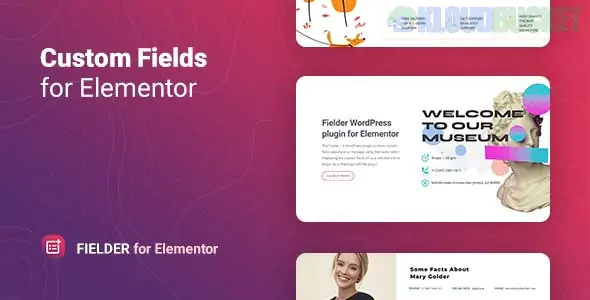
Fielder is a specialized WordPress plugin designed to bridge the gap between custom metadata and the Elementor page builder. Developed by Merkulove, it allows you to display dynamic content stored in custom fields anywhere on your site using a simple Elementor widget.
While Elementor Pro has built-in dynamic tags, Fielder is often used as a lightweight alternative or a dedicated tool to handle complex data structures more easily.
Multi-Plugin Support: Seamlessly pulls data from the most popular custom field plugins:
Advanced Custom Fields (ACF) & ACF Pro
Meta Box
Standard WordPress Custom Fields
Multiple Field Types: It can render various types of data, including:
Text: Simple strings like "Price" or "Location."
Images: Dynamically pull photos based on the post.
Objects & Arrays: For developers needing to display more complex data sets.
Tables: Great for technical specifications or feature lists.
Custom Styling: Unlike standard dynamic tags which often inherit basic theme styles, Fielder gives you full Elementor-style control (fonts, colors, margins, and icons) specifically for that metadata field.
Prefix & Suffix: Easily add labels before or after the data (e.g., adding a "$" prefix to a price field or "sq ft" suffix to a size field).
Standard Elementor (Free) does not support "Dynamic Tags." If you don't want to pay for Elementor Pro just to show one or two custom fields, Fielder provides a dedicated widget to do exactly that.
Even for Pro users, Fielder can be helpful because it offers a specialized widget interface that makes it faster to style specific metadata without jumping through the "Dynamic Tags" settings menus.
Create your fields: Use ACF or Meta Box to add a field (e.g., "Trainer Name" for a gym site).
Fill the data: Enter the information in the WordPress editor for your post or page.
Add the Widget: Open Elementor, search for the Fielder widget, and drag it into your layout.
Select the Source: In the widget settings, choose your provider (like ACF) and select the specific field name from the dropdown.
Real Estate: Displaying "Number of Bedrooms" or "Property Area" from a custom field.
Events: Showing "Event Date" or "Venue Name" dynamically.
Team Pages: Pulling "Job Title" or "Social Media Handles" into a team member's bio.
Would you like me to compare Fielder with Elementor Pro’s native Dynamic Tags to see which fits your project better?
Subscribe to access unlimited downloads of themes, videos, graphics, plugins, and more premium assets for your creative needs.
.jpg) Help Us to Buy More New Theme/Plugin
Help Us to Buy More New Theme/Plugin
Published:
Jan 07, 2026 19:26 PM
Version:
v1.1.1
Category:
Author:
OtherLicense:
GPL v2 or LaterTags: