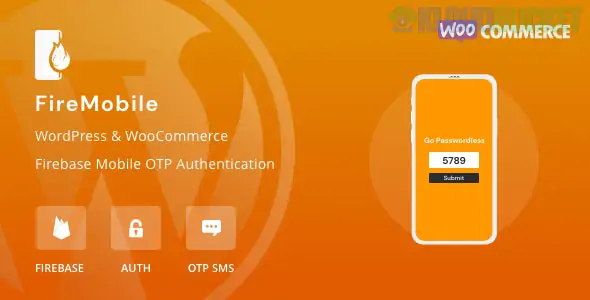
FireMobile (by RedQ) is a premium WordPress and WooCommerce plugin designed to enable passwordless login using Firebase Phone Authentication. It replaces the traditional email/password login with a simple mobile number and OTP (One-Time Password) system.
This plugin is especially popular for WooCommerce stores looking to reduce friction during checkout and improve account security without the high costs often associated with traditional SMS gateways.
Firebase Integration: Uses Google’s Firebase infrastructure, which offers a generous free tier for SMS (usually up to 10,000 verifications per month depending on your region).
Passwordless Login: Users enter their mobile number, receive an OTP, and are logged in instantly.
Two-Factor Authentication (2FA): Can be used to add an extra layer of security to existing accounts.
Customizable UI: You can customize the look of the login button and the OTP popup to match your theme.
Auto Country Detection: Automatically detects the user's country code based on their IP address.
WooCommerce Ready: Works seamlessly with the "My Account" page and the Checkout page.
FireMobile is typically sold as a premium product. In 2026, you can find it at the following price points:
Source
Estimated Price
Best For
Official (RedQ / CodeCanyon)
$29 – $39
Full support, lifetime updates, and original license.
Subscription (PluginsForWP)
$14.50 / month
Access to multiple premium plugins in a bundle.
Firebase (Google)
$0 (Spark Plan)
The SMS delivery is free for the first 10k users/month.
Setting up the plugin requires a Firebase Project, which acts as the "engine" for sending the SMS.
Create Firebase Project: Go to the Firebase Console, create a new project, and enable Phone Authentication under the "Authentication" tab.
Add Domain: In Firebase settings, add your website domain (e.g., www.yourstore.com) to the Authorized Domains list.
Get Credentials: Copy your Firebase Web Config (API Key, Auth Domain, Project ID, etc.).
Plugin Config: In your WordPress dashboard, go to FireMobile > Settings and paste the credentials.
Shortcode: Use the shortcode [firebase_otp_login] to place the login button on any custom page.
Cost: Unlike plugins like "Digits" or "Twilio-based" tools that charge per SMS, FireMobile leverages Firebase's free tier, making it one of the most budget-friendly ways to implement SMS login.
Speed: Because it uses Google’s global network, the OTP delivery is generally faster and more reliable than many local SMS providers.
Simplicity: It doesn't require complex API integrations with third-party SMS companies; if you have a Google account, you can set it up in 15 minutes.
Firebase Blaze Plan: Once you exceed the free tier, Google requires you to move to a "Pay-as-you-go" plan (Blaze), which requires a credit card on file.
Technical Setup: You must be comfortable navigating the Google Cloud/Firebase console to get the initial API keys.
Would you like me to walk you through the specific steps for creating the Firebase Web App, or are you looking for a comparison between FireMobile and the "Digits" plugin?
Subscribe to access unlimited downloads of themes, videos, graphics, plugins, and more premium assets for your creative needs.
.jpg) Help Us to Buy More New Theme/Plugin
Help Us to Buy More New Theme/Plugin
Published:
Jan 06, 2026 17:54 PM
Version:
v1.2.2
Category:
Author:
OtherLicense:
GPL v2 or Later