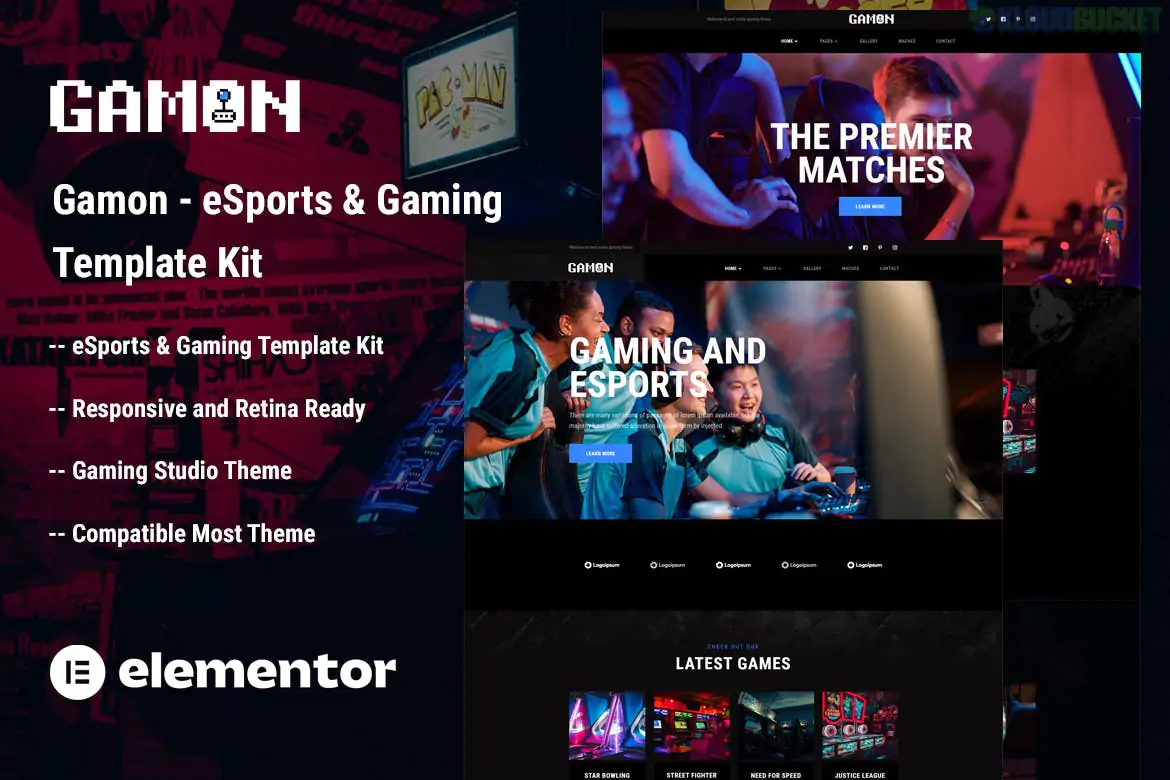
Gamon is a high-energy, dark-themed Elementor Template Kit specifically engineered for eSports teams, gaming clans, streamers, and game studios.1 Developed by Themesflat, it provides a professional "gamer" aesthetic with a focus on team management, match schedules, and live stream integration.
eSports Focused Design: A modern, dark-mode interface with sharp accents tailored for the gaming community.
No Coding Required: Built entirely with a visual drag-and-drop workflow.2
Elementor Free Version: Unlike many complex kits, Gamon is designed to work with the free version of Elementor, though it remains compatible with Elementor Pro.3
100% Responsive & Retina Ready: Ensures your team's stats and stream alerts look pixel-perfect on mobile devices and 4K monitors.4
Match & Stream Management: Includes dedicated sections to announce upcoming matches, results, and live broadcast statuses.5
Gamon offers a comprehensive set of layouts to launch a complete gaming portal:
Homepages: Two unique homepage variations (Home 01 and Home 02) to choose your brand's starting point.6
Team & Player Profiles: Dedicated pages to showcase your roster, individual player stats, and social links.
Match Center: Layouts for "Match List" and "Match Detail" to display tournament schedules and scores.7
Streaming & Video: Sections optimized for YouTube/Twitch embeds and live broadcast announcements.
Services & Sponsorships: Pages to highlight your gaming studio services or display your partner/sponsor logos.
Community & Blog: Multiple blog layouts to share news, patch notes, or recruitment updates.
Global Elements: Custom Header and Footer templates with off-canvas menu support.
To replicate the demo's appearance, you will need to install these free plugins:
Elementor (Free): The core builder used for all page layouts.8
ElementsKit Lite: Necessary for the advanced header, footer, and specialized gaming widgets.
MetForm: Powering the recruitment and contact forms.9
Themesflat Addons for Elementor: Provides the unique decorative blocks and functional gaming widgets.10
When you import Gamon using the Envato Elements plugin, it is critical to follow this order:
Import Global Kit Styles first. This sets your site's dark background, neon accents, and gaming typography.
Import the Header and Footer.11 Use ElementsKit to set these to "Entire Site."12
Import the MetForm blocks.13 If your "Join the Team" form looks empty, you must select the imported MetForm template from within the widget on that page.14
Would you like me to help you set up the "Match List" layout for your upcoming tournaments, or do you need help embedding your Twitch stream into the homepage?
Subscribe to access unlimited downloads of themes, videos, graphics, plugins, and more premium assets for your creative needs.
.jpg) Help Us to Buy More New Theme/Plugin
Help Us to Buy More New Theme/Plugin
Published:
Jan 09, 2026 18:58 PM
Category:
Author:
OtherLicense:
GPL v2 or LaterTags: