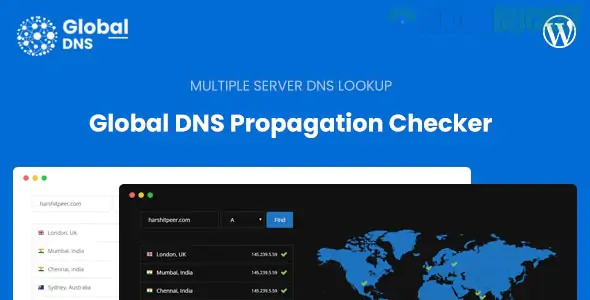
The Global DNS – Multiple Server – DNS Propagation Checker – WP is a specialized WordPress plugin designed for webmasters, developers, and hosting companies. It allows you to offer a global DNS lookup service directly on your own WordPress website, similar to popular external tools like whatsmydns.net or dnschecker.org.
Global Monitoring: Tracks DNS record changes across multiple servers worldwide to verify if a domain has fully propagated.
Support for 10+ Record Types: You can check all standard DNS records, including:
A / AAAA: For IPv4 and IPv6 addresses.
CNAME: For canonical name/aliases.
MX: For mail exchange servers.
NS: For nameservers.
TXT: For verification and security records (SPF, DKIM).
SRV & CAA: For specific service and certificate authority records.
WHOIS Lookup: Includes a built-in tool to check domain registration details and ownership.
Dark Mode: Comes with a modern UI that supports light and dark themes, adjustable from the admin panel.
Custom Server Integration: You can add an unlimited number of your own servers to the checker to get more localized or precise data.
To run this plugin effectively, your server environment must support specific functions:
PHP fsockopen: Required for the WHOIS lookup feature.
TCP Port 43: Must be open for outgoing traffic to communicate with WHOIS servers.
shell_exec function: (From v1.1.0+) Required if you want to use the DNS Server IP directly to fetch records.
External Servers: While you can use free servers, the plugin is most effective if you connect it to multiple shared hosting accounts to act as different geographical nodes.
Instead of sending your clients to a third-party website to check if their site is live, you can keep them on your own domain. This is particularly useful for:
Hosting Providers: To help customers troubleshoot migration issues.
SEO Agencies: To verify domain ownership and TXT record implementation.
IT Support Portals: As a utility tool for internal or client use.
Installation: Upload the plugin .zip file via your WordPress dashboard under Plugins > Add New.
Server Setup: Go to the plugin settings and add your server nodes. You can use your own shared hosting IPs or public DNS IPs (like Google’s 8.8.8.8).
Deployment: Use the provided Shortcode to display the DNS Checker on any page or post.
Styling: Adjust the primary colors and "Dark Mode" settings in the Global DNS Settings page to match your website's branding.
Would you like me to help you find the shortcode for a specific record type, or do you need assistance troubleshooting the WHOIS lookup port settings?
Subscribe to access unlimited downloads of themes, videos, graphics, plugins, and more premium assets for your creative needs.
.jpg) Help Us to Buy More New Theme/Plugin
Help Us to Buy More New Theme/Plugin
Published:
Dec 30, 2025 17:11 PM
Version:
v3.2.0
Category:
Author:
OtherLicense:
GPL v2 or LaterTags: