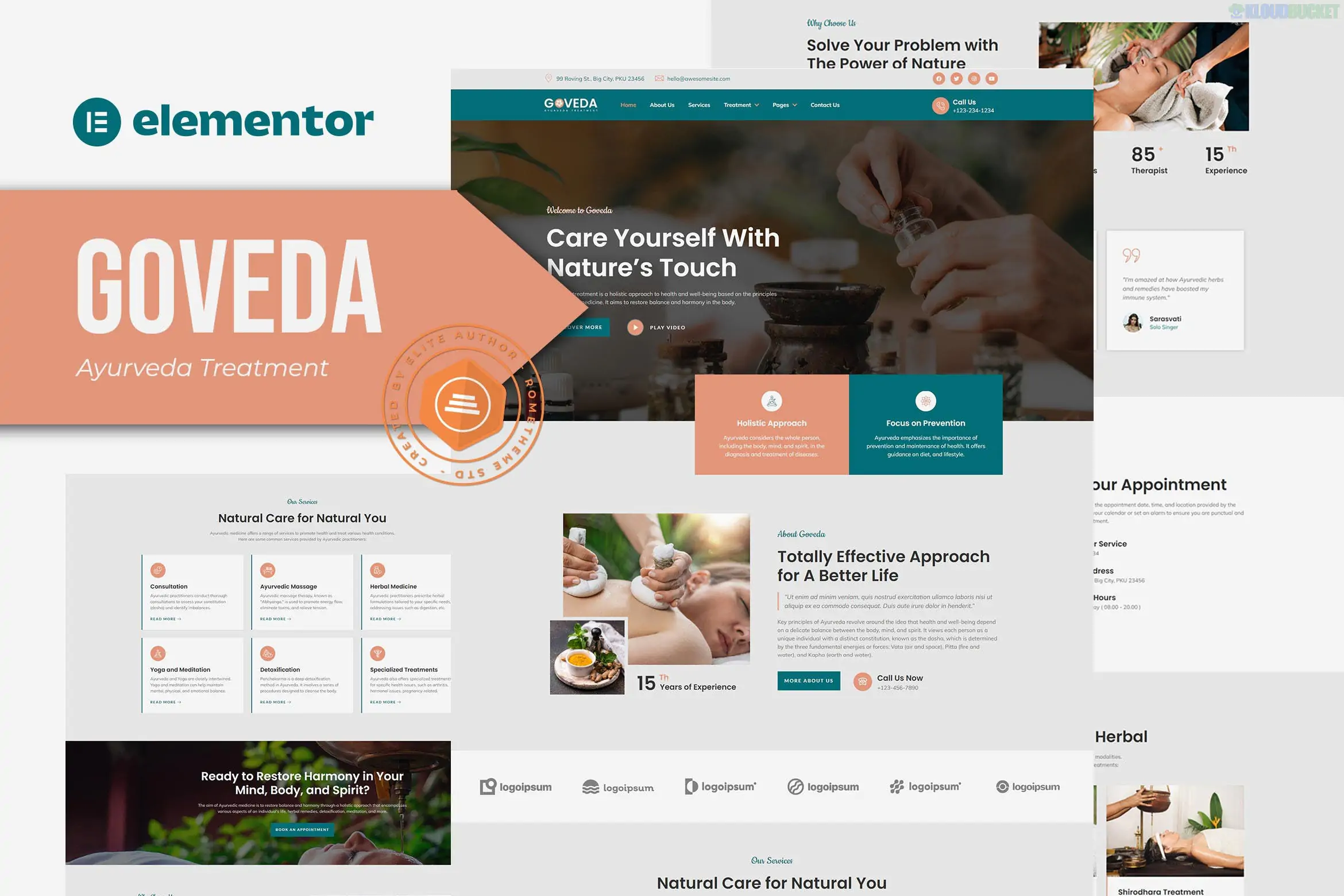
Goveda is a serene and professional Elementor Template Kit specifically designed by Rometheme for the holistic wellness industry.1 It is an ideal choice for Ayurveda treatment centers, spa resorts, yoga studios, and alternative medicine practitioners looking for a tranquil online presence.2
Serene & Modern Design: Uses a calming color palette and clean layouts to reflect the therapeutic nature of Ayurveda.3
No Elementor Pro Required:4 This kit is built to be fully functional using the free version of Elementor, meaning you don't need a paid subscription to achieve the demo look.5
100% Responsive: Optimized for a seamless experience on smartphones, tablets, and high-resolution desktops.6
Easy Customization: Drag-and-drop editing with a Global Kit Style that allows you to change primary colors and typography across the whole site in seconds.7
Goveda provides a comprehensive set of layouts to build a complete wellness website:8
Home Page: A welcoming landing page featuring service highlights and tranquil hero sections.9
About Us: A page to share your center's philosophy and the history of your practice.
Treatments & Services: Multiple layouts including a main Treatments page and a detailed Treatment Single page for specific therapies.
Therapist/Team: Professional profiles to showcase your practitioners' expertise.
Pricing & Booking: Dedicated layouts for service rates and appointment scheduling sections.
FAQ: A clean layout for answering common patient questions.
Blog & Single Post: Templates for sharing health tips and Ayurvedic insights.10
Functional Pages: Contact Us, 404 Error page, and global Header/Footer templates.
To get the exact look of the demo, the kit automatically prompts you to install these free plugins:
Elementor (Free): The core page builder.
ElementsKit Lite: Used for building the header, footer, and advanced widgets.11
MetForm: Powering the contact and booking forms.
RomethemeKit: Provides the specialized design elements and blocks unique to this kit.
Goveda utilizes MetForm for its booking and contact sections.12 After importing a page like "Booking," the form may appear as a simple placeholder. To fix this:
Import the MetForm Block from the kit.13
In the Elementor editor, click on the MetForm widget and select "Edit Form."14
Choose the imported form template from your "My Templates" tab to make it live.15
Would you like me to guide you through the process of setting up the "Treatment Detail" pages, or do you need help configuring the Header and Footer with RomethemeKit?
Subscribe to access unlimited downloads of themes, videos, graphics, plugins, and more premium assets for your creative needs.
.jpg) Help Us to Buy More New Theme/Plugin
Help Us to Buy More New Theme/Plugin
Published:
Jan 09, 2026 18:59 PM
Category:
Author:
OtherLicense:
GPL v2 or Later