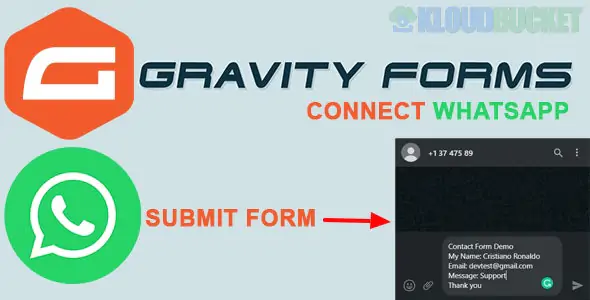
In 2026, connecting Gravity Forms to WhatsApp is primarily done through automation "bridges" or specialized notification add-ons. There are three main ways to achieve this, depending on whether you want to notify yourself (admin) or send an automated confirmation to the user.
These plugins live inside your WordPress dashboard and handle the connection directly to the WhatsApp Business API.
Gravity Notifications (by IdeaWP): A certified third-party add-on that integrates with the WhatsApp Cloud API. It allows you to use Gravity Forms "Merge Tags" to personalize the messages with the user's name or specific form data.
WANotifier: Acts like "Mailchimp for WhatsApp." You connect your Cloud API key, and it allows you to trigger automated "Template Messages" whenever a specific form is submitted.
Bit Integrations: A powerful "point-to-point" automation plugin that allows you to map Gravity Forms fields directly to WhatsApp actions without an external monthly subscription like Zapier.
If you already use a general automation tool, these are the most reliable methods for complex workflows (e.g., "Only send WhatsApp if the user selected 'Urgent'").
Platform
Best For
Workflow
Zapier
Enterprise / Ease
Gravity Forms (Trigger) → WhatsApp Notifications (Action)
Uncanny Automator
WordPress Power Users
Create a "Recipe" that fires when a form is submitted.
Make.com
Visual Complexity
Map form data to WhatsApp Business Cloud modules visually.
Pabbly Connect
Cost-Efficiency
Unlimited tasks for a one-time or lower monthly fee.
If you don't need a backend notification but want the user to manually send their form data to you via WhatsApp:
FormyChat: You can embed your Gravity Form into a floating WhatsApp widget. When the user clicks "Submit," it opens their WhatsApp app with a pre-filled message containing the form details.
Feature
Direct Add-on
Automation (Zapier/Make)
Setup Time
10–15 Minutes
20–30 Minutes
API Needed
WhatsApp Business API
WhatsApp Business API
Cost
Usually a one-time plugin fee
Monthly task-based fee
Reliability
High (Internal)
Very High (Cloud)
Since WhatsApp has strict anti-spam policies, you must use Official WhatsApp Business API Templates for automated messages. If you try to send raw text through a personal number via an unofficial "scraper" plugin, your number will likely be banned within 24 hours.
Next Step: Would you like me to walk you through the WhatsApp Cloud API setup process (Meta Developer Portal), or do you need a specific mapping guide for Zapier?
Integrating Gravity Forms with WhatsApp Tutorial
This step-by-step tutorial demonstrates how to use Bit Integrations to map your Gravity Forms fields to WhatsApp for automated messaging.
Subscribe to access unlimited downloads of themes, videos, graphics, plugins, and more premium assets for your creative needs.
.jpg) Help Us to Buy More New Theme/Plugin
Help Us to Buy More New Theme/Plugin
Published:
Jan 05, 2026 19:15 PM
Version:
v1.1.1
Category:
Author:
OtherLicense:
GPL v2 or LaterTags: