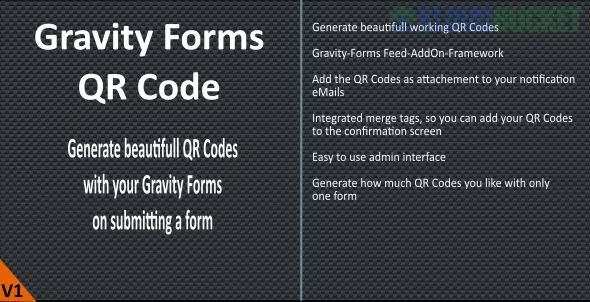
Generating or scanning QR codes using Gravity Forms is typically accomplished through a dedicated third-party Add-On or plugin built specifically for the platform. This functionality is not available in the core Gravity Forms plugin.
The most prominent and full-featured solution often recommended is the Gravity Forms QR Code add-on, provided by a certified Gravity Forms developer.
Here is a summary of the two main ways this functionality is utilized:
This feature turns the data submitted by a user into a unique, scannable QR code.
What it Encodes: You can generate a QR code from any field value (e.g., the entry ID, a name, a unique ticket number, or combined data using a shortcode like [gpqr]).
Where it Appears: The QR code image can be displayed in:
Form Confirmations
Notification Emails (often attached as an image)
Gravity PDF documents
GravityView entries on the front end
Use Cases:
Event Ticketing: Generating a unique ticket code that can be scanned for check-in.
Coupons/Discounts: Creating a scannable code that applies a specific discount upon redemption.
Inventory/Product Tracking: Encoding an SKU or product details for easy inventory management.
Customization: The code can be customized for size, color, background, and other visual attributes using merge tag modifiers or shortcode attributes.
This feature allows you to use a device's camera to capture data from an external QR code and input it directly into a form field.
How it Works: You can enable a QR Code Scanner option on a Single Line Text field (and often other field types via filters) within your form.
Input Method: When enabled, users can either use their device's camera to scan a physical QR code or, on a desktop, drag-and-drop a QR code image file into the field.
Use Cases:
Attendee Check-in: Scanning a guest's pre-generated ticket QR code to pull their unique Entry ID into a check-in form.
Applying Coupons: Scanning a printed coupon code directly into a form's Coupon field.
Data Entry: Scanning existing product UPC/EAN barcodes for quick product look-up.
The functionality you need is achieved by installing a specialized add-on like the Gravity Forms QR Code plugin.
Would you like me to look for a tutorial video on setting up the QR code generation for event tickets, or would you like to explore other third-party add-ons that extend Gravity Forms functionality?
Subscribe to access unlimited downloads of themes, videos, graphics, plugins, and more premium assets for your creative needs.
.jpg) Help Us to Buy More New Theme/Plugin
Help Us to Buy More New Theme/Plugin
Published:
Dec 16, 2025 15:34 PM
Version:
v2.6.0
Category:
Author:
OtherLicense:
GPL v2 or LaterTags: