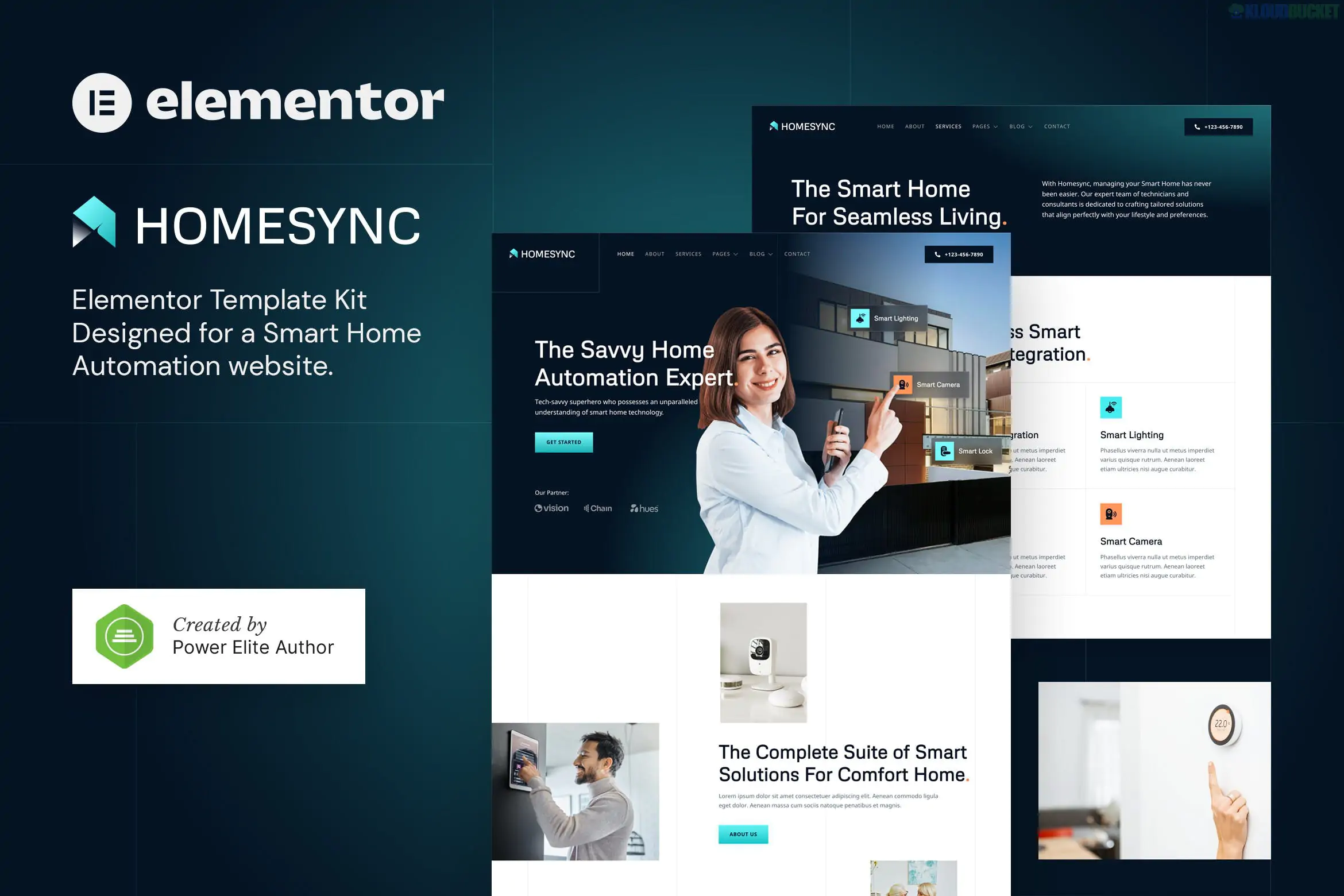
Homesync is a sleek and high-tech Elementor Template Kit specifically designed for smart home automation services, IoT (Internet of Things) solution providers, home security firms, and modern technology consultants.1 Developed by jegtheme, it is tailored for a professional "future-forward" look.
As of late 2025, it remains a top choice for tech businesses because it provides a premium, responsive design while being fully compatible with the free version of Elementor, meaning no Pro license is required for its core features.2
Homesync is built to showcase sophisticated systems with a clean, grid-based aesthetic:
16+ Ready-to-Use Templates: A robust collection of pages that cover everything from hardware showcases to installation services.3
Elementor Pro Not Required: This kit utilizes free addons like Jeg Elementor Kit and MetForm to provide high-end features like custom headers and contact forms for free.4
Retina & Mobile Ready: Every layout is 100% responsive and looks sharp on high-density displays (4K monitors and modern smartphones).5
Modern & Clean Design: Features a professional color palette (often deep blues and vibrant teals) that aligns with the "Smart Tech" and "Cyber Security" industries.6
Easy Customization: No coding is required; you can change global colors, fonts, and images directly within the Elementor visual builder.7
The kit provides a comprehensive structure for a service-based technology brand:8
Homepages: Professional landing pages featuring hero sections for automation solutions and security alerts.
About Us: Detailed layouts to explain your company’s mission and technological expertise.
Services: Grid views to categorize your offerings (e.g., Smart Lighting, Climate Control, Home Cinema).
Service Detail: Deep-dive pages to explain the technical benefits of specific automation systems.9
Pricing & FAQ: Clear pricing tables for installation packages and accordion sections for common tech support questions.10
Blog & News: Modern archive and single-post templates for sharing industry trends and IoT news.11
Contact: Integrated contact and lead-gen forms powered by MetForm.12
Site Parts: Custom templates for the Header and Footer.13
To use Homesync, your WordPress site needs these free plugins installed:
Plugin Name
Purpose
Elementor
The core drag-and-drop page builder.
Jeg Elementor Kit
Handles the Global Header, Footer, and advanced technical widgets.
MetForm
Manages the custom-styled contact and inquiry forms.
Hello Elementor
The recommended lightweight theme for maximum performance.
Preparation: Install the Hello Elementor theme and the Envato Elements (or Template Kit Import) plugin.14
Upload: Upload the homesync-kit.zip via Elements > Installed Kits (do not unzip the file).15
Requirements: Click the orange "Install Requirements" banner to automatically activate Jeg Kit and MetForm.16
Global Styles First: Always import the Global Kit Styles first.17 This ensures your site inherits the "Smart Home" branding colors and fonts.
Headers/Footers: In the Jeg Elementor Kit settings, create a new "Header" template, set the condition to "Entire Site," and then import the Homesync header template.18
[!NOTE]
MetForm Integration: To make the forms visible on your pages, you must import the MetForm block templates separately and "Insert" them into the MetForm widget on your page.19
Header/Footer: Would you like a guide on how to make the sticky header change color when a user scrolls down?
Customization: Do you need help with the CSS selectors to change the secondary accent color to match your specific branding?
Form Setup: Are you looking for a way to add a "Request a Quote" file upload field to your MetForm for blueprints or floor plans?
Would you like me to find a step-by-step video on how to import Jeg Elementor Kit headers, as this is often the most common point of confusion?
Subscribe to access unlimited downloads of themes, videos, graphics, plugins, and more premium assets for your creative needs.
.jpg) Help Us to Buy More New Theme/Plugin
Help Us to Buy More New Theme/Plugin
Published:
Dec 22, 2025 17:54 PM
Category:
Author:
OtherLicense:
GPL v2 or Later