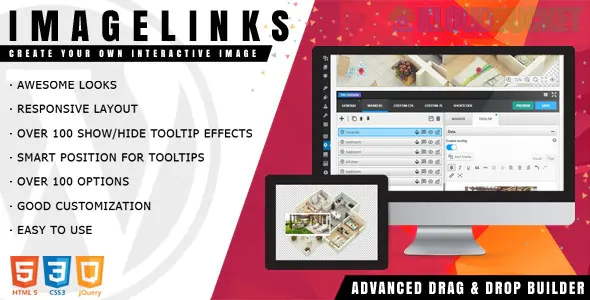
The ImageLinks - Interactive Image Builder for WordPress is a premium plugin specifically designed to turn static images on your website into engaging, content-rich, and clickable experiences.
It is primarily used to create interactive image maps or hotspot images, similar to services like ThingLink.
The main purpose of the plugin is to allow you to place dynamic, clickable markers or hotspots anywhere on an image. When a user interacts with these markers (by clicking or hovering), a tooltip or popover appears, displaying additional rich content.
Feature
Description
Benefit
Advanced Builder
Provides an easy-to-use drag & drop interface with features like zoom and pan to accurately place markers on large images.
Streamlines the process of creating complex, detailed interactive visuals.
Rich Content Tagging
The markers can be tagged with virtually any web-hosted content that has a unique URL, including:
Transforms static images into engaging content hubs.
* Hyperlinks (to external pages or internal posts).
* Videos (YouTube, Vimeo) – which often play directly within a lightbox/popover.
* Albums or other online media.
Markers & Themes
Includes a selection of predefined markers (icons) and predefined themes (e.g., dark & light skins), with options to design your own custom markers and themes via CSS.
Allows the interactive elements to match your site's branding perfectly.
Interactive Tooltips
Creates small information boxes (tooltips) that appear when a marker is clicked or hovered over.
Great for compact, context-sensitive information.
Animation Effects
Features a large library of over 100 show/hide animation effects for the tooltips.
Adds a smooth, professional, and visually engaging effect to the interaction.
Responsive Design
The entire interactive image and its markers/tooltips automatically adjust their size and position when viewed on different screen sizes (desktop, tablet, mobile).
Ensures a consistent user experience regardless of the device.
Infographics: Turning a complex infographic image into an interactive element where visitors can click on different data points for more details.
Shoppable Product Catalogs: Highlighting specific products in a photo (e.g., a room setting or a model wearing clothes) and linking directly to the product page or displaying price and description in a tooltip.
Floor Plans/Maps: Creating an interactive building layout or map where markers display room names, office functions, or local landmarks.
News Photography: Adding relevant links, quotes, or video embeds directly onto specific areas of a news photo.
To display the finished interactive image on your WordPress site, you simply use the generated shortcode (e.g., [imagelinks id="123"]) within any post, page, or widget.
Would you like to see how this compares to other image hotspot or image map plugins like Draw Attention?
Subscribe to access unlimited downloads of themes, videos, graphics, plugins, and more premium assets for your creative needs.
.jpg) Help Us to Buy More New Theme/Plugin
Help Us to Buy More New Theme/Plugin
Published:
Dec 15, 2025 15:40 PM
Version:
v1.6.0
Category:
Author:
All In One PluginLicense:
GPL v2 or LaterTags: