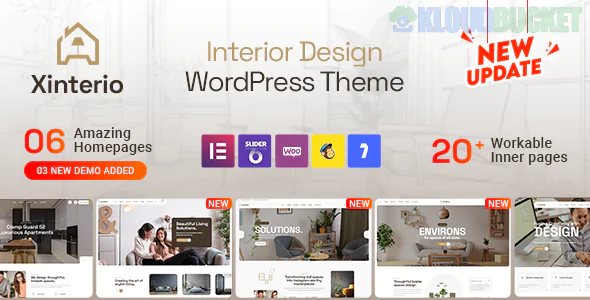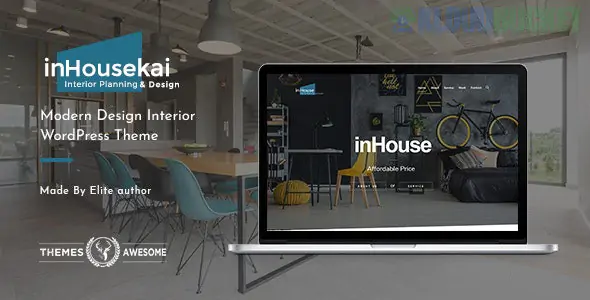
**Inhousekai** is a sophisticated, high-end **Interior Design WordPress Theme** crafted for interior architects, decor boutiques, and furniture designers. Developed by **Themexpert**, it leans heavily into the "Contemporary Minimalist" movement—utilizing ultra-clean layouts, elegant serif typography, and a "luxury magazine" feel to showcase living spaces.
It is designed for professionals who believe that "less is more" and want their website to feel as curated and intentional as the rooms they design.
---
## 🏠 Key Interior Design Features
* **Project Showcase Slider:** A cinematic hero section that supports high-resolution "Before & After" transitions or immersive video backgrounds of finished projects.
* **Interactive Floor Plan Integration:** Specialized blocks to display technical drawings alongside 3D renders, providing a full view of the design process.
* **Service Details Layout:** Pre-built sections for niche services such as **Color Consultation, Space Planning, Custom Cabinetry,** and **Lighting Design.**
* **Shop the Look (WooCommerce):** Seamlessly integrate an e-commerce store to sell curated furniture pieces or decor items directly from your portfolio.
* **Client Testimonial Carousel:** A polished, minimalist area to feature quotes from homeowners and commercial clients, essential for building high-ticket trust.
---
## 📄 Specialized Design Templates
**Inhousekai** organizes your work into a professional, easy-to-navigate hierarchy:
* **The "Studio" Home:** A layout focused on the brand’s aesthetic, core values, and a "peek" into the latest portfolio entries.
* **Masonry & Metro Portfolio:** Artistic grids that handle different image orientations (landscape for rooms, portrait for detail shots) with ease.
* **The "Process" Page:** A step-by-step visual guide (e.g., *Consultation → Design → Implementation*) that sets expectations for potential clients.
* **Journal/Blog:** A stylish, wide-layout blog designed for sharing "Trends of the Season," "Material Spotlights," or "Design Tips."
---
## 🚀 Strategy for High-End Designers
1. **Macro vs. Micro Photography:** Use the portfolio to show wide "Hero" shots of a room, but also include "Micro" shots of textures, fabrics, and hardware. **Inhousekai’s** retina-ready display makes these details pop.
2. **Highlight the "Human" Behind the Design:** Use the team section to introduce the lead designer. In interior design, clients are buying your *taste* and *personality* as much as your technical skill.
3. **Local Authority SEO:** Tag your projects with the city or neighborhood (e.g., *"Modern Loft in Manhattan"*). This helps you rank when local high-net-worth individuals search for interior designers in their area.
4. **Visual CTA:** Use a "Book a Discovery Call" button in the header. For interior design, the goal of the website is to move the user from "Inspiration" to a "Conversation."
---
## 🛠️ Technical Highlights
* **Elementor Page Builder:** Completely drag-and-drop, allowing you to move sections like "Client Logos" or "Project Stats" without touching a single line of code.
* **One-Click Demo Import:** Start with a fully polished interior design site and simply swap in your professional photography.
* **Fast & Responsive:** Built with performance in mind to ensure that image-heavy pages load quickly on both desktop and mobile.
* **SEO Optimized:** Clean HTML5 structure and schema markup to help your portfolio get discovered by search engines.
> [!TIP]
> **Portfolio Secret:** When uploading images to **Inhousekai**, use consistent "Mood" lighting. If your design style is "Bright and Airy," ensure all your thumbnails share that high-key lighting to make your entire website feel like a cohesive, branded experience.
---
**Would you like me to help you draft a "Design Process" guide for your new site, or should we look at how to set up the "Project Gallery" to feature your best interiors?**
Subscribe to access unlimited downloads of themes, videos, graphics, plugins, and more premium assets for your creative needs.
.jpg) Help Us to Buy More New Theme/Plugin
Help Us to Buy More New Theme/Plugin
Published:
Jan 20, 2026 16:20 PM
Version:
v1.3
Category:
Developer:
ThemeforestLicense:
GPL v2 or Later