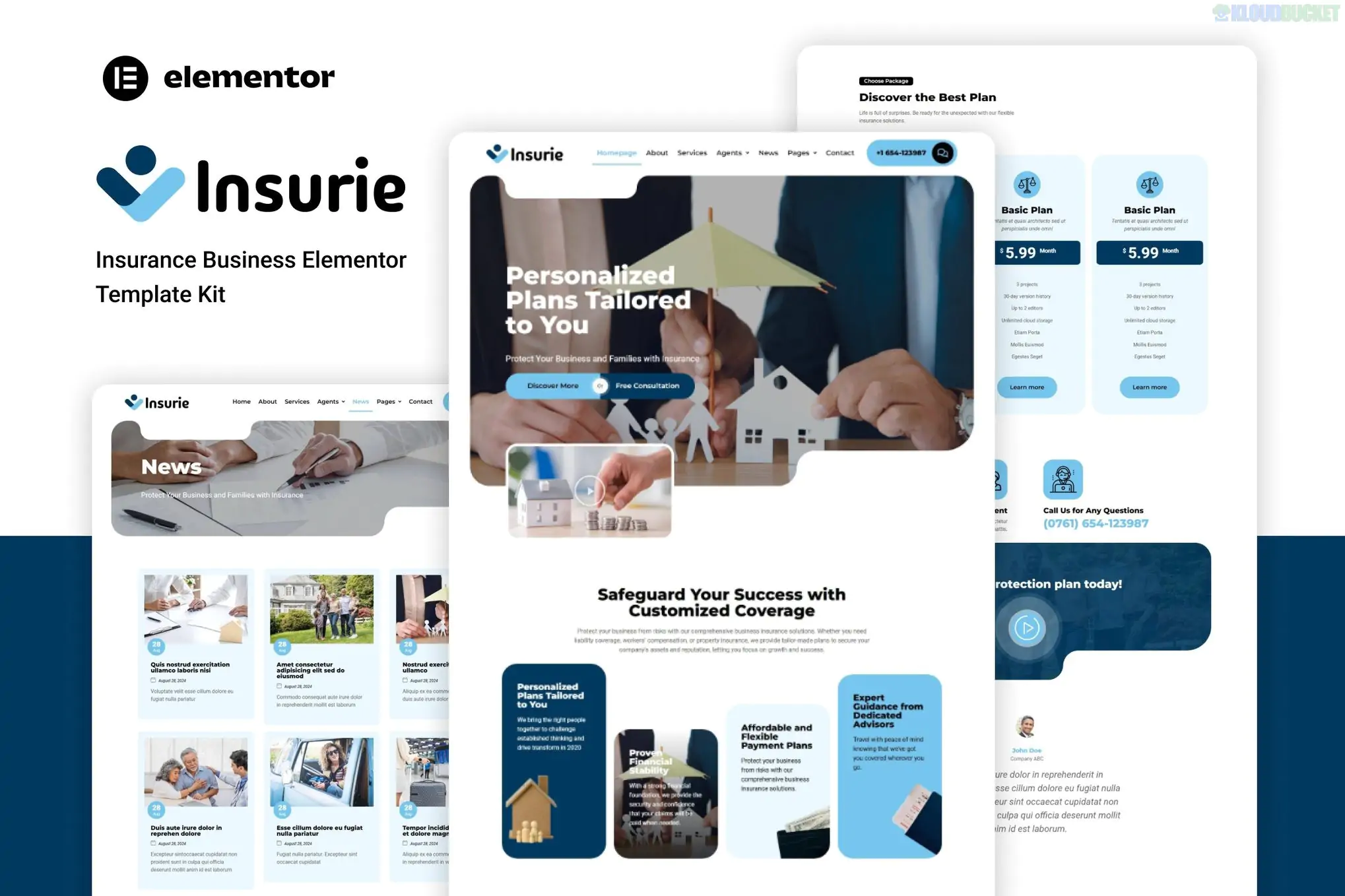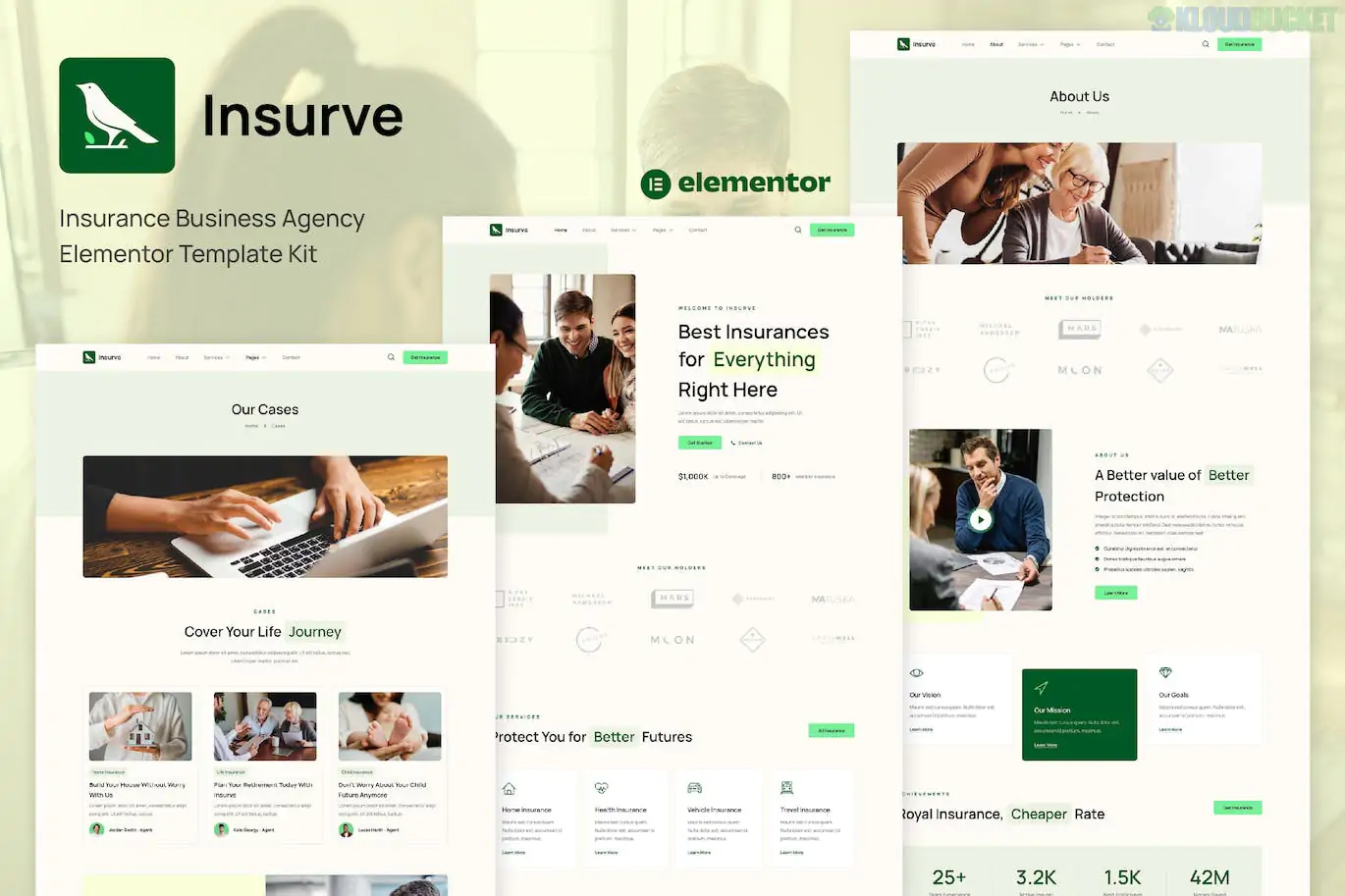
Insurve is a professional and high-impact Elementor Template Kit specifically designed for insurance agencies, financial consultants, and insurance brokers.
Developed by askproject, it focuses on a "Corporate-Trust" aesthetic, utilizing clean whitespace, authoritative blues, and sharp layouts to help agencies present complex insurance products in a digestible way. It is built to be fast and user-friendly, requiring no coding knowledge.
15+ Ready-to-Use Pages: A complete library of pages covering every business need, from service breakdowns to carrier details.
No Elementor Pro Required: This kit is designed for maximum accessibility, utilizing free plugins to handle advanced features like headers and footers.
Fully Responsive Design: Meticulously tested to ensure your insurance quotes and contact forms are easy to read on mobile devices.
Global Style System: Control your brand colors and typography site-wide through a single "Global Kit Styles" template.
Insurve provides a comprehensive structure for a professional agency:
| Category | Page / Section Templates |
| :--- | :--- |
| Core Pages | Home, About Us, Our Team, Careers, Pricing. |
| Service Focused | Services List, Service Detail (Single Plan), FAQ. |
| Engagement | Contact Us, Blog Archive, Single Blog Post. |
| Technical | 404 Error Page, Header, and Footer blocks. |
To ensure the kit looks and functions exactly like the official demo, you will need to install these free plugins:
Elementor (Free): The core page builder.
ElementsKit Lite: Powering the Header/Footer builder and professional widgets like "Team" or "Accordions."
WPForms Lite: Used for the "Request a Quote" and contact forms.
Gum Elementor Addon: Provides additional creative widgets and design elements used in the kit.
Base Theme: Install and activate the free Hello Elementor theme for optimal speed.
Import Tool: Install the Envato Elements plugin from the WordPress repository.
Upload Kit: Go to Elements > Installed Kits and upload your Insurve .zip file.
Install Requirements: Click the orange "Install Requirements" banner to automatically activate the necessary free plugins listed above.
Import Global Styles: Mandatory Step. Import the "Global Kit Styles" first. This applies the kit's blue/white design system to your site.
Import Pages: Import the Home page and inner pages. They will be stored in Templates > Saved Templates.
By 2026, insurance customers prioritize clarity and mobile access. Insurve stands out because its "Service Detail" templates are pre-structured to handle common insurance types (Life, Health, Auto, Home) with clear icons and summary blocks. Its lightweight nature ensures that even with large amounts of policy data, your site will maintain high Google Core Web Vitals scores.
Would you like me to show you how to set up the ElementsKit Header for the entire site, or do you need help customizing the WPForms "Request a Quote" form?
Subscribe to access unlimited downloads of themes, videos, graphics, plugins, and more premium assets for your creative needs.
.jpg) Help Us to Buy More New Theme/Plugin
Help Us to Buy More New Theme/Plugin
Published:
Jan 22, 2026 13:22 PM
Category:
Author:
OtherLicense:
GPL v2 or Later