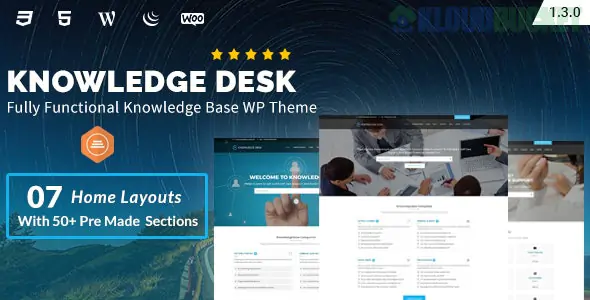
Knowledgedesk is a specialized, high-performance WordPress theme designed to help businesses create professional Help Centers, Wikis, and Documentation portals. It is built to reduce customer support tickets by providing a clean, searchable, and intuitive self-service environment for users.
Built with the Elementor Page Builder, Knowledgedesk focuses on organization and "findability," ensuring users can get answers in seconds.
What makes Knowledgedesk different from a standard blog or business theme are its dedicated support modules:
Live AJAX Search: Users get instant search results as they type, similar to Google or the macOS Spotlight search, leading them directly to the right article.
Article Voting & Feedback: Includes a "Was this helpful?" feature at the bottom of articles, allowing you to identify which documentation needs improvement.
Categorized Documentation: Powerful organization tools to group articles by product, version, or user type (e.g., "Getting Started" vs. "Advanced API").
Table of Contents (ToC): Automatically generates a clickable sidebar for long articles, making it easy for users to jump to specific sections.
Attachment Support: Easily add downloadable PDF manuals, zip files, or code snippets directly to documentation pages.
Elementor Powered: You can customize the look of your Help Center using drag-and-drop widgets without touching any code.
Optimized for Reading: The theme uses high-contrast typography and ample white space, which is essential for technical reading and troubleshooting.
Fully Responsive: Since many users look up "How-to" guides on their phones while working on a computer, the mobile layout is exceptionally crisp.
SEO Ready: Built with clean code and breadcrumbs, helping your support articles appear in Google search results when users type in a query.
When setting up Knowledgedesk, the architecture should follow a logical path to minimize user frustration:
The Search Bar (Top Priority): Should be large and central. Most users want to search rather than browse.
Category Icons: Use high-quality icons for major sections (e.g., Billing, Technical, Account).
Top/Trending Articles: List the 5 most common questions to solve 80% of user queries immediately.
The Escape Hatch: If the user can't find an answer, a clear "Contact Support" or "Open a Ticket" button should be at the bottom.
Use the Breadcrumbs: Enable breadcrumbs in the theme settings. They act as a "map" for users and are a major signal for search engine rankings.
Video Integration: Don't just rely on text. Embed YouTube or Vimeo tutorials directly into your Knowledgedesk articles to improve the learning experience.
Internal Linking: Use the "Related Articles" widget to link similar topics together. This keeps the user within the documentation ecosystem until their problem is solved.
Performance Tuning: Since a Knowledge Base is a utility, it must load fast. Use a lightweight caching plugin like WP Rocket to ensure your Help Center feels instantaneous.
Are you setting this up for a software product or an internal company wiki? I can help you structure your documentation categories or suggest the best "Live Chat" integrations to pair with Knowledgedesk.
Subscribe to access unlimited downloads of themes, videos, graphics, plugins, and more premium assets for your creative needs.
.jpg) Help Us to Buy More New Theme/Plugin
Help Us to Buy More New Theme/Plugin
Published:
Dec 25, 2025 11:44 AM
Version:
v1.3.8
Category:
Developer:
ThemeforestLicense:
GPL v2 or Later