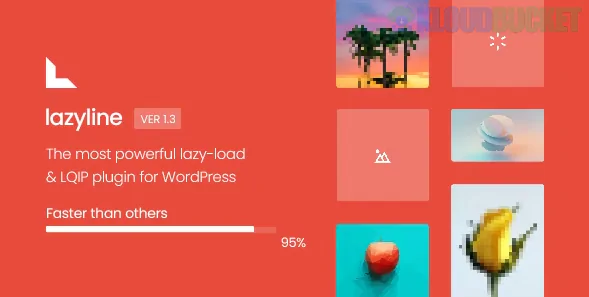
The Lazyline - Innovative Lazy-Load & LQIP WordPress Plugin is a premium performance optimization tool designed to speed up image-heavy websites and improve Core Web Vitals (especially Largest Contentful Paint - LCP).
It achieves this by combining standard lazy loading with a unique placeholder technology.
Here is a breakdown of its core features and the underlying technology:
Lazyline's primary function is to defer the loading of non-critical assets (those below the fold) until the user scrolls near them. This is often more aggressive and configurable than native WordPress lazy loading.
Supported Elements: It lazy loads images, responsive images (using srcset), videos, and iframes.
IntersectionObserver API: It leverages the modern, high-performance IntersectionObserver API for precise and efficient lazy loading, replacing older, slower scroll-event-based scripts.
AJAX Content Handling: It features an innovative "watcher" to detect content loaded via AJAX (common in infinite scroll, tabs, or filtering) and automatically applies lazy loading to the new images.
Threshold Control: Allows you to precisely set the threshold (distance from the viewport) after which images should start loading, helping balance optimization with user experience.
Slow Connection Optimization: It can intelligently cancel the download of images if a mobile user on a slow connection scrolls past them quickly, prioritizing visible content and saving bandwidth.
This is the key differentiating feature of Lazyline. LQIP stands for Low-Quality Image Placeholders. Instead of a bland gray or solid color box, it displays a stylized preview of the final image, significantly improving the perceived load speed.
The plugin provides a placeholder generator to create three distinct types of LQIP previews:
LQIP Thumbnails: A tiny, highly compressed version of the image that loads almost instantly.
LQIP Pixelart: A highly pixelated, mosaic version of the image.
LQIP Palette: A smooth, blurred version of the image, often using Gaussian blur and color simplification to hint at the final image content.
These placeholders fill the image container's space, preventing annoying Cumulative Layout Shift (CLS), and giving the user a better visual experience while the high-resolution image loads in the background.
Since WordPress 5.5, native lazy loading is enabled by default using the loading="lazy" HTML attribute. Lazyline goes further than this native implementation:
Feature
Native WordPress Lazy Loading
Lazyline Plugin
Placeholder
Simple empty space or small SVG. Can cause CLS if image dimensions are unknown.
Advanced LQIP (Pixelart, Thumbnails, Palette) to maintain design integrity.
Exclusions
Basic, often requires coding to exclude above-the-fold images.
Configurable Exclusion options to prevent LCP images from being lazy loaded.
Background Images
Does not handle CSS background images.
Fully supports lazy loading of CSS background images.
Customization
Very limited (browser-dependent thresholds).
Detailed Threshold Control and animation/style settings.
Advanced Features
None beyond the basic attribute.
AJAX handling, slow connection cancellation, and debug modes.
In summary, Lazyline is a professional solution for users who need a more powerful, visually pleasing, and feature-rich lazy-loading system than the default WordPress behavior, focusing heavily on enhancing the perceived performance and Core Web Vitals scores.
Would you like to know more about the SEO implications of using a script-based lazy-loading solution like Lazyline?
Subscribe to access unlimited downloads of themes, videos, graphics, plugins, and more premium assets for your creative needs.
.jpg) Help Us to Buy More New Theme/Plugin
Help Us to Buy More New Theme/Plugin
Published:
Dec 07, 2025 16:59 PM
Version:
v1.1.1
Category:
Author:
OtherLicense:
GPL v2 or LaterTags: