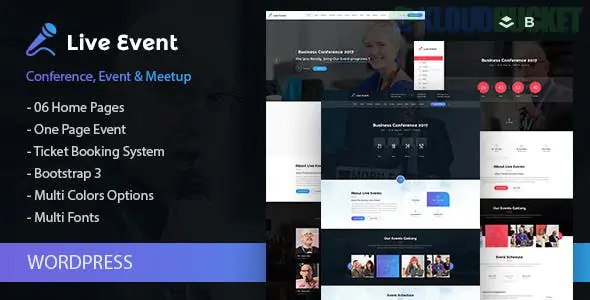
Live Event is a professional, high-conversion WordPress theme developed by Theme-Fuse. It is specifically engineered for single-event websites such as international conferences, business meetups, music festivals, and workshops.
In 2026, it remains a favorite for event planners because it bundles all the "logistics" of an event—schedules, speaker profiles, and ticket sales—into a single, cohesive design.
Unlike a general business theme, Live Event includes built-in tools that are essential for conference management:
Interactive Event Schedule: A highly organized "Timetable" module where you can list sessions by day, track, or room. It supports expanded views for session descriptions.
Speaker & Guest Profiles: Dedicated custom post types to showcase your keynote speakers, including their bios, social media links, and their specific speaking slots.
Countdown Timers: High-impact "Time Remaining" widgets for your hero section to create urgency and drive early-bird ticket sales.
Venue & Map Integration: Beautifully styled Google Maps integration to show the exact location of the event, nearby hotels, and transport links.
Ticket & Registration: Fully compatible with WooCommerce, allowing you to sell tickets directly. It also integrates well with event plugins like The Events Calendar.
The theme provides a "one-stop-shop" for event content:
Multi-Track Schedules: Perfect for large conferences with concurrent sessions.
Sponsor Tiers: Sections designed to display "Platinum, Gold, and Silver" sponsors with varying logo sizes.
Gallery & Past Events: Layouts to show photos and videos from previous years to build trust.
FAQ & Contact: Essential for answering questions about registration, refunds, or dietary requirements.
Unyson Framework: Built on the Unyson framework, which provides a powerful drag-and-drop page builder and an easy-to-use options panel.
One-Click Demo Install: You can import the entire "Conference" demo in a few minutes, including the sample speakers and schedule.
Responsive & Retina Ready: Ensures that attendees can check the schedule on their phones during the event without any layout issues.
SEO Optimized: Clean code to help your event rank on Google for specific industry keywords.
Use Live Event If...
Consider Evently/Exhibz If...
You are hosting a Single Event.
You are an agency managing Multiple Events per year.
You want a structured, professional corporate look.
You want a "funky" or highly creative aesthetic.
You prefer a lightweight, specialized framework.
You are a power user of Elementor.
ThemeForest Price: Typically $49 – $59 (One-time purchase).
Theme-Fuse Membership: Often included in their developer bundle (~$199), which gives you access to all their specialized niche themes.
Pro Tip: For a 2026 conference, make sure to use the "Live Update" feature. You can easily edit the schedule on the fly if a speaker is delayed, and because the theme is responsive, attendees will see the updated timing instantly on their mobile devices.
Would you like me to find a tutorial on how to set up the "Multi-Day Schedule" layout for a 3-day conference?
Subscribe to access unlimited downloads of themes, videos, graphics, plugins, and more premium assets for your creative needs.
.jpg) Help Us to Buy More New Theme/Plugin
Help Us to Buy More New Theme/Plugin
Published:
Jan 21, 2026 15:27 PM
Version:
v1.1.0
Category:
Developer:
ThemeforestLicense:
GPL v2 or Later