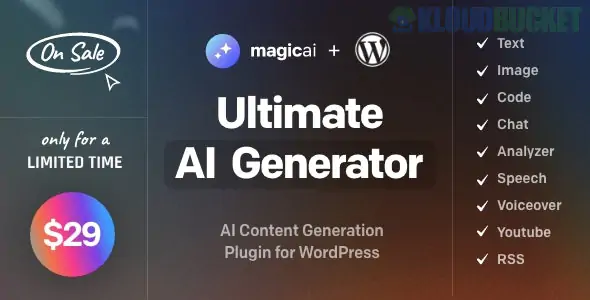
MagicAI for WordPress is a high-performance, all-in-one artificial intelligence solution that allows you to integrate advanced generative capabilities—Text, Image, Chat, Code, and Voice—directly into your website. Unlike simple AI writing tools, MagicAI acts as a comprehensive SaaS (Software as a Service) platform for your WordPress backend, allowing you to either use these tools for your own productivity or monetize them by selling AI services to your users.
In late 2025, it has become a top-tier choice for agencies and entrepreneurs who want to build "AI-First" websites without the complexity of coding their own integrations.
MagicAI functions as a bridge between your WordPress site and powerful models like OpenAI (GPT-4o, DALL-E 3) and Stable Diffusion.
AI Text Generator: Create high-quality blog posts, product descriptions, and marketing copy instantly. It includes pre-made templates for specific needs (SEO, Social Media, Creative Writing).
AI Image Generator: Generate stunning, high-resolution visuals using simple text prompts. Optimized for DALL-E and Stable Diffusion.
AI Chatbot: Deploy a human-like virtual assistant that can handle customer support, answer questions, or act as a personal coach.
AI Code Generator: A technical tool for developers to generate, fix, or optimize code snippets (PHP, JavaScript, CSS) directly within the dashboard.
AI Voice & Speech:
Text-to-Speech (Voiceover): Convert any written text into natural-sounding audio in over 100 languages.
Speech-to-Text (Transcribe): Accurately transcribe audio files into text in minutes.
Feature
Details
Primary Models
OpenAI (GPT-4, GPT-3.5), DALL-E, Stable Diffusion
Platform Type
WordPress Plugin + SaaS Script Integration
Monetization
Built-in Subscription & Token System
Compatibility
Elementor, Gutenberg, WooCommerce, PHP 8.2+
Payment Gateways
Stripe, PayPal, Razorpay, Mollie
Voice Support
275+ Voices, 45+ Languages
MagicAI is unique because it isn't just a tool; it's a business in a box. If you are running an agency or a membership site, you can use these features to generate revenue:
Subscription Plans: Create monthly or yearly tiers (e.g., "Silver," "Gold," "Diamond") that grant users access to specific AI tools.
Token System: Sell "Credit Packs" for specific tasks (e.g., "$10 for 50 AI Images").
Detailed Analytics: Track AI usage, costs, and revenue directly from your WordPress admin dashboard.
Custom Templates: Create your own specialized AI prompts and sell access to them as a premium service.
MagicAI is a "Power User" plugin, so the installation requires careful configuration of your API keys:
Plugin Installation: Upload and activate the MagicAI plugin.
API Connection: Navigate to the MagicAI settings and enter your OpenAI API Key and/or Stable Diffusion Key.
Note: You only pay for what you use via the API providers.
Generator Setup: Enable the specific generators (Text, Image, etc.) you want to appear on your site.
Monetization (Optional): If selling access, configure your payment gateway and create your pricing plans.
Placement: Use the included Shortcodes or Gutenberg Blocks to place the AI Chatbot or Text Generator on specific pages for your users.
Pro Tip: For 2026, focus on Niche AI. Instead of a "General AI" site, use MagicAI to build a specialized tool—like a "Real Estate Description Generator" or a "Legal Document Summarizer." By creating custom templates within MagicAI for a specific industry, you provide much higher value and can charge premium subscription rates.
Would you like me to help you set up a custom AI template for a specific industry like Real Estate or E-commerce?
MagicAI Official Documentation & Setup Guide
This link provides the technical steps needed to connect the MagicAI engine with the WordPress REST API, which is essential for the "Publish to WordPress" feature to work correctly.
Subscribe to access unlimited downloads of themes, videos, graphics, plugins, and more premium assets for your creative needs.
.jpg) Help Us to Buy More New Theme/Plugin
Help Us to Buy More New Theme/Plugin