Creating a video mask (clipping a video into a specific shape like a circle, blob, or custom SVG) in Elementor can be done using either the built-in features or specialized third-party addons.
Here are the best ways to achieve this effect in 2026:
Elementor has a native Mask feature that works on almost any widget, including the standard Video widget.
How to use:
Drag a Video Widget onto your page.
Go to the Advanced tab.
Open the Mask section and toggle it to On.
Choose a shape (Circle, Flower, Sketch, etc.) or upload a Custom SVG to use as your mask.
Pros: No extra plugins needed; very fast.
Cons: Limited to simple shapes unless you provide your own SVG.
The Video Box widget from Premium Addons is one of the most popular ways to handle video masking because it offers more "container-like" control than the default Elementor widget.
Key Feature: Includes a "Mask Video Shape" option directly in the free version.
Best for: Displaying videos within device frames (like a phone or laptop) or custom abstract shapes.
Website: premiumaddons.com
If you want your video shapes to be "alive," Essential Addons offers Image/Video Masking and Morphing.
Key Feature: Morphing Effects. Instead of a static shape, the mask can slowly shift and "wobble" (blob effect) while the video plays inside.
Best for: High-end creative agencies or portfolio sites looking for an organic, fluid look.
Website: essential-addons.com
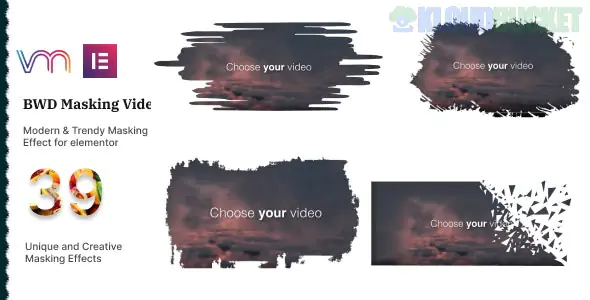
This is a dedicated, lightweight plugin specifically for this purpose. If you don't want a massive addon bundle, this is a "surgical" solution.
Key Feature: Comes with 40+ modern preset masks and supports custom SVG paths.
Compatibility: Works with YouTube, Vimeo, and self-hosted videos.
Website: elementor.merkulov.design
Feature
Elementor Native
Premium Addons
Essential Addons
Price
Free / Pro
Free (Basic Mask)
Pro Only
Morphing (Animated)
No
No
Yes
Custom SVG
Yes
Yes
Yes
Complexity
Low
Medium
Medium
Quick Tip: When using a custom SVG mask, ensure the SVG is saved with a closed path and has no extra padding, or the video might not align correctly within the shape.
Would you like me to find a specific SVG "blob" or "frame" code that you can copy-paste into your Elementor mask settings?
Subscribe to access unlimited downloads of themes, videos, graphics, plugins, and more premium assets for your creative needs.
.jpg) Help Us to Buy More New Theme/Plugin
Help Us to Buy More New Theme/Plugin
Published:
Jan 21, 2026 12:08 PM
Category:
Author:
OtherLicense:
GPL v2 or LaterTags: