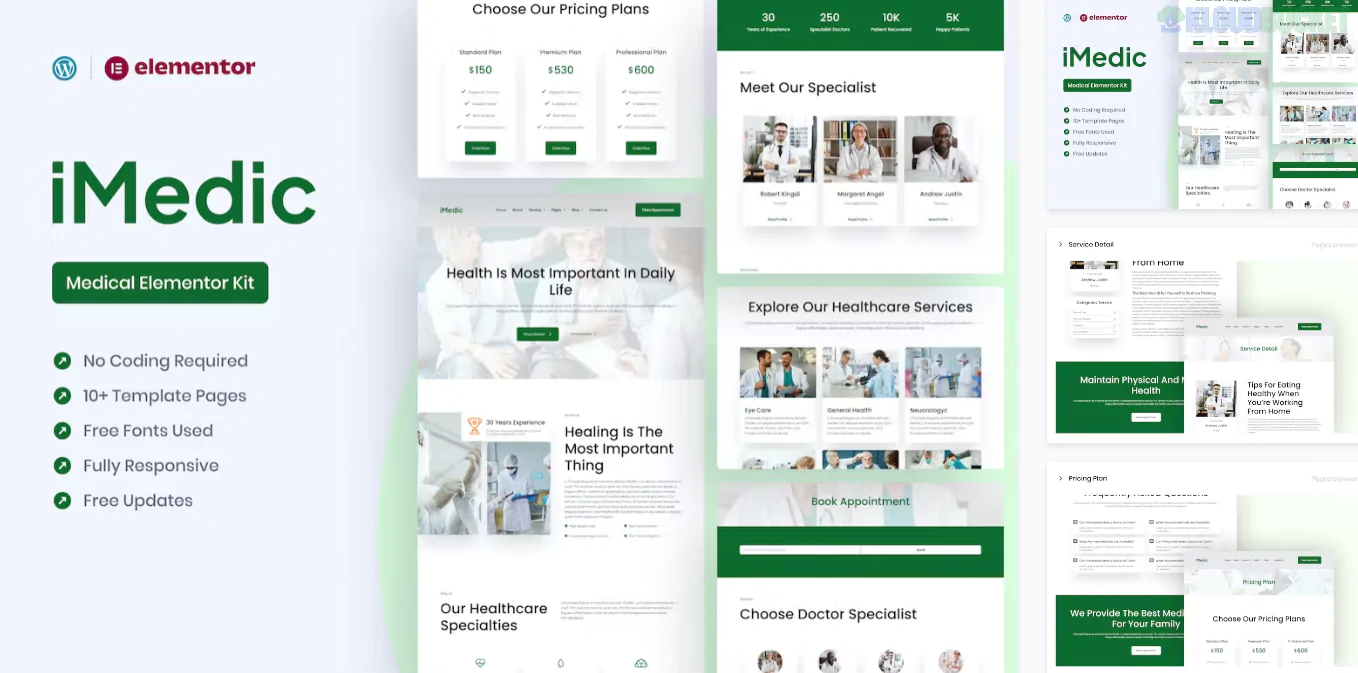
Medicly is a high-performance Elementor Pro Template Kit specifically designed for medical clinics, hospitals, health centers, and private practitioners.1 Developed by BrandEarth, it focuses on a "clean-clinical" aesthetic that prioritizes high readability, professional blue-and-white color schemes, and trust-building layouts.
Because this is a Pro kit, it utilizes the Elementor Pro Theme Builder, allowing you to create a dynamic medical site where headers, footers, and single post templates are managed globally.2
Clinical & Trustworthy Design: Uses a modern, fresh style designed to make patients feel comfortable and informed.3
Elementor Pro Native: No need for third-party header builders; it integrates directly with the Elementor Pro Theme Builder for deep site customization.
Appointment-Focused: Includes dedicated layouts for appointment requests and doctor profiles.
Fully Responsive: Optimized for mobile, ensuring patients can easily find your clinic or book a service while on the go.
Medicly provides a full suite of pages for a healthcare provider:4
Core Pages: Home, About Us, Our Doctors, and FAQ.5
Services: A main Service List and a technical Service Detail page.6
Patient Resources: Appointment Booking page, Pricing Plan, and Testimonials.7
Communication: Blog Archive, Single Post, and a detailed Contact Us page.8
System: Global Header, Global Footer, and 404 Error page.9
To ensure the kit functions exactly like the demo, you must have the following installed and active:
Elementor (Free version)
Elementor Pro (Paid version): Essential for the Theme Builder and dynamic medical templates.
ElementsKit Lite: Provides additional UI components like the navigation menu and advanced tabs.10
Premium Addons for Elementor: Adds extra functionality for the testimonials and hover effects.11
The "Hello" Theme: It is highly recommended to use the Hello Elementor theme.12 It’s a blank canvas that won't interfere with Medicly's clinical styling.
Import Global Styles First: When using the Envato Elements plugin, always import the Global Kit Styles first.13 This sets your medical brand's colors and fonts across the entire site before you import the individual pages.14
Theme Builder Setup: Once you import the Header and Footer, go to Templates > Theme Builder and set the Display Condition to "Entire Site."15
Flexbox Containers: Ensure Flexbox Container is active in Elementor > Settings > Features, as recent versions of BrandEarth kits are optimized for this modern structure.16
[!TIP]
Doctor Profiles: In the healthcare industry, patients connect with people, not just brands. Spend time customizing the "Our Doctors" page with real photos and detailed bios to significantly increase the conversion rate of your appointment forms.
Would you like me to help you draft a "Services" list for a specific medical specialty (like Cardiology or Pediatrics), or should we look at how to set up the Appointment form fields?
Subscribe to access unlimited downloads of themes, videos, graphics, plugins, and more premium assets for your creative needs.
.jpg) Help Us to Buy More New Theme/Plugin
Help Us to Buy More New Theme/Plugin
Published:
Jan 20, 2026 12:16 PM
Category:
Author:
All In One PluginLicense:
GPL v2 or Later