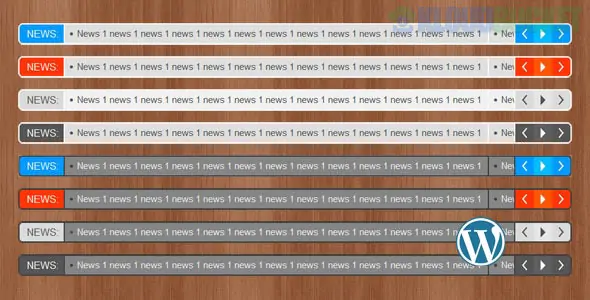
Since you have been exploring Elementor Template Kits, you'll find that while many kits include static news sections, a dynamic news ticker adds a level of "live" energy to your site. This is especially useful for niches like Hosting (Hostink), Financial Consulting (Covad), or Digital Marketing (Eklan) to show real-time updates or alerts.
Here are the best ways to add a modern news ticker to your WordPress site:
Since you are already using Elementor, the most efficient way is to use a widget from an add-on you likely already have installed:
ElementsKit Lite (Free): If your kit (like Chisel or Assista) uses ElementsKit, look for the "Ticker" or "Content Ticker" widget. It allows you to scroll through latest posts, custom text, or even WooCommerce products.
Premium Addons for Elementor: Features a highly customizable "Content Ticker" with various animations (Fade, Slide, Ticker).
Happy Addons: Offers a modern ticker that supports "breaking news" labels and RSS feeds.
If you want a standalone solution that works across your entire site (including the header/footer), these are the gold standards:
Ditty (Formerly Ditty News Ticker):
Why: Extremely powerful and flexible. You can display news from "Default" (custom text), "Posts," or "WP Editor."
Best for: Displaying scrolling headlines at the very top of your site (above the header).
Post Ticker:
Why: Simple and lightweight. It’s perfect for showing "Latest Posts" with a "Breaking News" tag.
TNC News Ticker:
Why: Offers a very modern, clean design that fits well with the Cetech or PopGlace aesthetic.
To keep your ticker looking "modern" and not like a 1990s scrolling marquee, ensure it has these features:
Pause on Hover: Allows users to stop the text so they can actually read it or click the link.
Responsive Control: The ability to hide the ticker on mobile or reduce the font size so it doesn't take up the whole screen.
Directional Control: Modern tickers can move horizontally (left/right) or vertically (up/down).
Custom Labels: A static "BREAKING" or "UPDATE" box that stays on the left while the text scrolls behind it.
Install Ditty: Go to Plugins > Add New and search for "Ditty."
Create Ticker: Go to Ditty > Add New. Add your news items (e.g., "New Detailing Package Available!" for your Otoklin site).
Style: Choose the "Ticker" display type. Set the speed to roughly 50–70 (slow enough to read).
Placement: * Shortcode: Copy the shortcode (e.g., [ditty id=123]) and paste it into an Elementor Shortcode Widget in your Header template.
Auto-Placement: Some plugins allow you to "Hook" the ticker to wp_head so it appears at the very top of every page automatically.
Covad (Finance): Use a ticker to show real-time "Market Updates" or "Tax Deadline Alerts."
RiderBroz (Motorcycle Club): Show the "Next Ride Date" and "Weather Status."
PopGlace (Ice Cream): Use it for "Flavor of the Day" or "Limited Time Offers."
Would you like me to find the specific Elementor Shortcode for a "Live Stock Ticker" or "Crypto Ticker" for your financial site?
Subscribe to access unlimited downloads of themes, videos, graphics, plugins, and more premium assets for your creative needs.
.jpg) Help Us to Buy More New Theme/Plugin
Help Us to Buy More New Theme/Plugin
Published:
Jan 14, 2026 11:21 AM
Version:
v1.9.0
Category:
Author:
OtherLicense:
GPL v2 or LaterTags: