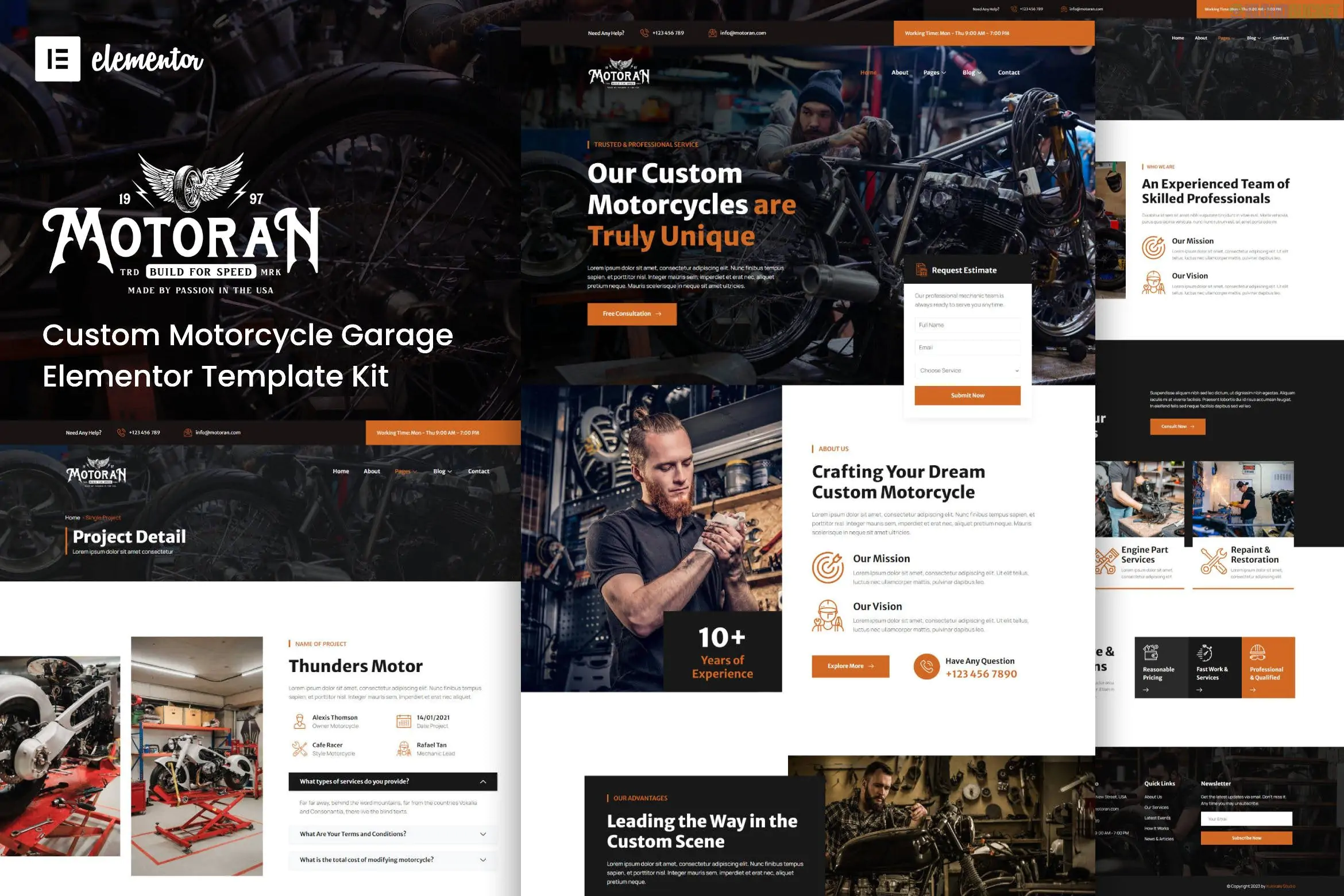
Motoran is a specialized Elementor Template Kit designed for custom motorcycle garages, workshop services, and automotive repair shops. It offers a rugged, professional, and dark-themed aesthetic that perfectly aligns with "biker" and mechanical branding.
A major highlight of this kit is that it is built for Elementor Free, meaning you do not need an Elementor Pro subscription to achieve the look seen in the demo.
Niche-Specific Design: Features industrial textures, high-contrast colors, and layouts optimized for showcasing custom bike builds and technical services.
Elementor Free Compatible: Uses free helper plugins to provide advanced functionality like custom headers and footers without the Pro price tag.
100% Responsive: The layout is "Mobile-First," ensuring your shop's portfolio and contact info look great on smartphones.
SEO Optimized: Built with clean code and fast-loading sections to help your local business rank better in search results.
Global Theme Styles: Allows you to change the primary colors or typography across the entire site with just a few clicks.
The kit typically comes with 13 to 15 templates, including:
Home Page: A high-impact hero section to introduce your garage and core services.
About Us: For sharing the story of your mechanics and your passion for custom bikes.
Services & Service Detail: Dedicated pages to explain offerings like engine tuning, painting, or general maintenance.
Project/Gallery: A specialized portfolio layout to showcase your best custom motorcycle transformations.
Contact & Appointment: Integrated with contact forms for booking service slots.
Header & Footer: Custom-designed global sections for easy navigation.
To import and use Motoran exactly as shown in the demo, you will need to install these free plugins from the WordPress repository:
Elementor (Free Version)
ElementsKit Lite: Used for headers, footers, and advanced widgets.
Premium Addons for Elementor: Adds creative elements like carousels and hover effects.
WPForms Lite: Handles the contact and booking forms.
Elementor Header & Footer Builder: A secondary tool to manage global site parts.
Image Hover Effects: Adds the stylish animations used in the gallery sections.
Prepare your site: Use the Hello Elementor theme for the best compatibility.
Install Envato Elements: Download and activate the "Envato Elements" plugin.
Upload Kit: Go to Elements > Installed Kits, click Upload Template Kit Zip, and select your Motoran file.
Install Requirements: Click the orange "Install Requirements" button to automatically activate all necessary free plugins.
Import Styles: Always click "Import Global Kit Styles" first to set the design foundations.
Would you like me to help you set up a custom "Service Booking" form for your garage, or are you looking for tips on how to optimize your motorcycle photos for this specific layout?
How to import elementor template kit
This video provides a step-by-step walkthrough on how to install and import Elementor template kits using free plugins, which is the exact method needed for the Motoran kit.
Subscribe to access unlimited downloads of themes, videos, graphics, plugins, and more premium assets for your creative needs.
.jpg) Help Us to Buy More New Theme/Plugin
Help Us to Buy More New Theme/Plugin
Published:
Jan 18, 2026 11:56 AM
Category:
Author:
OtherLicense:
GPL v2 or Later