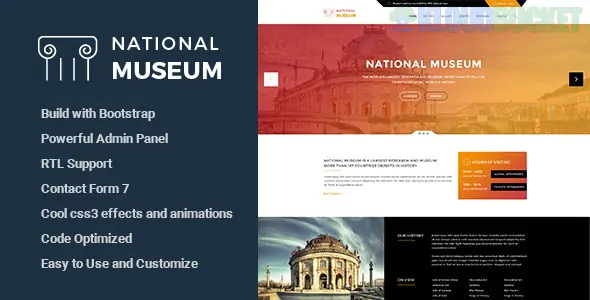
Museum is a highly versatile WordPress theme designed for cultural institutions, art galleries, and exhibition centers. In 2026, this theme has branched into several popular versions—most notably the premium Vestige (available on ThemeForest) and the Gutenberg-native Musee (featured on WordPress.com).
The theme focuses on a "Gallery-First" philosophy, prioritizing visual storytelling and historical archiving over standard corporate layouts.
Unlike a general business theme, Museum-dedicated templates include specific custom post types (CPTs) to handle complex cultural data:
Exhibition Management: Dedicated layouts for "Current," "Upcoming," and "Past" exhibitions, often including countdown timers and location maps.
Artifact/Collection Grids: Advanced masonry and justified galleries designed specifically to display high-resolution photos of artifacts or paintings.
Timed Ticket Booking: Native integration with plugins like Tickera or WooCommerce Booking to allow visitors to reserve specific entry slots.
Donation Portals: Built-in "Call to Action" (CTA) buttons and progress bars compatible with the GiveWP donation plugin.
Virtual Tour Support: Support for 360° image embeds and video walkthroughs for online-only exhibits.
Feature
Vestige (Premium)
Musee (FSE/Block)
Primary Builder
WPBakery / Elementor
Gutenberg (Full Site Editing)
PHP Support
PHP 8.2+ & 8.3 Ready
PHP 8.1+
SEO
Semantic HTML5 & Schema.org
Core Web Vitals Optimized
Mobile UX
Responsive Bootstrap 5.x
Fluid Flexbox Layouts
Best For
Feature-heavy large museums
Minimalist art galleries
Dark Mode Optimization: Modern versions now include a "Night Mode" toggle, which is highly preferred for viewing fine art and historical photography.
Interactive Timelines: Integrated storytelling sections that allow you to present a museum’s history or an artist's career as a scrollable timeline.
Accessibility (WCAG 2.1): High-contrast color modes and screen-reader-friendly navigation have become standard in recent updates to meet international cultural site regulations.
Event Calendars: Deep integration with The Events Calendar, allowing for recurring workshops, lectures, and guided tours.
To get the most out of a Museum theme, focus on Taxonomy:
Categorize by Era/Style: Use WordPress categories to sort artifacts by "Baroque," "Modernist," "Pre-Historic," etc.
Sticky Posts for Hero Exhibits: Use the "Sticky Post" feature to keep your most famous or current flagship exhibition at the top of the homepage.
Localize Fonts: In 2026, privacy is key. Use the theme settings to host Google Fonts locally on your server to ensure GDPR compliance and faster load speeds.
Choose Museum if: You are managing a physical or virtual space that requires a professional way to list events, archive objects, and handle visitors.
Skip Museum if: You are a solo artist looking for a portfolio; a simpler theme like Park or White would be easier to manage without the "Exhibition Management" overhead.
Would you like me to help you configure the "Event Ticket" checkout process using WooCommerce, or guide you through setting up a virtual 360° gallery?
Subscribe to access unlimited downloads of themes, videos, graphics, plugins, and more premium assets for your creative needs.
.jpg) Help Us to Buy More New Theme/Plugin
Help Us to Buy More New Theme/Plugin
Published:
Jan 16, 2026 16:59 PM
Version:
v2.0.2
Category:
Developer:
ThemeforestLicense:
GPL v2 or LaterTags: