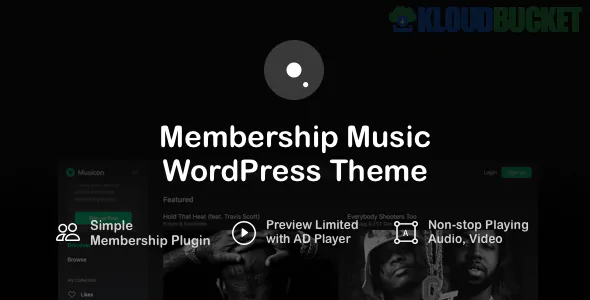
Musicon is a specialized, feature-rich WordPress theme built for the music industry. It is designed for musicians, bands, record labels, and music streaming services who want to offer exclusive content through a membership-based model.
Musicon provides the infrastructure needed to run a digital music business or a fan-based subscription site:
Audio Player with Playlist Support: A sleek, continuous audio player that stays active while users navigate different pages.
Membership & Paywalls: Integrated with plugins like Paid Memberships Pro or WooCommerce Memberships to restrict premium tracks, albums, or videos to paying subscribers.
Event & Tour Management: Tools to list upcoming gigs, link to ticket sellers, and show countdown timers.
Discography Pages: Dedicated layouts to showcase albums with tracklists, lyrics, and download links.
Artist Profiles: If you are running a label site, you can manage multiple artist pages with their own unique bios and social links.
In the music world, image is everything. While Musicon handles the "sound," Envira Gallery manages the "look." Here is how to use them together to create a professional artist brand:
High-energy live shots are vital for booking more shows.
The Setup: Use Envira’s Masonry Layout to create a "Tour Diary." This Pinterest-style grid allows you to mix vertical and horizontal shots from the road in a visually dynamic way.
The Pro Tip: Enable the Slideshow Addon in the lightbox so fans can sit back and watch a full-screen replay of your latest concert photos automatically.
Since Musicon is a membership theme, you can offer "Behind the Scenes" photo galleries as a perk for your top-tier subscribers.
The Workflow: Create a gallery of studio sessions or candid tour moments and use the Protection Addon to disable right-click/downloads, ensuring your exclusive content stays exclusive.
Musicon focuses on audio, but video is where content goes viral.
Feature: Use Envira’s Video Addon to create a unified gallery that mixes high-res promotional photos with your YouTube or Vimeo music videos. This keeps fans on your site longer rather than sending them away to third-party platforms.
If you sell vinyl or clothing, use Envira’s Zoom Addon. This allows fans to hover over album artwork or merchandise designs to see the fine details and quality before they head to the checkout page.
Match the "Stage" Lighting: Music sites often use dark backgrounds. In the Envira settings, choose a Dark Lightbox Theme and set the overlay opacity to 90% to make your photos "pop" against the Musicon dark mode.
Social Sharing for Fans: Enable the Social Sharing Addon. When you post a new photo of a band member or a new album cover, fans can immediately share it to Twitter, Facebook, or Pinterest, helping your music reach new audiences.
Speed Sync: Musicon is often "heavy" because of audio scripts. Keep your site fast by enabling Lazy Loading in Envira, so your high-res gallery images don't compete with the audio player for bandwidth.
Feature
Musicon Default
Envira Gallery
Video Mixing
Separate Sections
Mixed in the same grid as photos
Fan Interaction
Static Viewing
Social Sharing for every single image
Image Protection
Open to "Save As"
Right-click protection and Watermarking
Performance
Basic
Optimized for heavy concert photography
Would you like me to help you set up an Envira Gallery that pulls in your latest Instagram tour photos automatically to your Musicon homepage?
Subscribe to access unlimited downloads of themes, videos, graphics, plugins, and more premium assets for your creative needs.
.jpg) Help Us to Buy More New Theme/Plugin
Help Us to Buy More New Theme/Plugin
Published:
Dec 29, 2025 11:51 AM
Version:
v4.4
Category:
Developer:
ThemeforestLicense:
GPL v2 or Later