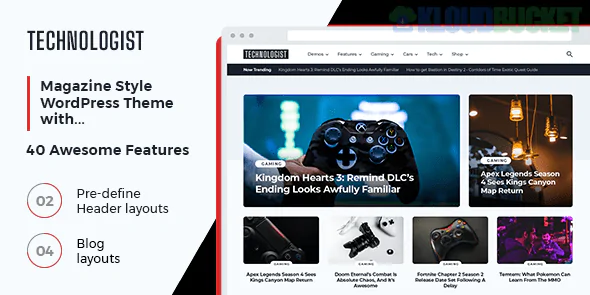
Technologist is a high-performance, responsive WordPress theme by MyThemeShop, specifically engineered for tech bloggers, gadget reviewers, and news magazine sites. It follows MyThemeShop’s signature philosophy: ultra-fast loading speeds, clean code, and heavy SEO optimization.
Technologist is built to handle content-heavy sites while maintaining a sleek, modern professional look.
Fluid Responsiveness: Works perfectly on all screen sizes, from mobile phones to high-res desktops.
Built-in Ad Management: Specialized slots for high-CTR ad placement, allowing you to monetize your tech reviews easily.
SEO Optimized: Features schema integration (rich snippets) to help Google understand your content and rank it higher.
Options Panel: A robust backend that lets you change colors, fonts (600+ Google Fonts), and background patterns without touching code.
Unlimited Sidebars: You can create different sidebars for different categories (e.g., one for "Smartphones" and another for "Software").
For a technology blog, visuals are everything—whether it's high-res product macros or software screenshots. Envira Gallery is the perfect companion for this theme:
Tech reviewers often take close-up "macro" shots of hardware details. Use Envira’s Zoom Addon so readers can hover over a gadget photo to see the port layout or build quality in extreme detail.
Technologist is built for speed, and so is Envira. If you are comparing two devices, use Envira’s Pagination or Lazy Loading features. This allows you to include 50+ comparison photos in a single post without hurting your page speed score.
Many tech blogs include video alongside text. With Envira’s Video Addon, you can create a gallery that includes your high-res photos mixed with your YouTube or Vimeo video reviews, all opening in a consistent, professional lightbox.
If you post a unique leak or a high-quality product render, use Envira’s Social Sharing Addon. This allows visitors to Pin, Tweet, or Share individual images directly from your gallery, which helps drive tech-savvy traffic back to your site.
Header Integration: Since Technologist has a clean header, you can use an Envira Slider in the "Featured" section to showcase the day's top news stories visually.
Shortcode Placement: Technologist works well with the classic editor and block editor; simply paste the Envira Shortcode into any "Review" post to display your gadget gallery.
Would you like me to show you how to set up the Envira Gallery "Zoom" feature to make your gadget reviews more interactive on the Technologist theme?
Subscribe to access unlimited downloads of themes, videos, graphics, plugins, and more premium assets for your creative needs.
.jpg) Help Us to Buy More New Theme/Plugin
Help Us to Buy More New Theme/Plugin
Published:
Dec 29, 2025 11:26 AM
Version:
v1.0.0
Category:
Developer:
ThemeforestLicense:
GPL v2 or Later